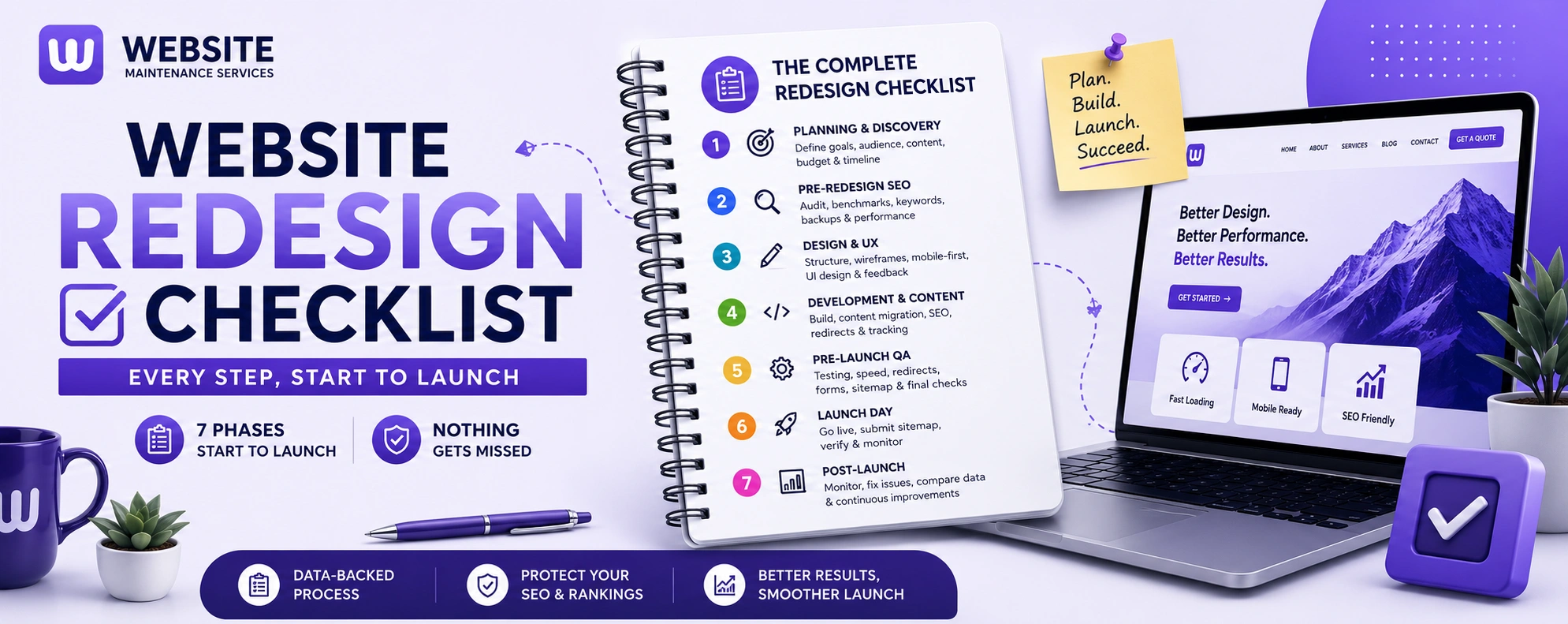
A website redesign has a hundred moving parts, and forgetting even one — a redirect, a tracking code, a page that was quietly driving traffic — can turn a great new site into an expensive mistake. The businesses whose redesigns go smoothly all have one thing in common: they work from a checklist instead of from memory.
This is that checklist. It walks through every phase of a redesign in order — planning, SEO preparation, design, development, pre-launch QA, launch, and post-launch — so nothing critical slips through. Work through it top to bottom, and bookmark it to check off as you go.
Skipping this phase is why so many redesigns look nice but fail to perform. Nail down the strategy before anyone touches a design.
- Define the goal. Name the specific problems the redesign must solve — low conversions, poor mobile experience, dated look, slow speed, or an outdated platform. "A fresh look" is not a goal.
- Set measurable targets. Record your current conversion rate, traffic, bounce rate, and load times so you can prove the redesign worked later.
- Understand your audience. Know who your visitors are and what they need from the site.
- Study competitors. Look at what's working on competing sites to inform (not copy) your direction.
- Audit your current content. Catalog every page and decide what to keep, rewrite, merge, or remove.
- Choose your platform. Confirm where the new site will live and why (WordPress remains the flexible default for most businesses).
- Set a realistic budget and timeline. Most small-to-mid business redesigns run 8–12 weeks; budget for content and post-launch maintenance, not just the build.
- Assign one decision-maker. Designate a single point of contact with final approval authority to prevent stakeholder gridlock — the biggest cause of delays.
- Prepare your content early. Gather copy, images, logo, and brand assets before design starts. This alone can cut the timeline by 25–40%.
This is the phase that protects your rankings, and the one most often skipped. Do it before development begins, because you can't protect what you haven't measured.
- Crawl your entire current site to capture every live URL, title tag, and meta description (tools like Screaming Frog work well).
- Identify your top-performing pages by traffic, rankings, and conversions in Google Search Console and analytics — these are protected at all costs.
- Find your most-linked pages. Note which pages have the most backlinks, since they carry the most ranking authority.
- Export your current rankings and traffic as a "before" benchmark to compare against after launch.
- Back up everything — your site files, database, and old XML sitemap.
- Do keyword research for any new pages or restructured content.
- Check current page speed and Core Web Vitals so you can compare after launch.
With strategy set, move to how the site looks and works.
- Map the new site structure and navigation before designing any page.
- Create wireframes for each page type to lock in layout and user flow before visual design.
- Design mobile-first. Most traffic is on phones, so design for thumbs and small screens first.
- Design the homepage first, then interior page templates — the homepage sets the tone for everything.
- Keep navigation simple and intuitive. Cut links that rarely get clicked; make key pages easy to reach.
- Design clear calls to action on every important page so visitors know the next step.
- Ensure brand consistency across colors, typography, and imagery.
- Plan for accessibility (WCAG 2.2 AA is the current standard expectation).
- Consolidate feedback into one clear round per design to avoid endless revisions.
Build the site on staging, never live.
- Build on a staging environment blocked from Google indexing (noindex or password protection).
- Build the complete 301 redirect map — every old URL matched one-to-one to its new equivalent. This is the single most important technical task.
- Keep existing URLs wherever possible; only change them for a real reason, and avoid redirect chains.
- Migrate content carefully, preserving the text on pages that already rank.
- Carry over on-page SEO — title tags, meta descriptions, H1s, and image alt text — and refine rather than rewrite from scratch.
- Reimplement schema markup (FAQ, LocalBusiness, Product) that existed on the old site.
- Rebuild internal links to point directly at the new URLs.
- Optimize images and code for fast loading.
- Set up analytics and conversion tracking (Google Analytics, tag manager, goals) on the new build.
- Test all forms, integrations, and interactive elements on staging.
This is your last chance to catch problems before real users and real rankings are affected.
- Crawl the staging site and compare URL count, titles, and meta descriptions against your Phase 2 audit — resolve any discrepancies.
- Test a sample of your 301 redirects to confirm they resolve directly and correctly.
- Run Core Web Vitals and page-speed tests and fix any regressions.
- Test on real mobile devices, not just a resized browser.
- Crawl for broken links and 404 errors within the new structure.
- Proofread every page for typos and broken formatting.
- Confirm analytics and conversion tracking fire correctly.
- Check all forms submit and route properly.
- Verify the staging noindex is ready to be removed at launch (forgetting this hides your live site from Google).
- Confirm your XML sitemap and robots.txt are correct.
- Take a final backup of the old site before switching.
- Remove the staging noindex so Google can crawl the live site. (Double-check this — it's a classic, costly mistake.)
- Switch the domain to the new site.
- Confirm 301 redirects are firing server-side on the live site.
- Submit your new XML sitemap to Google Search Console immediately.
- Verify both old and new site in Search Console if the domain changed.
- Test the live site — homepage, key pages, forms, and a sample of redirects.
- Monitor closely for the first 48–72 hours for any issues.
- Time your launch well — aim for February–May or September–October, and avoid launching right before the holidays.
The work isn't done at launch. The first month determines whether your rankings survive.
- Monitor Google Search Console daily for 30 days for 404 errors and crawl issues, fixing them immediately.
- Compare rankings and traffic against your pre-launch benchmark.
- Expect a small dip in the first 1–2 weeks (10–20% is normal), with recovery by week 4–6. If you're still 30%+ below baseline at week 8, something is wrong — usually redirects, metadata, or internal links.
- Fix broken links and redirect gaps as they appear.
- Keep 301 redirects live for at least a year.
- Gather user feedback on the new site and refine.
- Set up ongoing maintenance so the new site stays secure, fast, and current — this is what delays your next redesign for years.
Industry NoteYour Checklist May Need Extra Steps
The phases above apply to every redesign, but some industries have added requirements worth flagging: ecommerce sites need product-catalog migration, payment-gateway testing, and checkout optimization; healthcare and legal sites need compliance and privacy checks; nonprofits often need donation-flow and integration testing; and contractors, real estate, and local businesses should double down on local SEO and mobile, since most of their traffic is on-the-go and location-based. Whatever your industry, the seven phases stay the same — you're just adding the checks specific to your site's functionality.
Use ItDownload and Use This Checklist
A redesign lives or dies on the details, and the difference between a smooth launch and a traffic disaster is almost always a step that got skipped — usually a redirect, lost metadata, or a page nobody realized was driving traffic. Working from a checklist is how you avoid being that cautionary tale.
If you'd rather have experts run the whole process for you — audit, redirect mapping, design, development, SEO-safe launch, and post-launch monitoring — get a free website audit and we'll show you exactly what your redesign needs, with a clear plan and timeline. No guesswork, no missed steps.
Get a Free Website Audit · See Our Redesign & Maintenance Services · Talk to Our Team
FAQFrequently Asked Questions
What should a website redesign checklist include?
What is the most important step in a website redesign?
How do I prepare for a website redesign?
What is a website redesign SEO checklist?
What should I check after launching a redesigned website?
How long does a website redesign take using this checklist?
Want Experts to Run the Whole Process?
Audit, redirect mapping, design, development, SEO-safe launch, and post-launch monitoring — get a free website audit and we'll show you exactly what your redesign needs, with a clear plan and timeline. No guesswork, no missed steps.