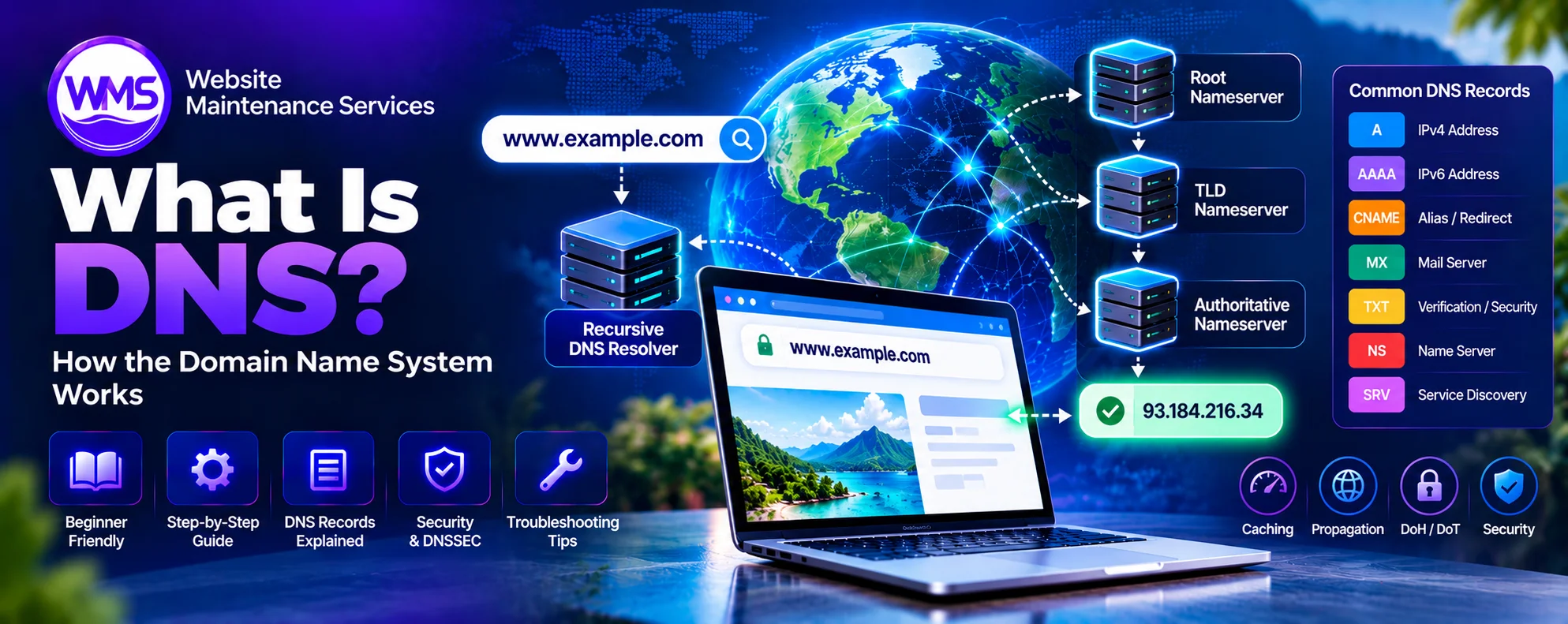
What Is DNS? How the Domain Name System Works (2026)
Learn how DNS lookups, records, caching, propagation, encrypted DNS, DNSSEC, and troubleshooting work in 2026.
Every time you open a website, send an email, or connect to an online service, an important internet technology works behind the scenes to help your device find the correct destination. That technology is called DNS, or the Domain Name System.
Imagine having to remember a numerical IP address every time you wanted to visit a website. Instead of entering a familiar name such as google.com, you would need to know the address of the server responsible for providing the service.
DNS solves this problem by connecting human-readable domain names with the technical information computers need to communicate over the internet.
Often described as the phonebook of the internet, DNS is a distributed naming system that helps devices locate websites, email servers, applications, and other network resources.
But DNS does much more than translate website names into IP addresses. It also supports email delivery, domain verification, service discovery, website infrastructure, and various security mechanisms.
In 2026, DNS remains a foundational part of internet infrastructure. Technologies such as DNS over HTTPS (DoH), DNS over TLS (DoT), DNSSEC, IPv6, and newer HTTPS DNS records continue to influence how DNS is used, secured, and managed.
This guide explains what DNS is, how the Domain Name System works step by step, the different types of DNS servers and records, DNS caching and propagation, security considerations, and how to troubleshoot common DNS problems.
What Is DNS? Simple Definition
DNS (Domain Name System) is a distributed, hierarchical naming system that translates human-readable domain names into IP addresses and provides other information needed to locate and use internet services.
For example, when you enter https://example.com, your device may use DNS to discover an IP address associated with example.com. The browser can then use that address to establish a connection to the appropriate web service. This process is called DNS resolution.
Without DNS, users would often need to know numerical addresses to locate internet services.
What Does DNS Stand For?
DNS stands for Domain Name System. The term describes a system for organizing domain names and retrieving information associated with them. DNS was developed in the early 1980s to replace the increasingly impractical approach of maintaining a central list of hostnames and addresses. Its foundational specifications include RFC 1034 and RFC 1035, published in 1987, building on earlier DNS work.
DNS Meaning in One Sentence
DNS is the internet's naming system that helps computers find services using domain names instead of requiring users to remember IP addresses.
Why Is DNS Called the Phonebook of the Internet?
A traditional phonebook connects a person's name with a telephone number. DNS performs a similar function by connecting domain names with network information.
- Domain name:
example.com - IPv4 address:
192.0.2.10 - IPv6 address:
2001:db8::10
These IP addresses are documentation examples, not claims about the actual servers behind example.com. The analogy is useful, but DNS is more sophisticated than a simple directory. One domain can have several IP addresses, aliases, email servers, and other resource records. DNS responses can also vary because of caching, network routing, geographic location, and service configuration.
Why Is DNS Important?
DNS makes internet services easier to access, administer, and scale. It separates memorable names from the underlying addresses and infrastructure used to provide services.
1. Makes Websites Easier to Access
Human-readable names are easier to remember than numerical IP addresses. Instead of memorizing an address for every website, visitors can enter familiar domain names. DNS supplies the information needed to locate the service.
2. Allows Websites to Change Servers
A business can move its website to a different hosting provider without changing its domain name. The website administrator updates the relevant DNS records to point to the new infrastructure. Once DNS caches expire or refresh, users can receive the new information.
3. Supports Email Delivery
DNS helps email servers discover where messages for a particular domain should be delivered. Mail Exchange (MX) records identify the mail servers responsible for receiving email. DNS also supports email authentication mechanisms such as SPF, DKIM, and DMARC.
4. Supports Large-Scale Internet Infrastructure
Large websites may use multiple servers, content delivery networks, and geographically distributed infrastructure. DNS can help direct clients toward suitable service endpoints. The actual routing and load-balancing behaviour depends on the DNS configuration and other networking systems.
5. Supports Security and Domain Verification
DNS records can help establish domain ownership, publish email authentication policies, and restrict certificate issuance through CAA records. DNSSEC can provide cryptographic verification of DNS response authenticity and integrity.
6. Enables Flexible Service Management
Organizations can manage websites, APIs, mail servers, applications, and subdomains independently. For example, a business might use:
example.comfor its main websiteshop.example.comfor its online storemail.example.comfor a mail-related hostapi.example.comfor an application interface
DNS provides the naming infrastructure for these services.
How Does DNS Work? Step-by-Step Explanation
DNS resolution is the process of finding information associated with a domain name. To understand it, imagine you enter www.example.com into your browser. If the required information is not already cached, a recursive DNS resolver may need to communicate with several DNS servers.
Step 1: You Enter a Domain Name
You type www.example.com into your browser. The browser needs to locate the network endpoint associated with this hostname. If it does not already have usable address information, it requests DNS resolution through the operating system or its configured resolver.
Step 2: The Browser and Device Check Cached Information
Before performing a full DNS lookup, the browser or operating system may check for previously resolved information. Depending on the application and system configuration, this may include application DNS caches, operating system caches, and locally configured hostname mappings. If valid information is available, the device may use it without requesting another full lookup. Otherwise, the request is sent to a DNS resolver.
Step 3: The Request Reaches a Recursive DNS Resolver
A recursive resolver receives the request and attempts to provide an answer. This resolver may be operated by your internet service provider, a company, or a public DNS service. Examples of public DNS resolver services include Cloudflare, Google Public DNS, and Quad9. The recursive resolver checks its own cache. If it has a usable cached response, it can return that information immediately. If not, it may begin querying the DNS hierarchy.
Step 4: The Resolver Contacts a Root Nameserver
The DNS root is the highest level of the public DNS hierarchy. A root nameserver does not normally provide the final IP address of an ordinary website. Instead, it directs the resolver toward the nameservers responsible for the appropriate top-level domain. For www.example.com, the relevant top-level domain is .com. The root nameserver provides referral information for the .com namespace.
Step 5: The Resolver Contacts a Top-Level Domain Nameserver
The recursive resolver contacts a nameserver responsible for .com. The top-level domain nameserver provides information about the authoritative nameservers responsible for example.com. It generally does not contain the website's final address record. Instead, it helps the resolver find the next authority in the DNS hierarchy.
Step 6: The Resolver Contacts the Authoritative Nameserver
The authoritative nameserver manages the DNS information for the relevant domain or delegated zone. It responds with the requested record when available. For example, it might return an A record associating www.example.com with the illustrative IPv4 address 192.0.2.10. If the hostname uses an alias, the resolver may need to follow additional DNS records to obtain the required address information.
Step 7: The Resolver Returns the DNS Response
The recursive resolver sends the answer back to the requesting device. It may also cache the response according to applicable caching rules. Caching helps improve efficiency by reducing the need to repeat the entire lookup process.
Step 8: The Browser Connects to the Website
Once the browser has a suitable address, it can attempt to establish a connection. For an HTTPS website, this typically involves establishing a transport connection and negotiating TLS security before exchanging HTTP data. The server or an intermediary such as a content delivery network responds with the information needed to load the webpage.
Important: DNS finds information needed to locate a service. It does not itself download or render the website.
DNS Lookup Process at a Glance
| Step | Component | Function |
|---|---|---|
| 1 | Browser | Requests the website |
| 2 | Local cache | Checks for existing address information |
| 3 | Recursive resolver | Resolves the requested hostname |
| 4 | Root nameserver | Refers the resolver to the relevant TLD |
| 5 | TLD nameserver | Identifies the domain's authoritative nameservers |
| 6 | Authoritative nameserver | Provides the requested DNS information |
| 7 | Recursive resolver | Returns and may cache the response |
| 8 | Browser | Connects to the web service |
Not every DNS lookup involves all these steps. Cached records, configured forwarding, aliases, and other infrastructure can change the actual sequence.
What Are the Four Main Types of DNS Servers?
A conventional explanation of DNS resolution identifies four main server roles. These are recursive DNS resolvers, root nameservers, top-level domain nameservers, and authoritative nameservers.
1. Recursive DNS Resolver
A recursive DNS resolver accepts requests from clients and obtains the necessary DNS answers. It can use cached information or query other nameservers. The resolver acts on behalf of the requesting device, reducing the complexity the device must handle.
2. Root Nameserver
Root nameservers provide information about top-level domain delegation. They help recursive resolvers find nameservers responsible for domains such as .com, .org, and .net. The public root system uses 13 named root server identities, operated through widely distributed infrastructure. This does not mean the entire internet depends on only 13 physical machines.
3. Top-Level Domain Nameserver
A TLD nameserver manages delegation information for a top-level domain. For example, .com nameservers help resolvers find authoritative servers for domains registered under .com. Other examples of top-level domains include .org, .net, .uk, and .bd.
4. Authoritative DNS Nameserver
An authoritative nameserver provides DNS answers for the zones it serves. It is the authoritative source for the records within its responsibility. For example, an authoritative server may provide A, AAAA, MX, TXT, or other records for a domain. An authoritative nameserver normally answers from its configured zone data rather than recursively resolving arbitrary external domains.
Recursive DNS vs. Authoritative DNS: What's the Difference?
Recursive and authoritative DNS services perform different roles. A recursive resolver finds answers on behalf of clients. An authoritative nameserver supplies authoritative data for the DNS zones it hosts.
| Feature | Recursive DNS | Authoritative DNS |
|---|---|---|
| Main responsibility | Find DNS answers | Publish DNS zone information |
| Typical user | Browsers, devices, applications | Domains and services |
| Caches responses | Commonly | Not its primary role |
| Queries other DNS servers | Yes, when needed | Normally answers from authority |
| Stores definitive zone data | Usually not | Yes |
| Common providers | Public resolvers, ISPs | DNS hosting providers |
Some companies offer both recursive and authoritative DNS services, but these functions are logically different.
What Are DNS Records?
DNS records are structured pieces of information stored within DNS zones. They tell DNS clients and other systems how to locate websites, deliver email, verify domains, and discover services. A DNS record generally includes a name, record type, record-specific data, and a time-to-live value. Different record types serve different purposes.
Common DNS Record Types
| Record | Full Name or Meaning | Primary Purpose |
|---|---|---|
| A | Address | Maps a hostname to IPv4 |
| AAAA | IPv6 Address | Maps a hostname to IPv6 |
| CNAME | Canonical Name | Creates a DNS alias |
| MX | Mail Exchange | Identifies receiving mail servers |
| TXT | Text | Stores text-based DNS information |
| NS | Name Server | Identifies authoritative nameservers |
| SOA | Start of Authority | Contains DNS zone administration information |
| PTR | Pointer | Supports reverse DNS lookups |
| SRV | Service | Identifies service endpoints |
| CAA | Certification Authority Authorization | Restricts permitted certificate issuers |
| DS | Delegation Signer | Supports DNSSEC chain of trust |
| DNSKEY | DNS Public Key | Publishes DNSSEC key information |
| HTTPS | HTTPS Service Binding | Provides service connection information |
| SVCB | Service Binding | Supports discovery of service endpoints |
A Record: Connecting a Domain to IPv4
An A record maps a hostname to an IPv4 address. Example: example.com → 192.0.2.10. The address is illustrative. A records are commonly used for websites and other services that connect over IPv4.
AAAA Record: Connecting a Domain to IPv6
An AAAA record maps a hostname to an IPv6 address. Example: example.com → 2001:db8::10. IPv6 provides a much larger address space than IPv4. A hostname may have both A and AAAA records so clients can connect using either address family.
CNAME Record: Creating a Domain Alias
A CNAME record identifies one domain name as an alias of another. Example: www.example.com → example.com. The resolver can then obtain appropriate records associated with the target name. A standard CNAME cannot coexist with other ordinary record data at the same name, and it cannot normally be used at a zone apex containing required SOA and NS records. Some DNS providers offer CNAME flattening or related features to support similar functionality at an apex.
MX Record: Routing Email
MX records identify mail servers responsible for receiving messages for a domain. For example, a domain may publish an MX record pointing to mail.example.com. MX records include preference values that help sending mail systems determine which server to try. Lower preference numbers generally indicate higher priority.
TXT Record: Publishing Text Information
TXT records store text associated with DNS names. Common applications include domain ownership verification and email authentication. TXT records may contain SPF policies, DKIM public-key information, or domain verification values. DMARC policies are also published using TXT records under designated names.
NS Record: Delegating DNS Authority
NS records identify the authoritative nameservers for a DNS zone. For example, a domain may delegate DNS management to nameservers operated by its hosting or DNS provider. Changing the domain's delegated nameservers can move authoritative DNS responsibility to another provider. The new provider must have the necessary records configured correctly.
SOA Record: Zone Administration
The Start of Authority record contains important information about a DNS zone. Fields include the primary server name, administrative contact information, serial number, and several timing values. SOA information is used in zone management and influences aspects of negative caching.
PTR Record: Reverse DNS
PTR records support the reverse mapping of an IP address to a hostname. Reverse DNS is commonly used in email infrastructure, network administration, and diagnostics. For example, a mail server may have a PTR record associated with its public IP address. Reverse DNS alone does not prove that an email sender is legitimate.
SRV Record: Service Discovery
SRV records identify service endpoints and include information such as target hostnames and port numbers. They are used by certain communication systems and network applications.
CAA Record: Certificate Issuance Control
CAA records allow domain owners to specify which certificate authorities may issue TLS certificates for their domains. CAA is one component of certificate management and does not replace proper website security.
HTTPS and SVCB Records
HTTPS and SVCB records provide information about service endpoints and supported connection parameters. They can help compatible clients discover alternative endpoints or preferred protocols. These record types are defined in RFC 9460 and represent an important development in modern DNS.
How DNS Records Work Together: A Practical Example
Imagine a company owns example.com and wants to operate a website, online store, and professional email. Its DNS configuration might contain:
| Type | Hostname | Illustrative Value |
|---|---|---|
| A | example.com | 192.0.2.10 |
| AAAA | example.com | 2001:db8::10 |
| CNAME | www.example.com | example.com |
| CNAME | shop.example.com | store.example.net |
| MX | example.com | 10 mail.example.com |
| A | mail.example.com | 192.0.2.20 |
| TXT | example.com | SPF policy |
| TXT | _dmarc.example.com | DMARC policy |
| CAA | example.com | Permitted certificate issuer |
These records perform different tasks. The A and AAAA records help clients find the main website. The CNAME records provide aliases or point services toward another hostname. The MX record identifies the mail server, while TXT records support domain verification and email policies. In a real deployment, every value must match the requirements supplied by the hosting, email, certificate, or application provider.
What Is DNS Caching?
DNS caching is the temporary storage of previously retrieved DNS information. Instead of repeating every step of a lookup, a DNS resolver can reuse an answer while it remains valid under caching rules. Caching reduces DNS query traffic and often improves response times.
Where Does DNS Caching Happen?
Browser cache: Some browsers maintain DNS-related information to speed up connections.
Operating system cache: Many operating systems temporarily store resolved DNS information.
Router or local network: Some routers and network services forward or cache DNS responses.
Recursive resolver: Public or ISP-operated resolvers commonly cache responses for many users.
What Is DNS TTL?
TTL stands for Time to Live. It specifies how long a DNS record can normally remain cached before the resolver should refresh or revalidate it. TTL is measured in seconds.
| TTL Value | Duration |
|---|---|
| 60 | 1 minute |
| 300 | 5 minutes |
| 900 | 15 minutes |
| 1800 | 30 minutes |
| 3600 | 1 hour |
| 86400 | 24 hours |
A short TTL can help changes become visible sooner after existing cached records expire. A longer TTL may reduce DNS query volume and improve caching efficiency. However, resolvers may apply their own cache policies, including minimums, maximums, or stale-answer behaviour.
Does a Lower TTL Always Make a Website Faster?
No. A low TTL means resolvers may need to refresh records more frequently. It does not automatically improve website performance. The appropriate TTL depends on record stability, expected changes, resolver behaviour, and service requirements.
What Is DNS Propagation?
DNS propagation is the commonly used term for the period during which DNS changes become visible to different users and resolvers. When you update a DNS record, not every resolver immediately returns the new value. Some resolvers may still have the previous answer cached. Others may retrieve the updated record sooner.
How Long Does DNS Propagation Take?
DNS changes may appear quickly or take hours, depending on caching and the type of change. For ordinary record updates, the previous TTL is an important factor. Nameserver delegation changes can involve additional caching at parent zones and recursive resolvers. The frequently quoted 24–48-hour propagation window is a general planning allowance, not a universal technical requirement.
Why Do DNS Changes Take Time?
Several factors can affect visibility:
- Previously cached DNS records
- TTL values
- Nameserver delegation caching
- Resolver policies
- DNS provider configuration
- Incorrect or inconsistent authoritative records
- Local operating system or application caches
Example: Moving a Website to a New Hosting Provider
Suppose a domain currently points to one hosting server, and its owner changes the A record to a new server. Users whose resolvers have expired the old answer may reach the new destination. Others may temporarily continue using the old address until their cached information is refreshed. For migrations, administrators often keep both environments functioning during the transition.
How to Reduce DNS-Related Migration Problems
Before changing DNS:
- Verify that the new hosting environment works.
- Check all relevant DNS records.
- Reduce applicable TTL values in advance if useful.
- Avoid unnecessarily changing mail records.
- Keep the previous infrastructure available during the transition.
- Test authoritative answers and major resolvers.
- Monitor the website after the change.
Lowering TTL immediately before a migration does not erase longer-lived answers that were previously cached.
DNS vs. IP Address: What's the Difference?
DNS and IP addresses are related, but they are not the same thing. An IP address identifies a network interface or destination used for internet communication. DNS provides naming and lookup services that can associate hostnames with IP addresses. For example, example.com is a domain name, while 192.0.2.10 is an IPv4 address. A domain may resolve to multiple addresses, and a single address may serve multiple hostnames.
| Feature | DNS | IP Address |
|---|---|---|
| Main purpose | Name resolution and service information | Network addressing |
| Example | example.com | 192.0.2.10 |
| Human readability | Uses memorable domain names | Numerical notation |
| Can change independently | Yes | Yes |
| Used to locate services | Provides lookup information | Used in network communication |
DNS does not replace IP addressing. The two systems work together.
DNS vs. Domain Name vs. Web Hosting
These three concepts are often confused.
Domain Name
A domain name is a human-readable name registered and managed within the DNS naming hierarchy. Example: example.com.
DNS
DNS provides the system of records and servers used to retrieve information about domain names.
Web Hosting
Web hosting provides the infrastructure used to store and serve website content or applications. A domain name can be registered through one company, use DNS hosting from another provider, and point to a website hosted elsewhere. These services do not have to come from the same company.
Example
A business registers a domain through a registrar, manages its DNS through Cloudflare, and hosts its website with another provider. The DNS records connect the domain with the required hosting and service infrastructure.
What Is a DNS Resolver?
A DNS resolver is a component that obtains DNS information for clients. In common usage, the term often refers to a recursive DNS resolver, although operating systems and applications also contain resolver functionality. When you connect to the internet, your device may receive DNS resolver settings automatically from your network. Some users choose public resolver services instead.
Popular Public DNS Providers
| Provider | Primary IPv4 | Secondary IPv4 |
|---|---|---|
| Cloudflare | 1.1.1.1 | 1.0.0.1 |
| Google Public DNS | 8.8.8.8 | 8.8.4.4 |
| Quad9 | 9.9.9.9 | 149.112.112.112 |
Resolver services differ in their privacy policies, security features, geographic infrastructure, filtering behaviour, and support for encrypted DNS.
Is Public DNS Faster Than ISP DNS?
Not necessarily. DNS performance depends on network conditions, resolver infrastructure, caching, geographic location, and routing. One resolver may perform better on a particular network while another performs better elsewhere. Users should evaluate reliability, privacy policies, security features, and actual performance before changing DNS services.
What Is DNSSEC?
DNSSEC stands for Domain Name System Security Extensions. It adds cryptographic signatures that allow validating resolvers to verify the authenticity and integrity of signed DNS information. Traditional DNS responses are not inherently authenticated, which creates opportunities for certain forms of spoofing and cache poisoning. DNSSEC helps address these risks.
How Does DNSSEC Work?
DNSSEC uses public-key cryptography to sign DNS record sets. Authorized DNS infrastructure publishes signatures and key-related records. A validating resolver can use these records and a chain of trust to verify whether the response is authentic.
What Does DNSSEC Protect Against?
DNSSEC helps protect against attacks involving forged or modified DNS responses. It can reduce the risk that a validating resolver will accept fraudulent DNS information.
Does DNSSEC Encrypt DNS Queries?
No. DNSSEC authenticates DNS information but does not encrypt DNS queries. DNS query privacy is addressed by other technologies such as DNS over HTTPS and DNS over TLS.
Does DNSSEC Make Websites Completely Secure?
No. DNSSEC does not protect against every website vulnerability, compromised account, malicious domain, or insecure application. It should be used as part of a broader security approach.
What Is DNS over HTTPS (DoH)?
DNS over HTTPS is a protocol that sends DNS requests and responses over HTTPS. It helps protect DNS queries against passive observation or modification by parties positioned along the connection between the client and the selected DNS resolver. DoH is standardized in RFC 8484.
How Does DNS over HTTPS Work?
Instead of sending a conventional unencrypted DNS request, a compatible application sends the DNS query through an HTTPS connection to a DoH resolver. The resolver processes the request and returns the response through the encrypted connection.
Benefits of DNS over HTTPS
DoH can provide:
- Encryption between the client and resolver
- Protection against certain forms of network interception
- Reduced exposure of DNS queries to passive local observers
- Integration with browser and operating system networking
Limitations of DNS over HTTPS
DoH does not make internet activity completely anonymous. The chosen DNS resolver can still process DNS requests. Other parties may infer information from destination IP addresses and other network metadata. Browser DoH settings can also differ from operating system DNS settings.
What Is DNS over TLS (DoT)?
DNS over TLS is another method for encrypting communication between a DNS client and resolver. DoT is standardized in RFC 7858. It commonly uses TCP port 853.
DNS over HTTPS vs. DNS over TLS
| Feature | DNS over HTTPS | DNS over TLS |
|---|---|---|
| Abbreviation | DoH | DoT |
| Encryption | TLS through HTTPS | TLS |
| Common transport | HTTPS | Dedicated DNS-over-TLS connection |
| Typical port | 443 | 853 |
| Main purpose | Encrypt client-to-resolver DNS traffic | Encrypt client-to-resolver DNS traffic |
| Standard | RFC 8484 | RFC 7858 |
Both technologies can improve confidentiality for DNS requests between a client and its resolver. Neither replaces DNSSEC or guarantees complete privacy across the entire connection to a website.
DNS Security Threats and Common Attacks
DNS is a critical part of internet infrastructure, making it an important target for attackers. Understanding common threats helps website owners and administrators protect their domains.
DNS Spoofing
DNS spoofing involves providing false DNS information to redirect clients or interfere with service discovery. Attackers may attempt to impersonate legitimate DNS responses.
DNS Cache Poisoning
Cache poisoning occurs when a resolver stores fraudulent DNS information. Users relying on that resolver may subsequently receive incorrect answers. DNSSEC validation can help detect certain forms of manipulated responses.
DNS Hijacking
DNS hijacking involves unauthorized changes to DNS resolution or configuration. This might occur through compromised registrar accounts, altered DNS records, infected devices, or malicious network infrastructure.
DNS Amplification Attacks
Attackers can abuse certain DNS configurations to generate large responses toward a victim. This can contribute to distributed denial-of-service attacks. Preventing open recursive resolver abuse and applying appropriate network controls can reduce exposure.
DNS Tunneling
DNS tunneling involves encoding data in DNS traffic. It may be used for legitimate specialized communication, but attackers can also abuse it for covert command channels or data exfiltration.
Domain Expiration and Account Compromise
A domain can become unavailable or vulnerable when registration expires or administrative accounts are compromised. Domain owners should maintain accurate renewal information, enable multifactor authentication, and limit unnecessary account access.
How to Secure Your DNS Configuration
Website owners and system administrators can take several practical steps to improve DNS security.
1. Choose a Reliable DNS Provider
Evaluate uptime, redundancy, security features, support, and operational reliability.
2. Enable Multifactor Authentication
Protect registrar and DNS management accounts with strong authentication.
3. Enable DNSSEC Where Appropriate
Use DNSSEC when supported and properly configured. Incorrect DNSSEC configuration can make a domain unreachable to validating resolvers.
4. Restrict DNS Administration
Provide administrative permissions only to users and systems that require them.
5. Review DNS Records Regularly
Remove outdated records and verify that existing records point to the intended services.
6. Protect Email Authentication
Configure SPF, DKIM, and DMARC according to your actual email infrastructure.
7. Monitor Changes
Where supported, use audit logs, change alerts, and administrative monitoring.
8. Manage Domain Renewals
Enable appropriate renewal reminders and keep registration details current.
How to Change DNS Settings for a Domain
Domain owners commonly manage DNS through their registrar, DNS hosting provider, or hosting control panel. The exact interface depends on the provider.
Step 1: Identify Your DNS Provider
Determine which nameservers are authoritative for the domain. Your domain registrar and authoritative DNS provider may be different companies.
Step 2: Open DNS Management
Sign in to the appropriate account and locate DNS management or DNS records.
Step 3: Identify the Record You Need
Select the relevant record type. For example:
- A record for IPv4 addressing
- AAAA record for IPv6 addressing
- CNAME for an alias
- MX for receiving email
- TXT for domain verification
Step 4: Enter the Correct Information
Use the record values supplied by the service provider. Avoid guessing IP addresses, mail server names, or verification tokens.
Step 5: Save the Changes
Review the information before saving. An incorrect DNS record can make a website, email service, or application unavailable.
Step 6: Verify the Results
Use DNS lookup tools to confirm that authoritative nameservers return the expected records. Also check relevant recursive resolvers when investigating caching differences.
Step 7: Monitor the Website and Email
Verify that essential services continue working after the change. When changing nameservers, ensure the new provider has the complete required DNS configuration before updating delegation.
How to Check DNS Records
Several tools can help inspect DNS records and troubleshoot problems.
Using nslookup
nslookup is available on many operating systems.
Example: nslookup example.com
To query MX records: nslookup -type=MX example.com
To query NS records: nslookup -type=NS example.com
Using dig
dig is a DNS diagnostic utility commonly available on Linux, macOS, and other environments.
To query A records: dig example.com A
To query MX records: dig example.com MX
To request DNS information through a specific resolver: dig @1.1.1.1 example.com
To trace DNS delegation: dig +trace example.com
A trace helps inspect the path through authoritative DNS delegation. It does not necessarily reproduce the exact behaviour of a normal cached recursive lookup.
Using PowerShell
On Windows, PowerShell supports DNS queries through commands such as: Resolve-DnsName example.com
To request MX records: Resolve-DnsName example.com -Type MX
Using Online DNS Checkers
Online DNS lookup tools can display records from different resolvers or locations. They can be useful when investigating inconsistent DNS responses. However, their results should not replace direct checks of authoritative nameservers when diagnosing configuration problems.
How to Flush DNS Cache
Flushing DNS cache removes certain locally cached DNS information. This can help troubleshoot issues after DNS changes. It does not force all recursive resolvers on the internet to discard their caches.
Flush DNS Cache on Windows
Open Command Prompt and run: ipconfig /flushdns. This clears the Windows DNS Client resolver cache.
Flush DNS Cache on macOS
On many recent macOS versions, administrators use sudo dscacheutil -flushcache and sudo killall -HUP mDNSResponder. The appropriate commands may vary by macOS release.
Flush DNS Cache on Linux
The procedure depends on the DNS caching service in use. For systems using systemd-resolved, a common command is sudo resolvectl flush-caches. Other systems may require different commands or may not maintain a comparable local DNS cache.
Does Flushing DNS Fix Every Website Problem?
No. Flushing a local DNS cache cannot fix incorrect authoritative DNS records, server outages, expired domains, firewall failures, or many application problems. It is only one troubleshooting step.
Common DNS Problems and How to Fix Them
DNS-related errors can prevent websites and applications from loading correctly. However, not every connection failure is caused by DNS.
1. DNS_PROBE_FINISHED_NXDOMAIN
This browser error commonly indicates that DNS resolution reported that the requested domain name does not exist. Possible causes include:
- Mistyped domain names
- Missing DNS records
- Incorrect delegation
- Domain registration problems
- Resolver or local configuration issues
Check the domain spelling, registration status, and authoritative DNS information.
2. DNS Server Not Responding
This error can occur when the configured DNS resolver cannot be reached or does not answer as expected. Possible causes include network problems, resolver outages, firewalls, or configuration errors. Try checking the network connection and querying another known resolver for comparison.
3. Website Works on One Network but Not Another
Different networks may use different resolvers and cached information. Possible causes include stale cached records, resolver filtering, routing issues, or local network restrictions. Compare responses from multiple resolvers and authoritative nameservers.
4. Website Stops Working After a Nameserver Change
When changing DNS providers, required records may not have been copied correctly. Check A, AAAA, MX, TXT, CNAME, and other relevant records at the new authoritative provider. Verify that the domain's delegation matches the intended nameservers.
5. Email Stops Working After Changing DNS
This commonly occurs when MX or related email records are missing or incorrect. Check the domain's MX records and the address records of the mail hosts. Also review SPF, DKIM, and DMARC as appropriate.
6. DNS_PROBE_FINISHED_BAD_CONFIG
This can indicate a problem with DNS configuration or resolution. Check the device's DNS settings, network connection, router configuration, and resolver availability.
7. DNSSEC Validation Failure
An incorrectly configured DNSSEC chain of trust may cause validating resolvers to reject responses. Check DS records at the parent zone and relevant DNSKEY and signature records in the authoritative zone. DNSSEC changes should be managed carefully, especially when moving providers.
8. DNS Changes Appear Inconsistent
Differences between authoritative responses and recursive caches can create inconsistent behaviour. Inspect TTL values, authoritative nameservers, and relevant recursive resolver answers.
Does DNS Affect Website Speed?
Yes, DNS performance can contribute to the time required to establish a connection to a website. Before a browser connects to a hostname, it may need to retrieve DNS information. An inefficient resolver, unnecessary lookup chains, or a slow authoritative DNS service can increase lookup time.
However, DNS is only one part of website performance. Other factors include server response time, network latency, HTML and JavaScript processing, image sizes, caching, and content delivery.
How to Improve DNS Performance
Useful approaches include:
- Choosing reliable DNS hosting
- Avoiding unnecessary DNS lookup dependencies
- Configuring appropriate TTL values
- Maintaining healthy authoritative nameservers
- Using suitable resolver infrastructure
- Monitoring DNS query failures and latency
- Reviewing unnecessary third-party hostname dependencies
Changing DNS providers does not automatically make an entire website faster. Actual improvements depend on the starting configuration and network conditions.
Does DNS Affect SEO?
DNS reliability and configuration can affect whether search engines can access a website. If a domain consistently fails to resolve, search engine crawlers may be unable to retrieve its pages. Prolonged availability problems can interfere with crawling and indexing. However, simply changing to a popular DNS provider does not guarantee higher search rankings.
DNS Problems That Can Affect Search Accessibility
Relevant problems include:
- Incorrect A or AAAA records
- Broken nameserver delegation
- DNS outages
- Incorrect DNSSEC configuration
- Unintended domain expiration
- Misconfigured website migrations
A stable DNS configuration is an important part of technical website maintenance.
Can DNS Improve Search Rankings Directly?
DNS is primarily an infrastructure service, not a content-ranking strategy. Reliable DNS supports website accessibility, but rankings also depend on relevant content, site quality, competition, and many other factors. Website owners should prioritize accurate configuration and availability rather than treating DNS changes as an SEO shortcut.
DNS and CDN: What's the Relationship?
A Content Delivery Network (CDN) distributes or proxies content and services across multiple network locations. DNS can help direct users toward a CDN or other service infrastructure. For example, a website may use DNS records that point visitors toward a CDN provider. The CDN then handles web requests according to its configuration.
Does a CDN Replace DNS?
No. CDNs still rely on naming and address resolution. Some CDN providers also offer authoritative DNS hosting, but these remain separate functions.
What Happens When Cloudflare Proxy Is Enabled?
For a proxied hostname, Cloudflare normally responds to DNS queries with Cloudflare network addresses rather than exposing the configured origin address through the proxied address record. The visitor connects through Cloudflare's network, which can then communicate with the configured origin. This is different from DNS-only behaviour, where DNS returns the configured address or appropriate DNS target information.
DNS in 2026: What's Changing?
The foundational principles of DNS remain the same, but modern internet infrastructure increasingly uses additional privacy, security, and service-discovery technologies.
1. Encrypted DNS Is More Widely Supported
DoH and DoT provide standardized methods for encrypting DNS traffic between clients and resolvers. Browsers, operating systems, routers, and network services offer varying levels of support. The privacy benefits depend on configuration and the selected resolver.
2. DNSSEC Remains Important
DNSSEC helps validating resolvers detect forged or modified DNS information. It continues to be relevant for domain security and infrastructure integrity. Correct key management and delegation configuration are essential.
3. IPv6 Continues to Matter
IPv6 provides an expanded address space and supports modern network deployments. AAAA records allow DNS to publish IPv6 addresses. Websites can use both IPv4 and IPv6 where supported.
4. HTTPS and SVCB Records Support Modern Connections
HTTPS and SVCB records provide additional connection and service-binding information. They can help compatible clients discover alternative service endpoints and supported connection parameters. These capabilities complement traditional A and AAAA lookups.
5. DNS Infrastructure Is Becoming More Automated
DNS providers increasingly offer APIs and infrastructure automation. Organizations can manage records through deployment systems, domain management platforms, and automated service provisioning. Automation can improve consistency, but incorrect configuration can still cause outages.
6. DNS Security Requires Multiple Layers
Encrypted DNS, DNSSEC, registrar security, monitoring, and reliable infrastructure address different threats. No single feature provides complete protection. Website owners should understand which security problem each technology solves.
Frequently Asked Questions About DNS
What is DNS in simple terms?
DNS is the system that helps computers find internet services using domain names. It can translate a name such as example.com into an IP address, allowing software to connect to the appropriate service.
What does DNS stand for?
DNS stands for Domain Name System.
What is the main purpose of DNS?
Its main purpose is to provide a distributed system for naming and locating internet resources. The most familiar application is translating domain names into IP addresses.
How does DNS work?
A client requests information about a domain name. A recursive resolver may use cached records or query root, TLD, and authoritative DNS servers to obtain the answer, which is returned to the client.
What is a DNS server?
A DNS server processes DNS queries. Different servers may act as recursive resolvers, authoritative nameservers, or components of the DNS hierarchy.
What is a DNS lookup?
A DNS lookup is a request for information associated with a domain name, such as an IP address, mail server, or other resource record.
What is a DNS resolver?
A DNS resolver obtains DNS answers for a requesting device or application. Recursive resolvers can query multiple servers and cache responses.
What is the difference between DNS and an IP address?
DNS is a naming and lookup system. An IP address is a numerical network address used to identify or reach devices and services.
What is an A record in DNS?
An A record maps a hostname to an IPv4 address.
What is an AAAA record?
An AAAA record maps a hostname to an IPv6 address.
What is a CNAME record?
A CNAME record creates a DNS alias that points one name to another canonical hostname.
What is an MX record?
An MX record identifies mail servers responsible for receiving email for a domain.
What is a TXT record?
A TXT record stores text in DNS. It is commonly used for domain verification and email authentication policies.
What is DNS propagation?
DNS propagation describes the period during which changed DNS information becomes visible across different resolvers and caches.
How long does DNS propagation take?
It depends on previous TTL values, caching, delegation, and resolver behaviour. Some changes appear quickly, while others may take hours or longer.
What is DNS caching?
DNS caching temporarily stores previously retrieved DNS information to reduce repeated lookups and improve efficiency.
What is DNS TTL?
TTL means Time to Live. It indicates how long DNS information may normally remain cached before being refreshed.
What is DNSSEC?
DNSSEC adds cryptographic signatures that allow validating resolvers to verify the authenticity and integrity of DNS information.
Does DNSSEC encrypt DNS?
No. DNSSEC authenticates DNS data but does not encrypt the query or response.
What is DNS over HTTPS?
DNS over HTTPS sends DNS queries and responses over an encrypted HTTPS connection between a client and compatible resolver.
What is DNS over TLS?
DNS over TLS encrypts communication between a DNS client and resolver using TLS, commonly through port 853.
Is changing DNS safe?
Changing your device's recursive resolver is generally straightforward when using a reliable service. Changing a domain's authoritative records or nameservers requires greater care because incorrect settings can interrupt websites and email.
What happens if DNS stops working?
Applications may be unable to locate services by domain name. Some existing connections or cached lookups may continue working temporarily.
Can DNS affect internet speed?
DNS lookup performance can affect connection setup time, but it is only one part of overall internet and website performance.
Does DNS affect Google rankings?
DNS reliability helps search engines access a website. However, changing DNS providers alone does not guarantee ranking improvements.
What is the best DNS server?
There is no single best resolver for everyone. Reliability, latency, privacy policy, filtering features, and network conditions should guide the decision.
What is the difference between a domain registrar and a DNS provider?
A registrar manages domain registration. A DNS provider hosts and serves DNS records. One company may offer both services.
Can one domain have multiple IP addresses?
Yes. DNS can publish multiple A or AAAA records for a hostname. How clients use those addresses depends on application and network behaviour.
Does DNS host a website?
No. DNS provides information used to locate the website. The website itself is served through hosting or application infrastructure.
Why is my website not opening after changing DNS?
Possible causes include incorrect records, nameserver delegation problems, cached old information, DNSSEC errors, or issues with the new hosting environment.
DNS Glossary: Important Terms Explained
| Term | Meaning |
|---|---|
| DNS | Domain Name System |
| Domain name | Human-readable name in the DNS hierarchy |
| IP address | Numerical network address |
| DNS lookup | Request for DNS information |
| DNS resolution | Process of obtaining a DNS answer |
| Recursive resolver | Service that resolves DNS requests for clients |
| Root nameserver | Server providing root-level delegation information |
| TLD | Top-Level Domain |
| Authoritative nameserver | Server providing authoritative DNS zone information |
| DNS zone | Administratively managed portion of the DNS namespace |
| A record | IPv4 address record |
| AAAA record | IPv6 address record |
| CNAME | Canonical Name alias |
| MX | Mail Exchange record |
| TXT | Text record |
| NS | Name Server record |
| SOA | Start of Authority |
| PTR | Reverse DNS pointer record |
| SRV | Service discovery record |
| CAA | Certificate Authority Authorization |
| DNSSEC | DNS Security Extensions |
| DNSKEY | DNSSEC public key record |
| DS | Delegation Signer record |
| DoH | DNS over HTTPS |
| DoT | DNS over TLS |
| TTL | Time to Live |
| DNS cache | Temporarily stored DNS information |
| DNS propagation | Visibility of DNS changes across caches and resolvers |
| DNS spoofing | Forging DNS information |
| DNS hijacking | Unauthorized alteration of DNS resolution |
| Reverse DNS | Lookup of hostname information associated with an IP address |
| HTTPS record | DNS record carrying HTTPS service information |
| SVCB | Service Binding record |
| CDN | Content Delivery Network |
| Registrar | Organization providing domain registration services |
Final Thoughts: Why DNS Is Essential to the Internet
The Domain Name System is one of the technologies that makes the modern internet usable.
By connecting human-readable domain names with network information, DNS allows browsers, email applications, and other services to locate the resources they need.
Its distributed architecture supports the internet's enormous scale, while DNS records provide flexibility for managing websites, email, applications, and infrastructure.
Understanding DNS is particularly useful for website owners, developers, system administrators, and businesses that depend on reliable digital services.
Knowing how DNS resolution, caching, propagation, and security work can help prevent website downtime, troubleshoot connection problems, and simplify hosting migrations.
In 2026, technologies such as DNSSEC, DNS over HTTPS, DNS over TLS, IPv6, and HTTPS service records continue to expand the capabilities of DNS.
However, the underlying purpose remains unchanged.
DNS makes it possible to use familiar domain names to find services across a complex global network, without requiring users to understand the underlying network addresses or infrastructure.
Authoritative References
- Cloudflare — What Is DNS?
- ICANN — DNSSEC: What Is It and Why Is It Important?
- Cloudflare — DNS Record Types
- RFC 8484 — DNS Queries over HTTPS
- RFC 7858 — DNS over TLS
- RFC 9460 — SVCB and HTTPS Resource Records
- RFC 1034 — Domain Names: Concepts and Facilities
- RFC 1035 — Domain Names: Implementation and Specification