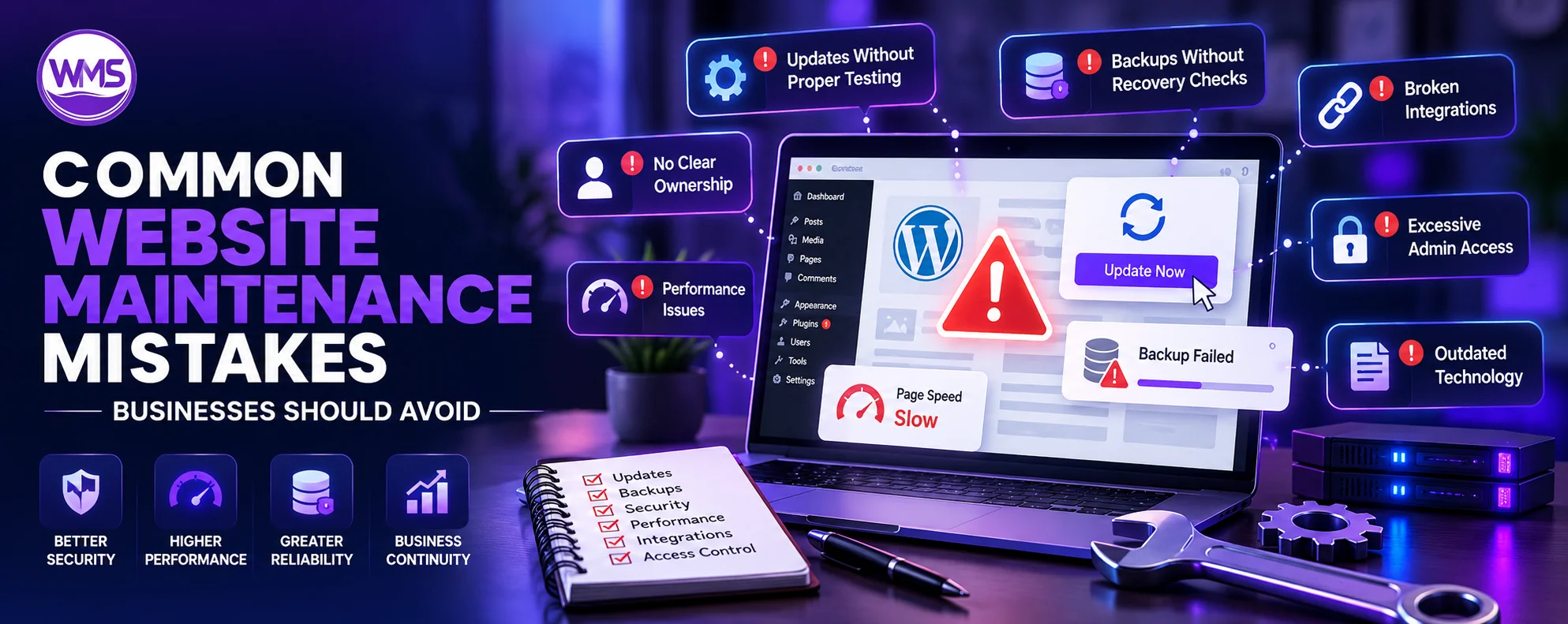
From missed updates and untested backups to broken integrations and poor access controls, understand the maintenance problems that can disrupt a business website.
A website might seem stable even though technical issues arise beneath the surface. This is because many organizations have considered website maintenance to be a collection of individual fixes rather than something to be considered within the entire lifecycle of their website. Website application development services can assist organizations in considering architecture, integration, security, and future support needs right at the onset.
In addition to the above advantages of website maintenance, there are others for firms operating in Canada. The Canadian Centre for Cyber Security recommends website security maintenance, access control review, software update, backup, and review of website changes.
Mistake 1No clear maintenance ownership
The process of providing support to the website usually includes several departments, such as marketing handling content, IT managing infrastructure, and third-party suppliers helping with hosting and integrations.
However, issues arise when there is no owner for the entire website. It means that issues like the expired SSL certificate, broken API, failed forms, and out-of-date plugins can be ignored because each department thinks that someone else will fix the issue.
There must be one person or department who takes care of the updates, backup, hosting, integration, monitoring, and access permissions to the site.
Mistake 2Updates without proper testing
Late updates may leave vulnerabilities exploited, whereas fast installation may cause problems for some functionality of the website.
A better strategy is to have a patch testing, a backup of the latest version, test the patch before going live and test it after implementation. The team needs to test form functionality, payment gateway functionality, log in and authentication functionality, Google analytics integration, and plugins, but not only that the pages load.
The Canadian Centre for Cyber Security also suggests a formal patch management process.
Mistake 3Backups without recovery checks
The existence of a backup is no assurance of quick recovery.
The files could have been corrupted, there may be missing data in the database, and the password for restoring may have expired. The company will realize that while they have a backup, they cannot restore their website fast enough when faced with such a problem.
They should therefore check from time to time whether the recovery mechanism works as it should.
Mistake 4Technical checks that ignore customer journeys
The site can remain active despite critical business processes being down.
A service page on a B2B website might work perfectly fine while the contact form stops sending leads into the CRM system. On ecommerce sites, buyers can get to the checkout point but fail at the payment stage.
Performing maintenance should involve checking entire user journeys and not just separate web pages. It is easier for a team to detect issues between interconnected systems when doing so.
Mistake 5Gradual website performance loss
Performance problems for websites normally develop gradually from several minor issues instead of one large one.
Scripts, plugins, pictures, live chats, and third-party resources are added, thus making pages heavier with time. An increase in database size and server settings can also lead to extra delays.
The following things need to be monitored: page performance, server response, number of scripts, database size, and external requests. It will help determine what was the reason for poor performance before it begins affecting conversions.
Mistake 6Forgotten third-party integrations
Contemporary websites may rely on various third-party solutions, including payment processors, CRMs, analytics platforms, maps, authorization tools, mail servers, and many others.
These third parties can alter the API they provide, the authorization scheme, or the version they support, even if nothing about the website itself is altered. Thus, what was an integration that used to work well for many years might suddenly stop working.
It would be wise for the business to maintain an inventory of such important integrations, as well as their owners, current versions, credentials, and documentation.
Mistake 7Excessive administrator access
Access rights have a tendency to grow as employees, organizations, and contractors change.
Previous contractors can have accounts left behind, whereas internal groups could use administrator rights to make it easier to log on. Both of these practices make access management and tracking access changes more difficult.
Organizations must disable those accounts which are no longer needed and restrict administrative access to those who require it. According to the Canadian cybersecurity best practices, there needs to be periodic privilege management, particularly following any role changes.
Mistake 8Too many fixes on outdated technology
There is a limit to which maintenance can be done.
The website could use a technology that is not supported anymore, or the website itself is coded in such a way that it requires more time spent on patching the compatibility problems each time there is an upgrade.
A technical evaluation should be made comparing the costs and benefits of doing maintenance, partial modernization, or complete rebuild.
Mistake 9Maintenance without business priorities
Not all website problems are created equal.
For example, problems with payments, security, or even site crashes must be handled immediately. Lead form breakage must also be addressed right away, since it impacts actual sales.
However, small issues with appearance can wait until scheduled maintenance. Prioritization will allow technical staff to manage their time better and help business staff understand when escalation is required.
Maintenance ChecklistWhat should a website maintenance routine include?
Maintenance does not have to be complicated, yet it should be consistent.
Weekly maintenance could include uptime checks, forms, transactions, backups, and customer processes. Monthly maintenance might look at software updates, performance, integrations, security warnings, and access controls. Quarterly assessment could entail recovery tests, removing unnecessary software and any third-party dependencies. Yearly assessments would be more concerned with the technical infrastructure of the site, such as hosting, architecture, vendor support, security concerns, and future costs of the technological solution in use.
It all depends on the particular website, and for corporate websites that have many pages, this definitely would have to be done differently than for an ecommerce website or an application.
ConclusionFinal thoughts
Web site management is most effective when the business considers the site to be an integrated system rather than just a set of pages and plug-ins. Effective ownership, backup tests, security of access, integration tests, and technical evaluations will allow your team to spot any issues sooner.