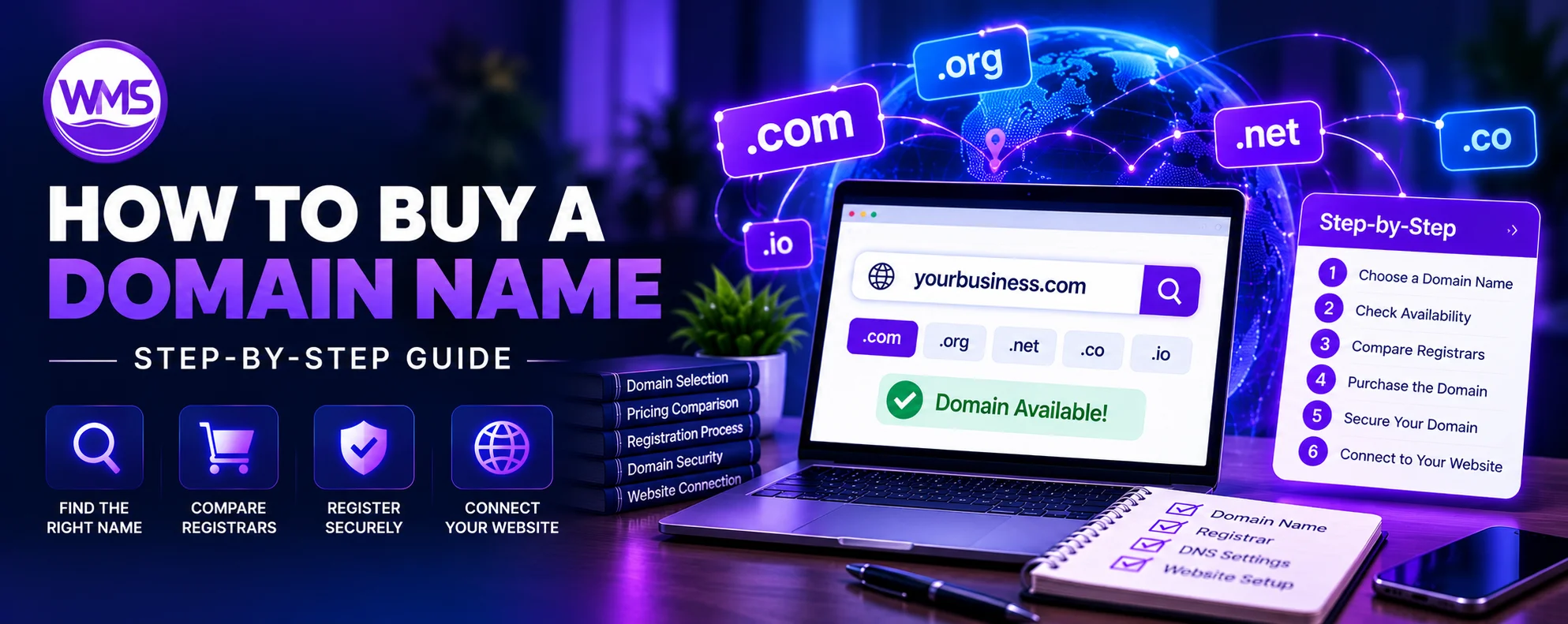
Complete step-by-step guide for beginners: choose a name, compare registrars, register securely, connect your website, and protect your domain for the long term.
Buying a domain name is one of the first steps toward creating a website, launching an online business, building a personal brand, or establishing a professional online presence. However, if you have never purchased a domain before, the process can be confusing.
Where should you buy a domain? How much does it cost? Is it better to register a domain through GoDaddy, Namecheap, Cloudflare, or a web hosting company? And once you purchase a website domain, how do you connect it to your website?
The good news is that buying a domain name is relatively straightforward. You do not need programming knowledge, an existing website, or a hosting subscription to register one.
In this comprehensive guide, you will learn how to buy a domain name in 2026, from choosing the right website address and checking availability to comparing registrars, completing registration, setting up DNS, connecting hosting, and protecting your domain against expiration or unauthorized transfers.
We will also cover the costs most beginners overlook, the difference between buying a new and an existing domain, and the mistakes that can cause expensive problems later.
Domain GuideHow to Buy a Domain Name: Quick Answer
To buy a domain name, choose a name, check whether it is available through a domain registrar, compare the registration and renewal prices, and complete the checkout using accurate registrant information. Once registered, secure your registrar account, enable renewal reminders, and connect the domain to your website or email provider when needed.
Domain purchase process at a glance
- Choose your preferred domain name and extension, such as
.comor.ca. - Search for its availability at a reputable registrar.
- Compare initial, renewal, transfer, and optional service fees.
- Choose the registration period and review the cart.
- Create your account and enter accurate registration details.
- Pay for the domain and complete any required verification.
- Enable account security and domain renewal protection.
- Connect the domain to your website, hosting, or email service.
You can complete a straightforward new-domain registration without purchasing website hosting at the same time.
Domain name registration is handled by registrars or their resellers under rules that vary by domain extension. ICANN explains the domain registration ecosystem and the contractual responsibilities of registrars and registrants.
Domain GuideWhat Does It Mean to Buy a Domain Name?
A domain name is a human-readable name used to identify resources on the internet.
For example, example.com is a domain name.
When people enter a website address in their browser, the Domain Name System (DNS) helps their devices locate the infrastructure associated with that name.
A domain name is different from a website.
The domain is the address that people recognize, while website hosting provides the infrastructure needed to deliver website content.
What are you actually buying?
When you buy a domain name, you are generally paying for the right to register and use that name for a defined period, subject to the applicable registration agreement and registry policies.
You are not purchasing permanent ownership of a word or internet address in the same way you would purchase physical property.
Your registration typically lasts for a selected term and can be renewed.
For example, if you register brightoakconsulting.com for one year, you must renew that registration to continue using it beyond the current term.
Can you buy a domain without building a website?
Yes. You can register a domain even if your website does not exist yet.
Many businesses register their preferred names before designing their websites to reduce the chance of someone else registering those names.
After registration, you could leave the domain unused, set up a temporary landing page, configure professional email, or connect it to your finished website.
Domain name vs. website vs. hosting
| Component | Purpose | Example |
|---|---|---|
| Domain name | Identifies your online name | example.com |
| Domain registrar | Manages the registration | Cloudflare Registrar, Namecheap |
| DNS | Directs domain-related requests | Nameservers and DNS records |
| Web hosting | Runs or serves website content | Shared, WordPress, or cloud hosting |
| Website | Pages and functionality visitors use | Homepage, services, contact page |
| Email hosting | Processes business email | hello@example.com |
Understanding these differences can help you avoid buying services you do not need.
Domain GuideStep 1: Choose the Right Domain Name
Before purchasing a website domain, decide what name best represents your brand, business, or project.
A well-chosen domain can become part of your company's identity for years.
It may appear on business cards, invoices, advertising campaigns, email signatures, social media profiles, and search results.
Changing a domain later is possible, but the process may require redirects, email migration, customer communication, and branding updates.
Keep the domain easy to remember
Short, recognizable domain names are usually easier for customers to remember and type.
For example, brightoak.com may be easier to communicate than brightoakprofessionalbusinessconsultingservices.com.
However, clarity is more important than length alone.
A slightly longer domain that accurately represents your business can be more useful than an extremely short but confusing name.
Make it easy to spell
Avoid complicated spellings unless they are an established part of your brand.
If your customers hear the domain name in conversation, they should ideally be able to type it correctly without asking for clarification.
Avoid unnecessary hyphens and numbers
Hyphens and numbers can make a domain difficult to communicate verbally.
Compare best-4-business-solutions.com with brightoaksolutions.com.
The second example is generally easier to remember.
Numbers and hyphens are not inherently invalid, but they can introduce unnecessary ambiguity.
Choose a name that can grow with your business
A domain that describes only one service or location may become restrictive if your company expands.
For instance, a business offering website design today may later offer custom software, mobile applications, or managed IT services.
A broader company name may accommodate that growth better than a domain tied to one narrow service.
Check existing brands and trademarks
Before buying a domain, search for businesses already using similar names.
A domain being available for registration does not mean that using it commercially is free from trademark concerns.
For important business names, consider checking relevant trademark databases and obtaining legal guidance where appropriate.
Check social media availability
It can be useful to choose a domain that resembles your usernames on major social platforms.
Exact consistency is not mandatory, but similar branding can make your business easier to recognize.
Domain GuideStep 2: Choose the Best Domain Extension
The domain extension, also called a top-level domain or TLD, is the ending of a domain name.
For example, .com is the extension in example.com.
Different extensions serve different audiences and purposes.
Common domain extensions
| Extension | Typical use | Considerations |
|---|---|---|
.com |
Businesses and general websites | Widely recognized |
.net |
General and technology websites | Alternative to .com |
.org |
Organizations and communities | Often associated with nonprofits |
.ca |
Canadian websites | Canadian presence requirements |
.us |
United States | Registration eligibility requirements |
.co |
Companies and startups | Can be confused with .com |
.io |
Technology-related brands | Often more expensive |
.ai |
AI-related businesses | Pricing and terms vary |
.store |
E-commerce websites | Descriptive extension |
.tech |
Technology-related websites | Suitable for some technology brands |
.app |
Applications and software | HTTPS-related browser requirements |
.dev |
Development and technology | HTTPS-related browser requirements |
Should you buy a .com domain?
For many businesses, .com is a sensible starting point because it is widely recognized.
However, it is not mandatory.
A Canadian company primarily serving Canada might prefer .ca. An application business might choose .app, while a technology company might use .tech or another appropriate extension.
Your choice should reflect brand suitability, customer expectations, eligibility, and long-term renewal costs.
Can you buy several extensions for the same name?
Yes, if they are available and you meet the registration requirements.
For example, a business may register both brightoak.com and brightoak.ca.
It can use one as its primary website address and redirect the other to it.
However, buying every available extension is rarely necessary for a small business.
Prioritize the extensions relevant to your brand and intended customers.
Domain GuideStep 3: Check Whether the Domain Name Is Available
Once you have a preferred name, the next step is to check its availability.
Domain availability searches are provided by domain registrars.
You enter the name you want, and the registrar checks whether it can currently be registered through its services.
Example: Checking a domain
Suppose you want brightoakconsulting.com.
You can open a domain registrar's website, enter the name, and review the result.
Three outcomes are common.
Available: The registrar offers the domain for registration.
Unavailable: The domain is already registered or otherwise cannot be purchased through ordinary registration.
Premium: The domain may be available at a price substantially higher than standard registration fees.
Where can you check domain availability?
You can use registrar search services such as:
Checking availability does not reserve the domain.
Until registration is completed successfully, another buyer may be able to register it.
What if your domain name is taken?
You have several options.
You could choose a different extension, adjust the name, use a shorter brand variation, or contact the current registrant about a possible purchase.
For example, if brightoak.com is already registered, you might consider:
brightoakconsulting.combrightoakagency.combrightoak.ca
These are naming illustrations, not confirmed available domains.
Avoid adding random characters simply to obtain an available name. A slightly different, memorable brand may be a better long-term choice.
Domain GuideStep 4: Choose Where to Buy Your Domain Name
A domain registrar is the company through which you register and manage a domain.
Not all registrars charge the same price or offer the same management features.
Some focus on low renewal costs, while others bundle website hosting, email, website builders, or additional services.
Popular domain registrars to consider in 2026
1. Cloudflare Registrar
Cloudflare emphasizes at-cost domain registration and renewals, with integrated DNS and DNSSEC. It is particularly relevant when transparent renewal pricing is a priority. Cloudflare's pricing model and supported extensions are published on its official website.
Official domain search: Cloudflare Registrar.
2. Namecheap
Namecheap provides domain registration, DNS management, hosting products, and email-related services. It is worth comparing for straightforward domain management and promotional offers.
Official website: Namecheap.
3. GoDaddy
GoDaddy provides domain registration alongside hosting, business email, and website-building products. Compare the total checkout cost, optional services, and renewal pricing before purchasing.
Official website: GoDaddy.
4. Porkbun
Porkbun is another registrar worth comparing for registration fees, renewals, DNS functionality, and domain-related features.
Official website: Porkbun.
5. Dynadot
Dynadot offers domain registration and management services, including tools relevant to users managing multiple domains.
Official website: Dynadot.
How to compare domain registrars
| Feature | Why it matters |
|---|---|
| First-year price | Initial purchase cost |
| Renewal price | Long-term affordability |
| Transfer price | Cost of changing registrars |
| Domain privacy | Protection of eligible contact details |
| DNS management | Connecting hosting and email |
| Two-factor authentication | Account security |
| Domain lock | Helps prevent unauthorized transfers |
| Auto-renewal | Reduces expiration risk |
| Support | Assistance with registration problems |
| Registration restrictions | Determines whether you are eligible |
A registrar offering the lowest first-year price is not automatically the cheapest over several years.
Should you buy from an ICANN-accredited registrar?
For generic top-level domains, using an ICANN-accredited registrar or an established reseller is a normal registration route.
ICANN maintains information about accredited registrars and explains that resellers operate through registrar relationships.
Country-code domains can have different registry arrangements.
Domain GuideStep 5: Compare Domain Registration and Renewal Prices
Many beginners focus only on the price displayed on the first search-results page.
However, a domain's first-year cost and renewal cost may be different.
For example, a registrar might advertise a discounted domain for the first year and charge a higher standard rate in subsequent years.
Illustrative first-year vs. renewal pricing
| Expense | Hypothetical amount |
|---|---|
| First-year domain registration | $4.99 |
| Second-year renewal | $19.99 |
| Third-year renewal | $19.99 |
| Three-year total | $44.97 |
This is an illustrative example, not a quote from a particular registrar.
The important point is that a seemingly inexpensive domain can cost substantially more over time.
How much does buying a domain cost in 2026?
Costs depend heavily on the extension and whether the name is standard or premium.
A standard .com may cost roughly $10–$25 annually at many retail registrars, while certain other extensions can cost considerably more. Premium domain names may be priced in the hundreds, thousands, or much higher.
For accurate quotes, compare current prices directly through the registrars.
Cloudflare publishes a domain pricing table showing registration, renewal, transfer, and restore fees by supported extension.
Additional fees to check
Before paying, review whether the cart contains optional products such as email hosting, website hosting, premium DNS, security services, or website-building subscriptions.
Some products are useful, but they should not be purchased automatically.
Check whether promotional prices require multiyear commitments or bundled services.
Should you register the domain for one year or several years?
A one-year term reduces the immediate expense.
A multiyear term can reduce the number of renewal transactions and may provide budget certainty if the applicable price is fixed at checkout.
However, registering a domain for several years does not guarantee permanent ownership or eliminate the need to maintain accurate account information.
For a serious business domain, choose a term and renewal process that reduces the chance of accidental expiration.
Domain GuideStep 6: Purchase the Domain Name
After comparing your preferred registrars and confirming availability, you can proceed with registration.
The exact interface varies between providers, but the overall process is similar.
1. Add the domain to your cart
Select the available domain name and confirm the extension.
For example, make sure you have chosen brightoakconsulting.com rather than a similarly spelled name or another extension.
Check every character carefully before proceeding.
2. Select the registration period
Choose how long you want to register the domain.
One-year and multiyear terms may be available, depending on the extension.
Review the displayed price for the selected term.
3. Remove unwanted extras
Check the cart for additional services.
A registrar might offer website hosting, professional email, site builders, or security products during checkout.
Purchase these only when they meet your requirements.
You do not need website hosting simply to secure a domain name.
4. Create your registrar account
Use an email address you can reliably access.
For a business domain, use an account controlled by the company rather than an outside developer's personal account.
A company should also maintain a documented recovery process for important registrar accounts.
5. Enter accurate registrant information
You may need to supply your legal name or business name, contact details, and other information required under the applicable registration agreement.
These details should be accurate and kept current.
ICANN explains that a registrant enters into a contractual relationship with the registrar and has responsibilities relating to domain registration and management.
6. Review privacy settings
Some registrars provide registration-data redaction or privacy services.
Availability depends on the registrar, TLD, applicable law, and registration circumstances.
Privacy services do not remove the obligation to provide accurate registration information.
7. Complete payment
Pay using an accepted payment method.
Before submitting payment, check the final amount, currency, renewal settings, and any additional subscriptions.
8. Complete verification
Some registrations require contact-information verification or other approval steps.
Look for the confirmation email and follow the registrar's legitimate verification instructions.
Failure to complete required verification may affect the domain's operation.
9. Confirm the domain appears in your account
After successful registration, the domain should appear in your registrar dashboard.
Review its registration status, expiration date, registrant information, and management options.
Keep the purchase confirmation and receipt with your business records.
Domain GuideStep 7: Secure Your Domain Immediately After Purchase
Securing a domain is especially important when it will be used for a business website, customer portal, or professional email system.
A compromised registrar account can allow unauthorized changes to DNS settings and, in some circumstances, attempts to move the domain.
Enable two-factor authentication
Use multifactor authentication when the registrar supports it.
An authenticator application, security key, or other stronger authentication method can help reduce account compromise risks.
Turn on automatic renewal
Automatic renewal reduces the chance of accidentally allowing the registration to expire.
However, it is not an absolute guarantee.
Payments can fail, account information can become outdated, or technical problems can interfere with renewal attempts.
Cloudflare, for example, states that automatic renewal attempts are not guaranteed to succeed and recommends checking domain renewal status.
Enable domain transfer lock
A registrar lock helps prevent unauthorized transfers to another registrar.
Do not confuse this with DNSSEC or multifactor authentication; each protects a different aspect of domain management.
Keep your registration email active
Your registrar may send important messages about expiration, transfers, verification, and security.
Use a mailbox you monitor regularly.
For business continuity, consider using a recovery email that does not depend entirely on the domain being managed.
Restrict account access
Do not share a single registrar username and password among employees or contractors.
Where delegated access is supported, give each authorized person only the permissions required.
Remove unnecessary access when staff or service-provider relationships change.
Enable DNSSEC when appropriate
DNSSEC adds cryptographic verification to DNS data.
It can help protect against certain DNS response manipulation attacks.
However, DNSSEC must be configured correctly between the DNS provider and the parent zone. Incorrect settings can make a domain fail to resolve.
Domain GuideStep 8: Connect Your Purchased Domain to a Website
Buying a domain does not automatically publish a website.
To make the domain display your content, you need an appropriate hosting platform or website service.
The configuration depends on where your website is hosted.
Option 1: Connect the domain to traditional web hosting
Suppose you buy your domain from Namecheap but use Hostinger for your website.
Your hosting provider may ask you to update the domain's nameservers or DNS records.
If you use the hosting provider's nameservers, the provider typically manages the authoritative DNS zone.
Alternatively, you may retain your existing DNS provider and configure the necessary records.
Option 2: Connect the domain to WordPress hosting
If your site uses WordPress, your hosting provider will give you setup instructions.
You may need to:
- Add the domain to your hosting account.
- Configure its DNS records.
- Install or migrate WordPress.
- Set the correct site address.
- Configure HTTPS.
- Test links, images, forms, and redirects.
Option 3: Connect the domain to a website builder
Platforms such as Wix, Squarespace, Shopify, and other website builders provide custom-domain connection instructions.
You may need to create specified A, CNAME, or other DNS records.
Use the exact record values provided by your platform.
Option 4: Connect the domain to a custom application
If your business runs a Next.js, React, Node.js, or another custom application, you can connect the domain to the appropriate hosting environment.
For instance, you might use a managed application platform, virtual private server, or cloud provider.
Your DNS settings need to match the actual deployment architecture.
Common DNS records
| Record | Purpose | Example |
|---|---|---|
| A | Points a hostname to an IPv4 address | 192.0.2.10 |
| AAAA | Points a hostname to an IPv6 address | 2001:db8::10 |
| CNAME | Creates an alias to another name | www to example.com |
| MX | Directs incoming email | Mail provider's server |
| TXT | Publishes verification and authentication data | SPF or domain verification |
| NS | Identifies authoritative nameservers | DNS delegation |
The sample IP addresses above are reserved documentation examples and should not be used as real hosting destinations.
How long does a domain take to connect?
Changes may become visible quickly, but cached DNS information can delay when different networks see the updated records.
The timing depends on TTL values, resolver caches, the types of changes made, and the services involved.
Do not assume that every DNS change takes exactly 24 or 48 hours.
Important: Protect existing email records
If the domain already handles email, review the MX, SPF, DKIM, and DMARC records before changing DNS providers.
Replacing nameservers without carrying over the necessary records can interrupt email delivery.
Domain GuideWhere Is the Best Place to Buy a Domain Name?
There is no single registrar that is best for every situation.
Instead, choose based on your priorities.
| Your priority | Registrar options to compare | What to verify |
|---|---|---|
| Transparent renewal pricing | Cloudflare Registrar | Supported TLD, DNS requirements |
| Domain and hosting from one company | GoDaddy, Namecheap, hosting providers | Bundle fees and renewal prices |
| Budget-focused registration | Porkbun, Namecheap, Dynadot | Current registration and renewal costs |
| Managing several domains | Dynadot, Cloudflare, others | Portfolio management and access controls |
| Country-specific registration | Registry-approved providers | Eligibility and transfer rules |
Cloudflare's at-cost pricing may be attractive to buyers who want transparent long-term fees, but its integrated DNS model should also fit your technical requirements.
For other providers, compare their current offers rather than assuming that a historic promotion still applies.
Domain GuideCan You Buy a Domain Name That Someone Else Already Owns?
Yes, but acquiring an existing registered domain is different from registering an available name.
If a domain is already registered, you cannot simply register it again.
You generally need to negotiate with the current registrant or use a marketplace or brokerage service.
Option 1: Contact the current domain owner
The owner may be willing to sell the domain.
Registration lookup tools may provide information about the registrar or an appropriate contact mechanism, although personal registration details may be redacted.
An unavailable domain is not necessarily for sale.
Option 2: Use a domain marketplace
Some existing domains are listed for sale through marketplaces such as Afternic or Sedo.
Marketplaces may facilitate offers, payment, and ownership transfer.
Review the marketplace's fees, policies, and buyer protections.
Option 3: Hire a domain broker
A domain broker may help contact the current registrant and negotiate a purchase.
This can be useful for valuable names, although brokerage services can introduce additional costs.
Option 4: Wait for expiration
Some buyers monitor an unavailable domain in case its current registration eventually expires.
However, there is no guarantee that it will become available.
The registrant may renew it, the registrar may handle it through an expiration process, or another buyer may acquire it first.
How to safely purchase an existing domain
An existing-domain purchase should involve careful verification.
Confirm that the seller controls the domain and can transfer it.
Check for trademark disputes, existing website history, reputation concerns, and any transfer restrictions.
For substantial transactions, consider using a reputable escrow arrangement and written purchase terms.
Do not send large payments directly to an unknown seller without appropriate protections.
Domain GuideHow Much Does an Existing or Premium Domain Cost?
Premium domain names can be considerably more expensive than standard registrations.
Their prices may reflect length, memorability, commercial demand, relevant keywords, or branding value.
For example, a short, generic .com domain could command a substantial resale price.
But high asking prices do not automatically mean the domain is a good investment.
Standard registration vs. premium domain
| Characteristic | Standard available domain | Existing/premium domain |
|---|---|---|
| Availability | Open for ordinary registration | May already have an owner |
| Price | Usually standard registrar pricing | Can vary dramatically |
| Transaction | Normal registration checkout | Purchase or negotiated transfer |
| Ownership verification | Managed through registrar | Requires additional diligence |
| Transfer complexity | Usually straightforward | Depends on status and seller |
| Main risk | Renewal or account issues | Fraud, disputes, transfer problems |
Should a startup buy an expensive premium domain?
Not necessarily.
A distinctive, affordable domain can be a better use of a new business's budget than a premium name.
Before purchasing a costly domain, consider whether the business benefit justifies diverting funds from website development, marketing, operations, or other needs.
Domain GuideHow to Buy a .com Domain Name
The process for buying a .com domain is similar to registering most other standard extensions.
- Select a preferred name ending in
.com. - Search for availability through a registrar.
- Compare the first-year and renewal prices.
- Review the registration terms.
- Complete registration with accurate information.
- Secure the account and configure renewal.
- Connect the domain to the intended online service.
What if the .com domain is unavailable?
Consider whether another name would still represent your business effectively.
Adding a descriptive term can be useful, such as consulting, studio, or software.
Alternatively, a country-specific or industry-relevant extension may work.
Do not choose a confusing variation that infringes another company's trademark.
Domain GuideHow to Buy Country-Specific Domain Names
Country-code top-level domains can have special registration conditions.
The buying process often resembles standard domain registration, but eligibility and documentation requirements may differ.
Buying a .ca domain
A .ca domain is associated with Canada.
Registrants must meet the applicable Canadian Presence Requirements administered by CIRA.
Check the current requirements before paying.
Buying a .us domain
The .us domain has eligibility restrictions associated with the United States.
A buyer should confirm they meet the registry's nexus requirements.
Buying a .in domain
The .in extension is associated with India.
Check current registration terms, pricing, and any relevant registry policies through a supported registrar.
Buying a .bd domain
The .bd extension is associated with Bangladesh.
Registration procedures and available second-level categories depend on the registry and its current rules.
Verify eligibility, documentation, payment, and renewal requirements through an authorized registration channel.
Buying a .to domain
The .to country-code extension is associated with Tonga.
It is also used by projects that are not necessarily based in Tonga.
Check registrar support, eligibility, current pricing, and renewal rules before purchasing.
Buying a .info domain
A .info domain is a generic top-level domain.
You can search for an available name through a registrar supporting .info, review the price, and complete registration.
Do not confuse registering a .info domain with buying an entire website.
Domain GuideHow to Buy a Website Address vs. Buying an Entire Website
People sometimes search for “how to buy a website” when they actually want to purchase a domain name.
These are different transactions.
Buying a domain means registering or acquiring a name.
Buying an existing website may involve purchasing much more, such as website files, content, customer relationships, brand assets, software, or other business property.
| Purchase | What you may receive |
|---|---|
| New domain registration | Registration rights for a name |
| Existing domain acquisition | Transfer of registration control |
| Website development | New website design and functionality |
| Existing website purchase | Defined website assets under a purchase agreement |
| Online business acquisition | Assets and obligations specified in a business transaction |
If you want to launch a new website, you usually do not need to buy an existing website.
You can register a suitable domain and build your own.
Domain GuideCan You Buy a Domain Name Permanently?
A common misconception is that buying a domain gives you permanent ownership.
In most ordinary cases, domain registration is time-limited.
You register the name for an allowed term and renew it to continue using it.
What happens when the registration expires?
The domain may enter a registrar-defined renewal stage or other expiration process.
Depending on the applicable rules, it may eventually be deleted or made available to another party.
For many generic top-level domains, ICANN's Expired Registration Recovery Policy provides requirements concerning renewal notifications and recovery opportunities. Exact procedures and fees vary.
Can you pay once and keep the domain forever?
Not through ordinary domain registration.
Some companies market long-term domain management services, but these do not necessarily change the underlying registration system.
A reliable renewal process is more important than a promise of permanent ownership.
Domain GuideHow to Transfer a Domain to Another Registrar
You may decide to move your domain registration to another provider because of pricing, management tools, support, or security preferences.
A registrar transfer is different from moving your website to another hosting provider.
You can usually change web hosts without transferring the domain registration.
Typical domain transfer process
- Confirm that the domain is eligible for transfer.
- Review its registrant information and expiration date.
- Disable the transfer lock when appropriate.
- Obtain the authorization code if required.
- Start the transfer through the new registrar.
- Complete any required verification or approvals.
- Confirm that the transfer finishes.
- Review DNS and renewal settings at the new registrar.
Are there restrictions on transfers?
Yes.
For many generic top-level domains, transfers may be restricted within 60 days of initial registration, certain previous transfers, or changes to registrant information.
Some change-of-registrant locks may have an opt-out mechanism, depending on the registrar's policies.
ICANN provides guidance on transfer eligibility and restrictions.
Will transferring my domain move my website?
No.
A domain transfer changes the registrar responsible for managing the registration.
Your website files, application, database, and hosting environment do not automatically move.
Carefully preserve DNS configuration during the transfer, especially when email and other business services depend on it.
Domain GuideCommon Mistakes When Buying a Domain Name
Mistake 1: Choosing a name that is difficult to spell
A confusing domain can make your business harder to find.
Better approach: Choose a memorable name and test whether people can type it correctly after hearing it.
Mistake 2: Ignoring renewal prices
A first-year promotion can hide a higher long-term expense.
Better approach: Calculate registration and renewal costs for several years before buying.
Mistake 3: Registering the domain under a developer's personal account
This creates ownership and access complications if the relationship ends.
Better approach: Ensure the appropriate individual or legal business entity controls the registration.
Mistake 4: Buying unnecessary add-ons
Domain checkout pages may include optional services.
Better approach: Purchase only what your project requires and evaluate alternatives independently.
Mistake 5: Forgetting to renew the domain
Expiration can interrupt websites, email, and other connected services.
Better approach: Enable renewal reminders, maintain working payment information, and verify renewal completion.
Mistake 6: Ignoring trademark conflicts
An available domain does not guarantee legal permission to use a brand name.
Better approach: Research existing business names and trademarks before registration.
Mistake 7: Failing to secure the registrar account
An attacker who accesses the account may be able to change important domain settings.
Better approach: Use multifactor authentication, strong credentials, and restricted administrative access.
Mistake 8: Changing nameservers without copying DNS records
This can disrupt services already using the domain.
Better approach: Audit website, email, and verification records before switching DNS providers.
Mistake 9: Assuming domain registration includes website hosting
A domain alone does not create a functioning website.
Better approach: Choose hosting separately or purchase a clearly defined bundle.
Mistake 10: Buying an existing domain without due diligence
A previously used domain may have a problematic history, unresolved disputes, or transfer restrictions.
Better approach: Verify the seller, domain status, legal considerations, and purchase terms.
Domain GuideDomain Buying Checklist for Beginners
Before purchasing your domain, use this checklist to make sure the important decisions have been covered.
FAQFrequently Asked Questions About Buying Domain Names
How do I buy a domain name?
Choose a suitable domain, check its availability at a registrar, compare prices and terms, create an account, enter accurate registration details, complete payment, and verify the registration.
How much does it cost to buy a domain name?
The cost depends on the extension, registrar, registration term, and whether the name is premium. Standard domains commonly cost tens of dollars or less per year, while some extensions and premium names cost substantially more.
Where can I buy a domain name?
You can register domains through companies such as Cloudflare Registrar, Namecheap, GoDaddy, Porkbun, and Dynadot, subject to the extensions each supports.
How do I buy a website domain?
Buying a website domain follows the same process as registering a domain name. Search for an available name, choose a registrar, register it, and connect it to your website service when ready.
Can I buy a domain without hosting?
Yes. Domain registration and hosting are separate services. You can register a domain now and purchase hosting later.
Can I buy a domain name forever?
Ordinary domain registrations are for defined terms and require renewal. They do not usually provide permanent ownership through a one-time payment.
How do I get a domain name for free?
Some hosting providers bundle a promotional first-year domain registration with qualifying plans. Others provide free subdomains. Always review renewal fees and whether you control the registration.
What is the cheapest way to buy a domain?
Compare the total cost of registration and renewal from several registrars. Include any required fees and avoid assuming the lowest first-year promotion provides the lowest long-term cost.
How do I buy a .com domain?
Search for an available .com name through a registrar, choose the term, review pricing, and complete registration.
How do I know whether a domain is available?
Use a domain search tool from a registrar supporting the extension. Availability may change until registration is successfully completed.
What if the domain name I want is already taken?
You can select another name, try another extension, or investigate whether the current registrant is willing to sell. The latter may involve negotiation or a marketplace.
Can I buy an existing domain name?
Yes, if its current registrant is willing and able to transfer it. Verify the seller, transaction terms, transfer eligibility, and any legal concerns.
How do I buy a domain from someone else?
Negotiate the purchase, use a secure payment arrangement, and complete the ownership and registrar transfer processes as appropriate.
How do I buy a URL?
For a conventional branded website address, you normally register a domain name. A complete URL also includes other components, such as a protocol and path, which are configured through your website or application.
Can I buy just a website address?
Yes. You can register a domain without purchasing website development or web hosting.
Do I need a business license to buy a domain?
Many generic domain names can be registered by individuals or businesses without a business license. Some extensions have specific eligibility or documentation requirements.
Is it better to buy a domain and hosting together?
Buying them together can simplify initial setup. Keeping them separate can provide flexibility. The important factors are account control, total cost, and ease of management.
What happens after I purchase a domain?
The registration is associated with your registrar account. You can then manage DNS, connect hosting, configure email, and establish renewal and security settings.
How long does buying a domain take?
A straightforward available-domain registration can often be completed quickly. Verification, payment processing, registry requirements, or special eligibility checks may introduce delays.
Can I transfer my domain later?
Generally, yes, subject to the applicable transfer rules. Some newly registered or recently changed domains may be subject to transfer restrictions.
Can I use a purchased domain with WordPress?
Yes. You can connect a registered domain to a compatible WordPress hosting service by configuring the required DNS and website settings.
Can I use a domain with Shopify?
Yes. Shopify supports connecting eligible custom domains to hosted stores. Follow the platform's current connection instructions.
How do I buy a domain for my business?
Choose a name that represents your business, review possible trademark conflicts, register it through a reputable registrar, and ensure your organization controls the account.
Should I buy multiple domain extensions?
Multiple extensions may be useful for branding or specific geographic markets, but they are not essential for every business. Consider ongoing renewal costs.
Can someone take my domain if I forget to renew it?
Potentially, yes. If a domain expires and passes through the applicable recovery and deletion processes, another party may eventually be able to register it.
What is domain privacy protection?
Domain privacy or registration-data redaction limits certain public contact-information disclosures where available. The details depend on the registrar, extension, and applicable policies.
What is a domain registrar?
A domain registrar is an organization offering domain registration services under the relevant registry and accreditation arrangements.
Do I own my domain if my web developer buys it?
That depends on the registration details and contractual arrangements. For business domains, the company should ensure it is the appropriate registrant and retains administrative control.
Can I register a domain in another country?
Some country-code domains allow international registrants, while others have residency, citizenship, business-presence, or other eligibility requirements.
Can I change the domain name after buying it?
You usually cannot simply rename an existing domain registration. Instead, register another available domain, configure the new services, and migrate or redirect as needed.
Domain GuideFinal Verdict: How Should You Buy Your First Domain Name?
Buying your first domain name does not need to be complicated.
The most important decision is choosing a name that supports your business or project over the long term.
Once you have selected a suitable name, compare reputable registrars based on renewal pricing, registration policies, domain management tools, and account security.
For cost-conscious buyers, Cloudflare Registrar is worth considering because of its at-cost pricing model. Namecheap, Porkbun, Dynadot, and GoDaddy are also useful options to compare, depending on your preferred extension and services.
If you are registering a domain for a business, make sure the company controls the registration rather than relying entirely on a developer or temporary contractor.
After purchasing the domain, enable multifactor authentication, configure renewal reminders, and carefully connect it to your website and email providers.
Remember that you do not need to purchase web hosting immediately. Securing a suitable domain now and building your website later is a perfectly valid approach.
The best domain purchase is not simply the cheapest registration. It is a memorable name, held in an account you control, with predictable long-term costs and appropriate security.
Domain GuideSources and Further Reading
For domain registration rules, ownership responsibilities, transfers, and recovery policies, refer to the following authoritative resources: