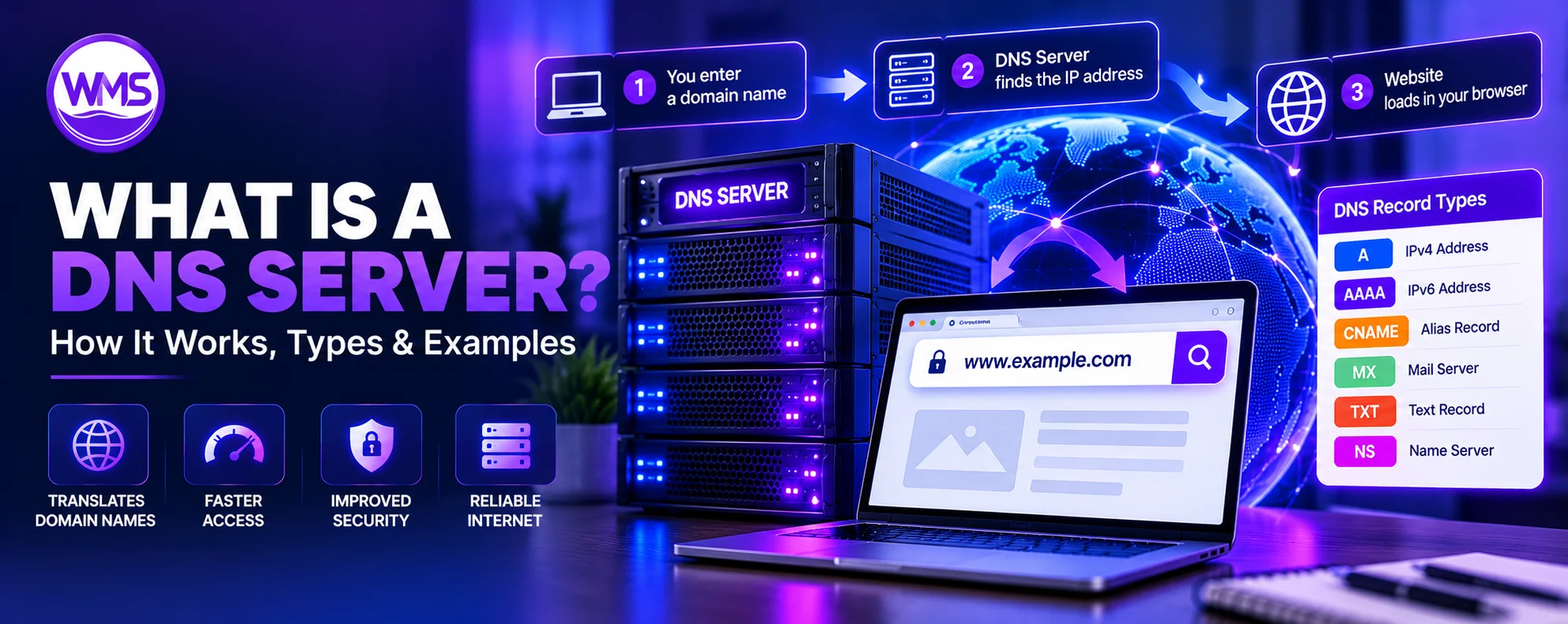
How DNS servers work, server types, records, public DNS addresses, Wi-Fi setup, security and troubleshooting.
Every time you open a website, send an email, connect an application to an online service, or access a web-based platform, the Domain Name System (DNS) helps your device locate the correct destination.
But what is a DNS server, what does it actually do, and why is it important for your internet connection? A DNS server is a network service that responds to requests for information associated with domain names. One of its most familiar functions is helping translate human-readable website names, such as google.com, into IP addresses that devices use to communicate over networks.
Without DNS, internet users would have to rely much more heavily on numerical network addresses instead of familiar website names. DNS also supports email routing, service discovery, domain verification, load balancing, and internet security mechanisms. It plays a significant role in website availability, online privacy, network management, and troubleshooting.
This guide covers the four major DNS server types, DNS records, public DNS services, Wi-Fi and router settings, DNSSEC, encrypted DNS, and ways to diagnose common problems. It is designed for beginners, students, website owners, network administrators, and business professionals.
What Is a DNS Server? Simple Definition
A DNS server (Domain Name System server) is a server that answers DNS queries or helps resolve domain names into information required to locate internet resources. For example, when you enter example.com, DNS infrastructure helps find the connection information for the site.
Depending on its role, a DNS server may retrieve information from other servers, return cached answers, or supply authoritative records for a domain. It is part of the internet’s distributed directory rather than the web server that delivers actual page content.
DNS server definition in one sentence
A DNS server is a computer or network service that processes DNS requests and provides information connecting domain names with internet services, including IP addresses.
What does DNS stand for?
DNS stands for Domain Name System. It does not stand for Domain Name Server. A DNS server is a server participating in that system; “domain name server” and “name server” are sometimes used to refer to DNS server functions.
What is the main purpose of a DNS server?
DNS servers support the discovery of internet resources through domain names. They resolve names, return DNS records, follow DNS delegation when necessary, and reuse cached answers. Cloudflare’s DNS server guide describes the major roles involved in resolution.
How Does a DNS Server Work?
A DNS lookup is the process of finding records associated with a domain. For websites, these commonly include IPv4 or IPv6 addresses. Here is a simplified uncached resolution for www.example.com:
- You enter
https://www.example.comin your browser. The browser or operating system first checks for a usable locally cached result. - Your device sends a query to its configured recursive DNS resolver if necessary. The resolver checks its own cache.
- When the answer is not cached, the resolver can ask a root nameserver, which directs it toward the appropriate top-level domain (TLD) infrastructure.
- The TLD nameserver, for example for
.com, returns delegation information for the domain’s authoritative nameservers. - The authoritative nameserver provides relevant records, such as an A or AAAA record, or an alias requiring further lookup.
- The recursive resolver returns the result to the device and may cache the answer according to applicable rules.
- The browser connects to the web service using that information; the hosting or edge network then serves HTML, images, JavaScript, and other resources.
The browser does not necessarily repeat the whole sequence for every visit. DNS caching and alias resolution can substantially change the steps. DNS itself does not deliver website pages; hosting infrastructure performs that role.
The Four Main Types of DNS Servers
| DNS server type | Primary function | Example |
|---|---|---|
| Recursive resolver | Finds and caches answers for client devices | ISP DNS, Google Public DNS |
| Root nameserver | Refers resolvers toward relevant TLD infrastructure | DNS root server network |
| TLD nameserver | Provides delegation information for a domain extension | .com nameservers |
| Authoritative nameserver | Publishes records for zones under its authority | Domain DNS hosting provider |
1. Recursive DNS Resolver
A recursive resolver acts on behalf of clients. It checks cached answers or contacts the appropriate DNS infrastructure to obtain an answer. Examples include public resolvers from Cloudflare, Google and Quad9; most users interact with one automatically.
2. Root DNS Nameserver
Root nameservers serve the top of the public DNS hierarchy. There are 13 named root server identities, from A-root to M-root, but the physical infrastructure includes many globally distributed instances using techniques such as anycast. They return guidance to the relevant TLD infrastructure, not usually the website’s final IP address.
3. Top-Level Domain (TLD) Nameserver
A TLD nameserver handles delegation data for extensions such as .com, .org, and country-code TLDs. It helps identify the authoritative servers for a registered domain, rather than directly managing each website or email record.
4. Authoritative DNS Nameserver
An authoritative nameserver publishes records for the zones assigned to it. Domain owners configure records with an authoritative DNS provider. The server answers with its zone data rather than performing general recursive lookups for visitors.
Recursive DNS vs. Authoritative DNS
| Feature | Recursive DNS | Authoritative DNS |
|---|---|---|
| Purpose | Find answers for clients | Publish DNS zone data |
| Typical user | Devices and internet users | Domain administrators |
| Caching | Usually caches answers | Serves zone data |
| Other-server lookups | Queries others as needed | Does not ordinarily recurse |
| Example | 1.1.1.1 or 8.8.8.8 | Nameservers assigned to the domain |
For example, a business can register brightoakconsulting.com and manage its DNS records with a hosting provider. Customers use their own recursive resolvers to retrieve records from that authoritative DNS service. These roles remain distinct even when one vendor offers both.
What Are DNS Records?
DNS records are structured pieces of information associated with a DNS zone. A domain may have several kinds of records for websites, email, verification, routing, and security.
| Record | What it does | Common use |
|---|---|---|
| A | Associates a name with IPv4 | Web hosting |
| AAAA | Associates a name with IPv6 | IPv6 web hosting |
| CNAME | Alias to another DNS name | www hostname |
| MX | Mail exchange destination | Incoming email |
| TXT | Publishes text data | SPF, DMARC, verification |
| NS | Identifies authoritative nameservers | Delegation |
| SOA | Zone administrative information | DNS operations |
| PTR | Reverse DNS mapping | IP-to-host lookup |
| SRV | Identifies service locations | Selected application services |
| CAA | Restricts certificate authorities | Certificate issuance |
| HTTPS | HTTPS service binding data | Connection parameters |
| DS | DNSSEC parent-to-child delegation | DNS authentication |
| DNSKEY | DNSSEC public key | DNSSEC validation |
Example of a DNS zone
example.com.       A       192.0.2.10
www.example.com.   CNAME   example.com.
example.com.       MX 10   mail.example.net.
example.com.       TXT     "v=spf1 -all"
These are illustrative records, not a production configuration. The IP belongs to a documentation range. The SPF string shown explicitly disallows SPF-authorized sending and is unsuitable for a domain that needs to send mail unless amended.
What is a DNS zone?
A DNS zone is an administratively managed portion of the namespace. One organization might manage example.com while delegating a subdomain to another zone, so a zone is not necessarily the same as an entire domain tree.
What Is a DNS Server Address?
A DNS server address is the IP address used to contact a resolver. For example, 8.8.8.8 belongs to Google Public DNS and 1.1.1.1 belongs to Cloudflare’s public resolver.
What are preferred and alternate DNS servers?
Some operating systems permit a preferred and alternate resolver. The exact use, selection, and failover behavior is determined by the system and applications; an alternate resolver is not a substitute for internet connectivity.
| Setting | Example |
|---|---|
| Preferred DNS server | 8.8.8.8 |
| Alternate DNS server | 8.8.4.4 |
Popular Public DNS Servers and Their IP Addresses
A public DNS resolver accepts queries from internet users. Providers vary in privacy policy, security filtering, encrypted DNS support, and regional latency.
| Provider | Primary IPv4 | Secondary IPv4 | Purpose |
|---|---|---|---|
| Cloudflare 1.1.1.1 | 1.1.1.1 | 1.0.0.1 | General resolution |
| Google Public DNS | 8.8.8.8 | 8.8.4.4 | General resolution |
| Quad9 | 9.9.9.9 | 149.112.112.112 | Security filtering |
| Cloudflare Families — malware | 1.1.1.2 | 1.0.0.2 | Malware blocking |
| Cloudflare Families — malware and adult content | 1.1.1.3 | 1.0.0.3 | Additional filtering |
1. Cloudflare DNS — 1.1.1.1
Cloudflare’s general public recursive DNS service uses 1.1.1.1 and 1.0.0.1 and supports encrypted DNS protocols. The separate Families services add optional filtering. Cloudflare 1.1.1.1 website.
2. Google Public DNS — 8.8.8.8
Google Public DNS uses 8.8.8.8 and 8.8.4.4 for IPv4; IPv6 addresses are 2001:4860:4860::8888 and 2001:4860:4860::8844. Google Public DNS documentation.
3. Quad9 DNS
Quad9 is a public resolver emphasizing security-oriented protections. The commonly published security-service IPv4 pair is 9.9.9.9 and 149.112.112.112. Check Quad9’s official site for current configuration and policy information.
Which DNS server should you use?
There is no universally fastest or best resolver. The right option depends on local network routes, ISP, latency, privacy policies, security filtering, and operational needs. Cloudflare and Google are general-purpose candidates; Quad9 is worth considering for security-oriented filtering.
What Is a DNS Server for Wi-Fi?
On Wi-Fi, the DNS resolver is commonly supplied through DHCP by the router or network. Some routers forward DNS requests to an upstream resolver. The router may therefore appear as your device’s DNS server even when another service does the eventual recursive resolution.
Does Wi-Fi need DNS?
Name-based internet access generally depends on DNS, although some IP-based communication can function without it. Modern applications rely extensively on DNS.
Can changing DNS improve Wi-Fi speed?
A faster resolver may shorten name-lookup time, but it does not increase wireless signal quality, bandwidth, or the ISP’s link speed. DNS is only one part of page-loading time.
What DNS server should I use for Wi-Fi?
The automatically assigned resolver is a reasonable starting point. If you need particular privacy, security, or reliability features, evaluate reputable public DNS services. Avoid changing managed business or school DNS without authorization because internal resources may depend on the existing setup.
How to Change DNS Server Settings
Record your existing network configuration before making changes and verify the selected resolver supports your network.
How to change DNS on Windows 11
- Open Settings and go to Network & internet.
- Choose your active Wi-Fi or Ethernet connection.
- Find DNS server assignment and select Edit.
- Choose manual configuration and enable IPv4 if appropriate.
- Enter the DNS addresses, choose encrypted DNS where supported, save, and test.
Preferred DNS:  1.1.1.1
Alternate DNS:  1.0.0.1
Screen labels differ between Windows versions. See Cloudflare’s Windows setup guide.
How to change DNS on macOS
- Open System Settings and select Network.
- Choose your active connection and open Details or Advanced.
- Open DNS, add your chosen resolver addresses, and adjust existing entries as needed.
- Apply changes and test connectivity.
VPNs, device profiles, and managed network settings may override manual DNS configurations.
How to change DNS on Android
On many Android versions, use Settings → Network & internet → Private DNS and choose a provider hostname. For Cloudflare, use:
one.one.one.onePrivate DNS expects a hostname, not a plain IPv4 address. Exact menus vary by device and Android version.
How to change DNS on an iPhone
- Open Settings → Wi-Fi.
- Tap the information icon next to the connected network.
- Choose Configure DNS → Manual.
- Enter DNS addresses and save.
This applies to the selected Wi-Fi network; cellular data and encrypted DNS profiles may be controlled separately.
How to change DNS on a router
- Sign into your router’s administration interface.
- Locate WAN, Internet, LAN, DHCP, or DNS settings.
- Record the current addresses.
- Enter the new upstream DNS resolver values and save.
- Reconnect clients if needed and verify the settings.
Some clients bypass router settings using their own secure DNS resolver. See Cloudflare’s router setup instructions.
How to Find Your Current DNS Server
Windows
Use ipconfig /all to inspect the DNS Servers field under the active adapter, or nslookup example.com to see the resolver used for that lookup.
ipconfig /all
nslookup example.com
macOS
Inspect network resolver configuration with:
scutil --dnsLinux
Many distributions running systemd-resolved provide:
resolvectl statusOther distributions may use a different resolver manager. /etc/resolv.conf may contain a local stub resolver instead of the actual upstream service.
Query a specific resolver
nslookup example.com 8.8.8.8
dig example.com A
dig @1.1.1.1 example.com A
Queries against a specified resolver can help distinguish a local DNS issue from one affecting a domain’s published authoritative DNS records.
What Is DNS Caching?
DNS caching temporarily stores DNS results, reducing the number of repeated lookups and helping responses arrive faster. Browsers, operating systems, local networks, and recursive resolvers can each cache data.
What is DNS TTL?
TTL stands for Time to Live. A DNS TTL of 300 seconds generally allows a resolver to cache the response for approximately five minutes, subject to applicable resolver behavior.
Why DNS changes sometimes appear delayed
After changing an A record or other DNS data, some users may still receive an older cached result until its cache lifetime expires. This process is often called DNS propagation, though it is not a single worldwide synchronization event.
How to flush DNS cache
On Windows, clear the local resolver cache with:
ipconfig /flushdnsThis does not flush the caches of browsers, routers, upstream resolvers, or other networks.
DNS Server Security: What Is DNSSEC?
DNSSEC stands for Domain Name System Security Extensions. It uses cryptographic signatures to help validating resolvers authenticate DNS data and detect modifications to signed responses.
What does DNSSEC protect?
DNSSEC provides data origin authentication and integrity validation through a chain of trust. It does not encrypt DNS queries, guarantee website legitimacy, or protect the web server itself.
DNS spoofing vs. DNS cache poisoning
DNS spoofing involves providing false DNS information intended to redirect systems. DNS cache poisoning causes incorrect information to be stored in a recursive resolver’s cache. Proper DNSSEC validation can help mitigate these threats for signed zones. See ICANN DNSSEC overview.
DNS Over HTTPS (DoH) vs. DNS Over TLS (DoT)
These technologies encrypt DNS communication between a client and configured resolver. Unlike DNSSEC, their primary goal is transport confidentiality for the query path.
| Feature | DNS over HTTPS (DoH) | DNS over TLS (DoT) |
|---|---|---|
| Encrypted | Yes | Yes |
| Common transport | HTTPS | TLS over TCP |
| Typical port | 443 | 853 |
| Supported by | Browsers, systems and applications | Systems, routers and applications |
| Main benefit | Encrypted client-to-resolver queries | Encrypted client-to-resolver queries |
| Complete anonymity | No | No |
Does encrypted DNS make browsing completely private?
No. The resolver still processes queries, and other connection metadata can reveal information about destinations. Encrypted DNS is not a replacement for HTTPS, a VPN when appropriate, or broader security controls. Read Cloudflare’s DNS-over-TLS documentation.
DNS Server vs. DHCP Server
DNS resolves names and publishes naming information; DHCP provides network settings to devices. A home router may provide both DNS forwarding and DHCP, but they are different network protocols.
| Feature | DNS | DHCP |
|---|---|---|
| Main purpose | Name resolution | Network configuration |
| Assigns client IP addresses | Generally no | Yes |
| Resolves names | Yes | No |
| Used by routers | Commonly | Commonly |
| Supports automated configuration | Indirectly | Directly |
DNS Hosting vs. Web Hosting: What Is the Difference?
DNS hosting publishes authoritative records for a zone. Web hosting delivers the files and applications that make up a website. A business can use a registrar for its domain, Cloudflare for DNS, and a separate provider for the website.
| Service | Responsibility |
|---|---|
| Domain registrar | Domain registration and renewal |
| Authoritative DNS provider | Publishing DNS records |
| Recursive DNS provider | Resolving requests for users |
| Web hosting provider | Serving website content |
| Email provider | Handling email |
| CDN provider | Distributing cached content |
What is a managed DNS provider?
A managed DNS provider operates authoritative DNS infrastructure and offers features such as record management, availability monitoring, routing, access controls, and change tracking. It is not the same as managed web hosting.
Why DNS Servers Matter for Businesses
Website availability
If DNS services are unavailable or records are incorrect, visitors may not find a website even when the actual hosting server is healthy.
Business email
MX records and DNS-based authentication records help support email delivery. Changing nameservers without preserving mail records can disrupt email operations.
Customer portals and applications
Businesses may use separate hostnames such as app.example.com, portal.example.com, and api.example.com. These can point to different services and infrastructure.
Infrastructure migrations
Moving hosting commonly requires DNS changes. Preserve unrelated mail and verification records, plan cache lifetimes, and verify a rollback path.
Security and incident response
DNS filtering, logging, DNSSEC validation, and change control can support an organization’s broader security posture but cannot replace other protective measures.
Common DNS Server Problems and How to Fix Them
1. DNS server not responding
The client could not obtain a usable DNS response. Check connectivity, resolver availability, firewall policies, and configured addresses. Test another permitted resolver.
2. DNS_PROBE_FINISHED_NXDOMAIN
The requested name does not exist according to the DNS result. Verify spelling, authoritative records, and the exact hostname.
3. SERVFAIL DNS error
The resolver could not complete the query. Potential causes include DNSSEC validation failures or authoritative server problems; compare multiple resolvers and check the zone.
4. Website opens on one network but not another
Resolvers can have different cached answers, routing paths, or filtering policies. Compare answers and cache age.
5. Website works but email does not
Check MX records and provider configuration, including SPF, DKIM, and DMARC where relevant.
6. Domain points to an old hosting server
Check current authoritative records and cached responses; inspect TTL values and website redirects.
7. DNS queries are unusually slow
Measure repeated lookup times, network latency, and performance of alternative resolvers.
8. DNSSEC configuration error
Inspect DS, DNSKEY, signing, and provider changes. Fix mismatched settings rather than casually disabling DNSSEC.
DNS Troubleshooting Commands Cheat Sheet
| Command | Platform | Purpose |
|---|---|---|
nslookup example.com | Windows, macOS, Linux | Basic DNS query |
nslookup example.com 8.8.8.8 | Multiple | Specified resolver |
dig example.com A | Systems with dig | A records |
dig example.com MX | Systems with dig | Mail records |
dig example.com NS | Systems with dig | Nameservers |
dig @1.1.1.1 example.com | Systems with dig | Query Cloudflare |
dig +trace example.com | Systems with dig | Trace DNS delegation |
ipconfig /all | Windows | Network configuration |
ipconfig /flushdns | Windows | Clear local DNS cache |
resolvectl status | Linux | View resolver settings |
scutil --dns | macOS | Inspect DNS configuration |
Results vary by platform and network; these commands generally inspect configuration or query publicly accessible DNS data.
How to Choose a DNS Service Provider
For personal internet use
Evaluate reliability, latency from your network, privacy policies, encrypted DNS features, and optional filtering.
For a small business
Determine whether you need recursive DNS, authoritative DNS, or both. Authoritative DNS should support necessary records, availability, DNSSEC, account security, and change management.
For enterprise networks
Organizations may require internal DNS zones, split-horizon DNS, managed policies, logging, security monitoring, and integration with identity systems. General-purpose public resolvers cannot replace all enterprise DNS functions.
DNS provider selection checklist
DNS service selection checklist
Frequently Asked Questions About DNS Servers
What is a DNS server?
A DNS server processes DNS queries and helps devices obtain information associated with domain names, including IP addresses.
What does DNS stand for?
DNS stands for Domain Name System.
What does a DNS server do?
It retrieves, caches, or publishes DNS information depending on its role.
What is the main function of a DNS server?
Its primary function is supporting name resolution and retrieval of DNS records.
What is a DNS server used for?
Website access, email routing, service discovery, verification, and internet infrastructure.
What are the four main types of DNS servers?
Recursive resolvers, root nameservers, TLD nameservers, and authoritative nameservers.
What is a recursive DNS server?
A resolver that obtains DNS answers for clients and typically caches responses.
What is an authoritative DNS server?
A server that publishes records for zones under its authority.
What is a root DNS server?
A server that provides root-zone delegation information for top-level domains.
What is a DNS server address?
An IP address used to contact a DNS server, such as 1.1.1.1 or 8.8.8.8.
What is a DNS server for Wi-Fi?
The resolver used by devices connected to a wireless network, often assigned automatically.
Do I need a DNS server for internet access?
DNS is needed for normal hostname-based access; limited IP-only communication can work without lookups.
What is the best DNS server?
It depends on location, performance, privacy requirements, and filtering preferences.
What is Google’s DNS server?
Google Public DNS uses 8.8.8.8 and 8.8.4.4 for IPv4.
What is Cloudflare DNS?
Cloudflare provides both authoritative DNS hosting and a separate public recursive resolver service called 1.1.1.1.
Is 1.1.1.1 safe to use?
It is a legitimate public resolver; suitability depends on network policy and your requirements.
Can changing DNS make internet faster?
It may improve lookup latency but cannot increase your ISP bandwidth or wireless signal strength.
What is DNS caching?
Temporarily storing DNS answers to avoid unnecessary repeat lookups.
What is DNS TTL?
Time to Live, which influences how long DNS data can be cached.
What is DNS propagation?
An informal term for how DNS changes become visible as caches expire and resolvers retrieve updated information.
What is DNSSEC?
A DNS extension that adds signatures to authenticate and validate DNS data.
Does DNSSEC encrypt DNS traffic?
No. DNSSEC checks authenticity and integrity, not transport encryption.
What is DNS over HTTPS?
DNS queries transported to a resolver using HTTPS.
What is DNS over TLS?
Encrypted DNS communication using TLS, typically over port 853.
Is DNS the same as an IP address?
No. DNS is a lookup system; an IP address is a numerical network address.
Is DNS the same as DHCP?
No. DNS resolves names; DHCP supplies network configuration.
Can I use two DNS servers?
Yes. Many systems accept more than one resolver address.
How do I find my DNS server?
Inspect network settings or use ipconfig /all, resolvectl status, or scutil --dns.
Why is my DNS server not responding?
Possible causes include resolver outages, network failures, or configuration errors.
What does DNS_PROBE_FINISHED_NXDOMAIN mean?
The queried domain name was reported as nonexistent.
Can DNS block websites?
Yes. Some resolvers filter malicious or policy-restricted domains.
Can a DNS server see which websites I visit?
A recursive resolver may see queried domain names, though not necessarily complete page URLs.
Does a VPN change DNS settings?
Many VPNs use their own DNS routing, depending on configuration.
Can my router be a DNS server?
Many routers forward or cache DNS requests for local devices.
What is reverse DNS?
Lookup using PTR records to associate IP addresses with names.
DNS Server Glossary
| Term | Definition |
|---|---|
| DNS | Domain Name System |
| DNS server | Server processing DNS queries |
| Resolver | Component obtaining DNS answers |
| Recursive resolver | Resolves queries on behalf of clients |
| Authoritative nameserver | Publishes zone information |
| Root nameserver | Serves the root DNS zone |
| TLD nameserver | Serves top-level domain delegation data |
| DNS record | Structured DNS information |
| DNS zone | Administratively managed namespace |
| A record | IPv4 address record |
| AAAA record | IPv6 address record |
| MX record | Mail exchange record |
| CNAME | Canonical name alias |
| PTR record | Reverse DNS record |
| TTL | Time to Live |
| DNSSEC | DNS Security Extensions |
| DoH | DNS over HTTPS |
| DoT | DNS over TLS |
| NXDOMAIN | Name-does-not-exist response |
| SERVFAIL | Server failure response |
| Anycast | Routing that advertises an address from multiple locations |
| DNS cache | Temporarily stored DNS answers |
| DNS forwarding | Relaying queries to another resolver |
Final Thoughts: Why DNS Servers Are Essential to the Internet
DNS servers are fundamental to internet infrastructure. They make it possible to access websites, applications, email, and other services through recognizable names rather than memorizing numerical addresses.
The Domain Name System is not just an internet phonebook. It supports service discovery, application infrastructure, network administration, and security mechanisms. Understanding recursive and authoritative DNS helps identify why names may fail to resolve even when hosting servers are healthy.
For everyday users, the resolver assigned by the network may be sufficient. Cloudflare, Google Public DNS, and Quad9 provide alternative services with different capabilities. Businesses should pay special attention to authoritative DNS availability, account protections, record integrity, and controlled changes.
Understanding DNS servers helps you diagnose connectivity problems, avoid DNS configuration errors, and support reliable online services.