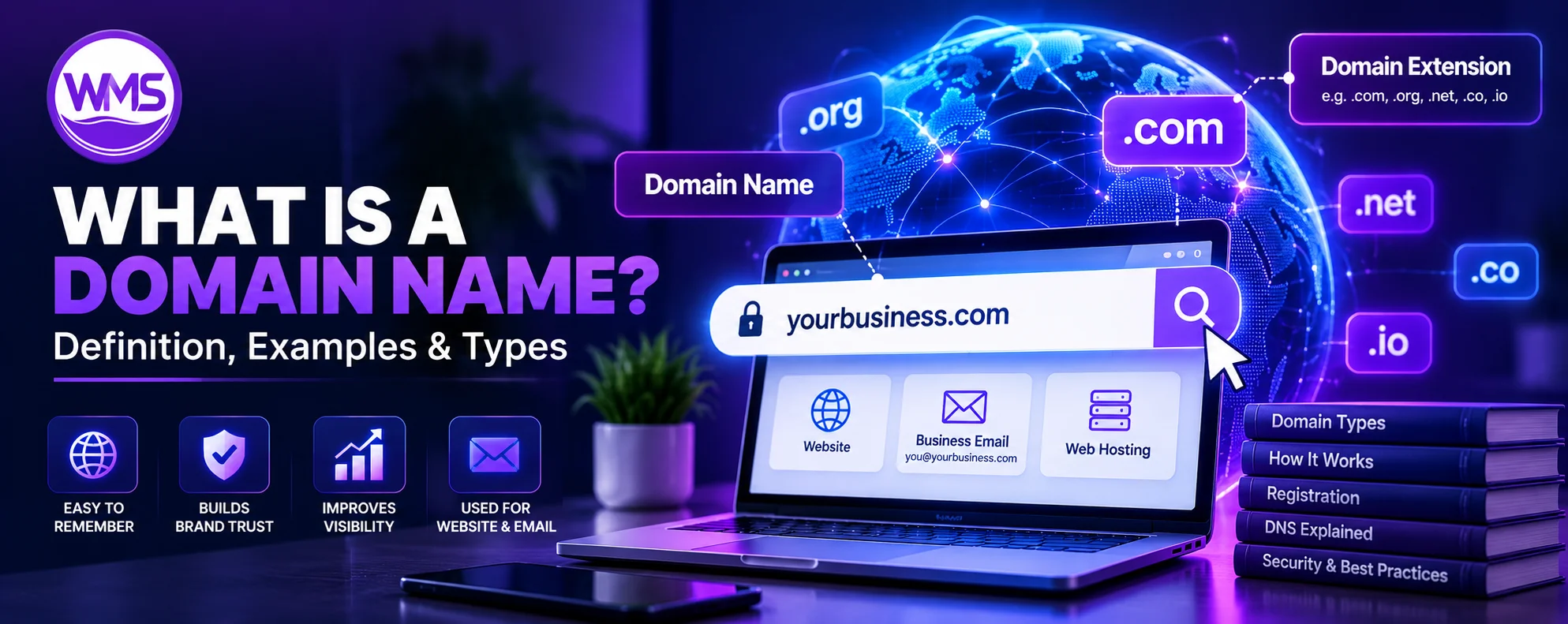
Meaning, real-world examples, domain types, URL differences, DNS, registration, pricing, and security—all explained clearly.
Every website you visit has an address. Whether you open Google, browse an online store, visit a company's website, or check your email, domain names help you access online services without remembering complicated numerical addresses.
But what is a domain name, exactly? How does it work, what is the difference between a domain and a URL, and why do businesses need one?
A domain name is much more than a website address. It is an important part of your online identity, allowing people to find your website, recognize your brand, and communicate with your business.
For example, when you type google.com into a web browser, the Domain Name System (DNS) helps your device find the infrastructure associated with that name. Without domain names, navigating the internet would be much more difficult because users would frequently need to rely on numerical IP addresses.
In this guide, we explain everything you need to know about domain names, including their definition, structure, types, examples, registration process, costs, security, and relationship with web hosting. Whether you are a student learning internet fundamentals, a beginner creating a website, or a business owner choosing a domain, this guide will help you understand the essentials.
In short: A domain name is a human-readable internet name such as example.com. It can identify websites and online services through DNS, but it is not the same as hosting or a full URL.
DOMAIN GUIDEWhat Is a Domain Name? Simple Definition
A domain name is a unique, human-readable name used to identify a location or namespace on the internet. It allows people to access websites and other online services without memorizing numerical IP addresses.
Examples of domain names include:
google.comamazon.comwikipedia.orgmicrosoft.comopenai.comexample.com
Instead of entering an IP address into your browser, you can enter a domain name. The Domain Name System translates that name into the technical information needed to locate the appropriate service.
The Internet Corporation for Assigned Names and Numbers (ICANN) explains that domain names provide a human-friendly way to identify resources through the DNS hierarchy.
Domain name definition in one sentence
A domain name is an easy-to-remember internet address, such as example.com, that helps users find websites and other online services.
What does domain mean?
The word domain generally describes a defined area, field, or territory. In computing, its meaning depends on the context.
On the internet, a domain refers to a named portion of the Domain Name System hierarchy. In website discussions, people often use domain as a shorter way of saying domain name.
For example:
- Domain:
example.com - Website address:
https://example.com - Business email:
hello@example.com
All three can use the same registered domain. However, the domain itself is not the website, hosting server, or email service. Those are separate components that can be connected to the domain.
DOMAIN GUIDEDomain Name Examples: Understanding Real Website Addresses
The easiest way to understand domain names is to examine familiar examples.
| Website or organization | Domain name | Domain extension |
|---|---|---|
google.com |
.com |
|
| Wikipedia | wikipedia.org |
.org |
| Microsoft | microsoft.com |
.com |
| Amazon | amazon.com |
.com |
| OpenAI | openai.com |
.com |
| Government of Canada | canada.ca |
.ca |
| Government of the United Kingdom | www.gov.uk |
.uk |
| Example domain | example.com |
.com |
Notice that domain names do not include https:// or a specific page path. Those elements belong to the complete URL.
Example 1: Google
Consider: https://www.google.com/search?q=website
The registered domain is google.com. The complete address also includes the protocol, the www hostname component, the path, and a query parameter.
Example 2: A business website
Imagine a company called Bright Oak Consulting registering brightoakconsulting.com.
The company could use that domain for:
- Its homepage:
https://brightoakconsulting.com - A service page:
https://brightoakconsulting.com/services - A contact page:
https://brightoakconsulting.com/contact - An email address:
hello@brightoakconsulting.com - A client portal:
portal.brightoakconsulting.com
All these services can operate under the same domain name. The company does not necessarily need to purchase a separate domain for each page or subdomain.
Example 3: A country-specific domain
A Canadian business might register brightoak.ca. The .ca extension is a country-code top-level domain associated with Canada. Similarly, .uk relates to the United Kingdom, .in to India, and .bd to Bangladesh. Country-specific domains may have registration eligibility requirements depending on the registry.
DOMAIN GUIDEWhat Are the Parts of a Domain Name?
A domain name is organized into a hierarchy, with labels separated by periods. Understanding its components makes it easier to distinguish domain names, subdomains, and extensions.
Consider the example: blog.example.com.
| Component | Value | Explanation |
|---|---|---|
| Subdomain | blog |
Name beneath the parent domain |
| Second-level domain | example |
The label immediately left of .com |
| Top-level domain | .com |
The rightmost domain label |
1. Top-Level Domain (TLD)
The top-level domain is the rightmost label in the domain hierarchy. Common examples include .com, .org, .net, .edu, .gov, .ca, and .uk.
In example.com, the TLD is .com. A TLD may be generic, country-specific, or subject to special eligibility rules.
2. Second-Level Domain (SLD)
The second-level domain is the label immediately to the left of the top-level domain. For example.com, example is the second-level domain. This is usually where the recognizable brand or website name appears.
However, some public suffix structures, such as co.uk, contain additional hierarchy, so identifying the registrable portion requires understanding the registry's rules.
3. Subdomain
A subdomain is a name created beneath a parent domain. For example, blog.example.com is a subdomain beneath example.com. Subdomains are frequently used to organize websites and online services.
| Subdomain | Possible purpose |
|---|---|
blog.example.com |
Company blog |
shop.example.com |
Online store |
support.example.com |
Help center |
portal.example.com |
Customer portal |
mail.example.com |
Mail-related service |
app.example.com |
Web application |
docs.example.com |
Product documentation |
Subdomains can point to the same server as the main website or completely different infrastructure.
4. Root Domain
In everyday website discussions, the phrase root domain often refers to a base domain without a subdomain, such as example.com.
Technically, the DNS root is a separate concept at the top of the entire DNS hierarchy and is represented by a trailing dot in a fully qualified domain name. For instance, the fully qualified form of example.com can be written as example.com.. The trailing dot is normally omitted in everyday use.
DOMAIN GUIDEHow Does a Domain Name Work?
A domain name works through the Domain Name System, commonly known as DNS. DNS is a distributed naming system that helps computers locate internet services using human-readable names.
When you type a website domain into a browser, several processes may occur before the website appears.
Step-by-step: What happens when you enter a domain?
- You enter the domain name into a browser.
- Your device or network checks cached DNS information.
- If necessary, the DNS resolver queries the appropriate DNS servers to find the relevant records.
- The browser obtains connection information, often an IP address.
- The browser establishes a connection to the relevant server or edge network.
- The website responds with its resources, and the browser renders the page.
Step 1: You enter the domain name
Suppose you enter www.example.com. Your browser needs to determine how to reach the website associated with that hostname.
Step 2: DNS information is checked
Your device or network checks whether it already has the necessary DNS result stored in a cache. If not, a configured DNS resolver may perform the required lookup.
Step 3: The DNS resolver finds the relevant records
A DNS lookup may involve recursive and authoritative DNS servers. If necessary, the resolver follows DNS delegation from the root and top-level domain infrastructure toward the authoritative DNS servers responsible for the requested name. The authoritative servers provide the appropriate DNS records.
Step 4: The browser obtains connection information
For ordinary website access, DNS records may provide an IPv4 address through an A record or an IPv6 address through an AAAA record. In other configurations, CNAME or HTTPS records may influence how the client locates the service.
A domain does not always correspond to one permanent IP address. Large websites may use load balancing, content delivery networks, reverse proxies, and multiple servers.
Step 5: The browser connects to the website
Once the relevant connection information is available, the browser connects to the appropriate infrastructure. For HTTPS websites, this normally involves establishing a secure connection.
Step 6: The website loads
The server or edge network responds with the resources required by the browser. These may include HTML, CSS, JavaScript, images, and fonts. The browser then processes the response and displays the website.
Cloudflare's official DNS documentation explains how human-readable domain names are translated into IP addresses and how authoritative DNS records participate in that process.
Does DNS contact the root servers every time?
No. DNS caching is an essential part of how the system operates efficiently. A resolver may already have recently requested DNS information stored in its cache. When that information is still valid, another complete lookup may not be necessary. The time for which DNS information can be cached is influenced by the record's Time to Live (TTL).
DOMAIN GUIDEWhat Is DNS? Domain Name System Explained
DNS stands for Domain Name System. It is the distributed system used to organize domain names and retrieve information associated with them.
People sometimes compare DNS to an internet phonebook because it can help match readable names to numerical addresses. That analogy is useful, although DNS supports much more than address lookup. DNS also helps direct email, verify domain ownership, delegate authority, and publish service-related information.
Common DNS record types
| DNS record | Main function | Example use |
|---|---|---|
| A | Maps a name to an IPv4 address | Website server |
| AAAA | Maps a name to an IPv6 address | IPv6-enabled hosting |
| CNAME | Creates an alias to another domain name | www hostname |
| MX | Identifies mail exchange servers | Business email |
| TXT | Stores textual data | Domain verification and SPF |
| NS | Identifies authoritative nameservers | DNS delegation |
| CAA | Restricts authorized certificate issuers | Certificate security |
| SRV | Identifies service locations | Selected network applications |
| HTTPS | Publishes service connection parameters | Modern web service discovery |
Example of a DNS configuration
example.com.       A       192.0.2.10
www.example.com.   CNAME   example.com.
example.com.       MX 10   mail.example.net.
example.com.       TXT     "v=spf1 include:example.net -all"
These examples are explanatory rather than production-ready DNS instructions. The IP address belongs to a documentation range, and real records must match your hosting and email providers.
What is a DNS nameserver?
A nameserver is a server that participates in DNS. Authoritative nameservers publish DNS information for the domains or zones they manage.
For example, if a business uses Cloudflare DNS, Cloudflare may operate the authoritative nameservers for that business's domain. The website itself could still be hosted with another company. This distinction matters because DNS management and website hosting are not necessarily the same service.
DOMAIN GUIDEDomain vs. URL: What Is the Difference?
One of the most common questions about domain names is whether a domain and a URL are the same thing. They are related, but they serve different purposes.
A domain name identifies a name within the internet's DNS hierarchy, while a URL (Uniform Resource Locator) identifies the location of a particular resource and how to access it.
A URL can contain a domain name, but it also contains other components.
Domain name vs. URL example
Consider: https://www.example.com/blog/domain-guide?source=google#examples
| Component | Example | Meaning |
|---|---|---|
| Scheme | https |
Protocol used to access the resource |
| Subdomain/hostname label | www |
Name beneath the parent domain |
| Registered domain | example.com |
Domain name |
| Path | /blog/domain-guide |
Resource location |
| Query string | ?source=google |
Additional request parameters |
| Fragment | #examples |
Reference to a specific part of the resource |
The entire string is a URL. The registered domain is only example.com.
Can a URL exist without a domain name?
Yes. Some URLs use an IP address rather than a domain name, and other URL schemes do not necessarily refer to websites.
For example: http://192.0.2.10/ uses an IP address in the URL rather than a domain name. The address is illustrative and is not intended to be a live website.
Is https:// part of the domain name?
No. https:// identifies the HTTPS URL scheme. It indicates that the browser should use the HTTPS protocol to communicate with the destination. The domain name is separate from the scheme.
Is www part of the domain?
www is typically a hostname label or subdomain beneath the registered domain. For example, the registered domain is example.com, while the hostname is www.example.com. Both may serve the same website, but they are technically different hostnames. You can configure one to redirect to the other or arrange for both to serve equivalent content.
Domain vs. URL vs. Website
| Term | Definition | Example |
|---|---|---|
| Domain name | Human-readable name in DNS | example.com |
| URL | Address identifying a resource | https://example.com/about |
| Website | Collection of web pages and resources | Company website |
| Web hosting | Infrastructure operating website resources | Hosting server |
| IP address | Numerical network address | 192.0.2.10 |
| DNS | Distributed naming and lookup system | A record lookup |
ICANN explicitly distinguishes domain names from websites and URLs: registering a domain does not automatically create a website.
DOMAIN GUIDEDomain Name vs. IP Address: What Is the Difference?
Everyday internet users usually interact with domain names rather than IP addresses. An IP address is a numerical address used for communication over an IP network. A domain name is a human-readable name that can be associated with IP addresses or other DNS information.
| Domain name | IP address |
|---|---|
example.com |
192.0.2.10 |
shop.example.com |
192.0.2.20 |
mail.example.com |
192.0.2.30 |
These addresses are examples using reserved documentation IP addresses.
Why not use IP addresses for everything?
Memorability: People can remember a brand name more easily than a long numerical address.
Infrastructure flexibility: A company can change its hosting environment while keeping the same domain.
Brand identity: A domain communicates the website's name or organization.
Service organization: Subdomains can distinguish different online services.
Email integration: Domain names provide the address structure for business email.
Can several domains use the same IP address?
Yes. Modern web servers frequently host multiple websites on the same IP address. HTTP host information and TLS configuration help the infrastructure determine which website or service the client intends to access.
Can one domain use multiple IP addresses?
Yes. A domain may resolve to multiple addresses for load balancing, redundancy, or geographical distribution. Large websites and content delivery networks commonly use more complex arrangements than a one-domain-to-one-server relationship.
DOMAIN GUIDETypes of Domain Names Explained
Domain names are categorized in several ways, including by their top-level domain.
1. Generic Top-Level Domains (gTLDs)
Generic top-level domains are extensions that are not assigned to a particular country in the same way as country-code TLDs. Examples include .com, .net, .org, .info, and .biz.
Some generic TLDs have registration restrictions, while others are broadly available.
2. Country-Code Top-Level Domains (ccTLDs)
Country-code top-level domains are associated with countries or territories.
| Extension | Associated country or territory |
|---|---|
.ca |
Canada |
.uk |
United Kingdom |
.us |
United States |
.in |
India |
.bd |
Bangladesh |
.au |
Australia |
.de |
Germany |
.fr |
France |
.jp |
Japan |
Country-code domains can be useful for businesses primarily serving one geographic market. However, registration eligibility, pricing, and policies vary by registry.
3. Sponsored or Restricted Domains
Some domain extensions have requirements related to the registrant's identity or purpose. Examples include .edu, .gov, and certain industry-specific extensions. These domains cannot necessarily be registered by anyone simply by paying a registration fee.
4. Newer Generic Top-Level Domains
There are many more extensions available beyond traditional options such as .com and .net.
Examples include .tech, .store, .online, .shop, .app, .dev, .agency, .design, and .photography.
These extensions can offer naming flexibility when a preferred .com is unavailable. However, price, recognition, renewal conditions, and registry requirements vary.
Which domain extension is best?
There is no universally best domain extension. For a business with an international audience, .com is often a practical choice because it is widely recognized. For a Canadian business primarily serving Canada, .ca may be suitable. For a software company, .dev or .tech may be relevant, although the extension alone does not establish technical credibility.
Choose an extension that fits your intended audience, brand identity, registration eligibility, and long-term budget.
DOMAIN GUIDEDomain Name vs. Web Hosting: Do You Need Both?
A domain name and web hosting are different components of a website. A domain gives users a recognizable name through which to reach your online services. Hosting provides the infrastructure that runs or serves those services.
Domain vs. hosting comparison
| Feature | Domain name | Web hosting |
|---|---|---|
| Main purpose | Identifies an internet name | Operates website resources |
| Purchased through | Registrar or reseller | Hosting provider |
| Common billing | Registration and renewal | Subscription or usage |
| Stores website files | No | Usually yes |
| Supports DNS | Through associated DNS service | May provide DNS |
| Needed for branded email | Yes | Email hosting is separate |
| Can be transferred | Often, subject to policies | Website can generally be migrated |
Can you buy a domain without hosting?
Yes. You can register a domain and leave it unused until you are ready to build a website. You might also use it only for email or redirect it to an existing online service.
Can you build a website without buying a custom domain?
Yes. Website builders and hosting platforms often provide a default address, such as yourbrand.exampleplatform.com. The exact hostname depends on the provider. However, businesses usually prefer a custom domain for branding and portability.
Do domain names include hosting?
Not inherently. Some companies bundle domain registration and website hosting into a package. That is a commercial arrangement, not an inherent technical property of domain names.
DOMAIN GUIDEHow to Register a Domain Name: Step-by-Step Guide
Registering a domain name is generally straightforward, but choosing and managing it responsibly requires planning.
ICANN explains that domain registrations are managed through accredited registrars and their resellers, with contractual terms covering registration, renewal, and transfers.
Step 1: Choose a domain name
Start by identifying a short, recognizable name that fits your business, organization, or project. A good domain name should generally be easy to spell, easy to pronounce, and unlikely to be confused with another brand.
For example, a company called Northern Peak Consulting might consider northernpeakconsulting.com. A shorter alternative could be northernpeak.ca. The availability and suitability of each name would need to be checked.
Step 2: Choose a domain extension
Select an extension based on your intended audience. If your company targets customers internationally, .com may be appropriate. If you operate primarily in Canada, .ca may be another option, subject to applicable registration requirements.
Step 3: Check domain availability
Use a domain registrar's search tool to check whether the name is available. A domain that is already registered generally cannot be registered by another party until it becomes available or is transferred through an appropriate transaction.
Step 4: Compare domain registrars
Domain registrars differ in their pricing, features, renewal processes, and customer support. When comparing registrars, examine:
- Initial registration price
- Renewal price
- Domain transfer charges
- Supported domain extensions
- DNS management tools
- Account security
- Privacy-related features
- Customer support
- Domain expiration and recovery policies
Step 5: Check trademark concerns
Before registering a domain, consider whether the proposed name could conflict with an existing trademark. The fact that a domain is available does not automatically mean you have the legal right to use the name commercially. Businesses should perform appropriate trademark and branding checks.
Step 6: Complete registration
Choose a registration term and provide the required account and registrant information. For many domains, registration information is subject to verification requirements. Make sure the domain is registered under the correct person or legal business entity.
Step 7: Enable domain security
Use a strong password and multifactor authentication where supported. Turn on automatic renewal if appropriate, and maintain an up-to-date payment method. Review registrar transfer-lock options and any additional account protection features.
Step 8: Connect the domain to your website
Your hosting provider will provide information required to connect the domain. This might involve updating nameservers, creating A or AAAA records, configuring CNAME records, or using another supported process.
Step 9: Configure HTTPS
Once the domain is connected to your website, ensure that HTTPS is configured correctly. The certificate must cover the hostnames visitors use.
Step 10: Test the domain
Check that the intended website opens, redirects behave correctly, and any business email remains functional. DNS updates may take time to become visible across different resolver caches.
DOMAIN GUIDEHow Much Does a Domain Name Cost?
Domain registration prices vary depending on the extension, registrar, promotional offers, and whether the domain is considered premium. Some common extensions have relatively affordable standard registrations, while certain premium or highly desirable names can be much more expensive.
Illustrative domain registration costs
| Domain category | Approximate annual planning range | Notes |
|---|---|---|
Standard .com |
$10–$25 | Varies by registrar |
Standard .net |
$12–$30 | Renewal prices vary |
Standard .org |
$10–$25 | Registration policies apply |
| Country-specific domain | Varies widely | Registry-specific rules |
| Newer generic TLD | $5–$100+ | Significant variation |
| Premium domain | Hundreds to millions of dollars | Negotiated or premium-priced |
These figures are broad budgeting illustrations rather than live registrar quotes. Registries, registrars, promotional pricing, and premium-name classifications can affect actual charges.
Why do domain registration prices change?
Prices may change because of registry wholesale fees, registrar pricing policies, promotional campaigns, currency exchange rates, or domain-specific premiums. The first-year fee may be lower than the renewal fee.
Are domain names a one-time purchase?
Usually, no. A typical domain registration provides the right to use a name for a defined registration term, subject to applicable policies and renewal. It is not the same as buying permanent ownership of an ordinary physical asset.
Can you register a domain for several years?
Many domain extensions allow multiyear registration, although maximum terms and renewal rules differ. Even when you register a domain for several years, you remain responsible for maintaining accurate information and complying with applicable registration conditions.
DOMAIN GUIDEHow to Choose a Good Domain Name for Your Website
A domain name often becomes part of a business's long-term identity. Changing it later may require website redirects, email changes, branding updates, and modifications to marketing materials. For that reason, choosing the right name at the beginning is valuable.
Keep the domain short and memorable
Shorter names are often easier to remember, type, and communicate verbally. For example, brightoak.com may be easier to remember than brightoakprofessionalconsultingservices.com. However, a longer domain can still be appropriate when it clearly communicates an established brand.
Make it easy to spell
Avoid confusing spelling unless it is an intentional and recognizable part of your brand. If customers frequently misspell your domain, they may struggle to reach your website.
Avoid unnecessary hyphens and numbers
A domain containing several hyphens or numbers can be difficult to communicate. For example, best-4-business-solutions-online.com is harder to explain verbally than a distinctive brand name. Hyphens and numbers are not inherently invalid; they are simply worth evaluating for usability.
Consider your target market
A local Canadian company might prefer a .ca domain, while an international software business could choose .com. Country-specific extensions may reinforce geographical association, but actual search visibility depends on many factors beyond the extension.
Think about future expansion
A domain that names only one product or location may become restrictive as the business grows. For example, a company planning to expand internationally may prefer a broader brand name over a name tied to one neighborhood.
Check social media availability
Using reasonably consistent naming across your website and major social platforms can help customers recognize your business. You do not need an exact match everywhere, but avoid unnecessary confusion.
Avoid trademark conflicts
Before committing to a domain, research potentially conflicting brands and trademarks. Domain registration availability is not legal clearance to use a business name.
DOMAIN GUIDEWhat Is a Business Domain Name?
A business domain name is a domain registered and used for a company's online presence. It may support a website, online store, email addresses, client portal, or other services.
For example, a business could register brightoakconsulting.com and use it for:
- Company website
- Professional email
- Client login portal
- Support documentation
- Online appointment scheduling
- Customer communications
Why should a business have its own domain?
A custom domain can support brand recognition and provide more control over the company's online identity. It also creates opportunities to maintain consistent email addresses and website URLs even when underlying service providers change.
For example, a business can move its website from one hosting provider to another while keeping the same domain name.
Is a .com domain necessary for a business?
No. A business can operate successfully using many different top-level domains. The best choice depends on branding, geographical focus, registration rules, and the availability of suitable names.
DOMAIN GUIDEDomain Names and Professional Business Email
A registered domain can be used to create branded email addresses.
For example:
hello@brightoakconsulting.comsupport@brightoakconsulting.comsales@brightoakconsulting.com
The business must still arrange email hosting or another mail service. Registering the domain alone does not automatically create functioning mailboxes.
How email works with a domain name
Email delivery depends on DNS records and mail infrastructure. MX records identify the mail servers responsible for receiving messages for the domain.
Additional records, including SPF, DKIM, and DMARC, help support email authentication and domain protection. A business might use one company for its domain registration, another for website hosting, and a third for email. This is a normal configuration.
Can you change email providers without changing your domain?
Yes. A business can generally migrate mail services by setting up the new provider, transferring necessary mailbox data, updating DNS records, and carefully managing the transition. The branded email addresses can remain the same.
DOMAIN GUIDEDomain Name Security: How to Protect Your Domain
A domain name may be a critical business asset. If an unauthorized person gains control of the domain or its DNS settings, the consequences can include website disruption, email interception risks, and loss of customer trust.
Enable multifactor authentication
Where available, use multifactor authentication on your registrar account. This provides an additional security layer beyond a password.
Keep domain ownership information current
Maintain accurate registrar contact and account recovery information. Outdated details can complicate ownership verification and incident recovery.
Enable transfer protections
Many registrars provide a domain transfer lock. This can help prevent unauthorized transfers, although it does not replace strong account security.
Protect DNS access
Limit DNS administration to trusted personnel. DNS records can affect your website, email, verification services, and other infrastructure.
Monitor expiration dates
A domain may stop functioning if its registration expires and is not renewed within applicable deadlines. Enable renewal reminders and review payment methods.
Be careful with phishing emails
Attackers may send messages pretending to be domain registrars, warning that a domain will expire unless you immediately make a payment. Verify renewal notices by signing in through your registrar's known official website rather than following suspicious email links.
Maintain business ownership
For a company domain, the organization should retain control of the registration account, billing, and recovery methods. Avoid arrangements where a temporary contractor is the only person capable of accessing the domain.
DOMAIN GUIDECommon Domain Name Problems and How to Fix Them
1. Domain name is not resolving
Possible causes: Incorrect nameservers, missing DNS records, configuration errors, or recently updated DNS information.
What to do: Review authoritative DNS configuration and verify that the relevant records are published correctly.
2. Website opens with the wrong content
Possible causes: DNS pointing to the wrong server, incorrect virtual host configuration, or misconfigured redirects.
What to do: Check the actual destination, hosting configuration, and HTTP response behavior.
3. Domain works without www but not with www
Possible cause: The www hostname has not been configured correctly.
What to do: Add the appropriate DNS and hosting configuration, then decide which hostname should be canonical.
4. Domain shows an SSL certificate error
Possible causes: Missing certificate, expired certificate, incorrect hostname coverage, or misconfigured origin settings.
What to do: Check the certificate's validity, hostname coverage, and server configuration.
5. Website works but email does not
Possible causes: Missing or incorrect MX records, mailbox configuration problems, or issues with the email provider.
What to do: Review the email service configuration and DNS records without unnecessarily changing website records.
6. Domain has expired
Possible consequence: Website or email services may become inaccessible, and the domain may eventually become available to other registrants.
What to do: Contact the registrar immediately and check applicable renewal, grace-period, and redemption procedures.
7. DNS changes are not visible everywhere
Possible cause: Cached DNS records have not expired.
What to do: Verify the authoritative records and allow relevant cache lifetimes to expire. Avoid repeatedly changing settings without first identifying the actual issue.
DOMAIN GUIDEWhat Happens When a Domain Name Expires?
Domain expiration is an important issue for businesses because the domain may support multiple services.
When a registration expires, the exact consequences depend on the top-level domain and registrar policies. A domain may enter a grace period, redemption period, or other registry-defined status. During some stages, the domain may stop resolving correctly.
If the registration is not recovered, the domain may eventually become available to another party.
How to prevent domain expiration
Keep account contact details accurate, enable suitable renewal notifications, use reliable payment methods, and periodically confirm the registration's expiration date.
For business-critical domains, consider maintaining multiple internal reminders and an approved renewal process.
ICANN provides guidance explaining registrants' rights and responsibilities, including renewal, transfer, and restoration procedures.
DOMAIN GUIDEDomain Name Glossary: Important Terms Explained
| Term | Meaning |
|---|---|
| Domain name | Human-readable name in the DNS hierarchy |
| DNS | Domain Name System |
| TLD | Top-level domain |
| ccTLD | Country-code top-level domain |
| gTLD | Generic top-level domain |
| SLD | Second-level domain |
| Subdomain | Name created beneath another domain |
| Registrar | Company providing domain registration services |
| Registry | Organization managing a top-level domain's registration database |
| Registrant | Individual or organization registering a domain |
| Nameserver | Server participating in DNS |
| DNS resolver | Service that performs DNS lookups |
| A record | DNS record containing an IPv4 address |
| AAAA record | DNS record containing an IPv6 address |
| CNAME | DNS alias record |
| MX record | Mail exchange record |
| TTL | Time to Live for cached DNS data |
| URL | Uniform Resource Locator |
| HTTPS | Secure HTTP protocol |
| WHOIS/RDAP | Systems or protocols for obtaining domain registration information |
| Domain transfer | Moving registration management to another registrar |
| Domain renewal | Extending a domain registration term |
DOMAIN GUIDEFrequently Asked Questions About Domain Names
1. What is a domain name?
A domain name is a human-readable name used to identify resources on the internet. For example, google.com is a domain name. DNS helps devices locate services associated with domain names.
2. What is a website domain?
A website domain is the domain name associated with a website, such as example.com. It is usually the recognizable part of the website's address.
3. What is a domain name example?
Examples include google.com, wikipedia.org, amazon.com, and microsoft.com.
4. What does domain mean in a website?
In website terminology, a domain is the human-readable name used to identify or reach the website. It is distinct from the web hosting infrastructure and the website content.
5. What is the domain name in a URL?
In https://www.example.com/about, the registered domain is example.com. The other parts identify the protocol, hostname, and resource path.
6. What is the difference between a domain and a URL?
A domain is a name, while a URL is an address for a resource. URLs often contain domain names along with a scheme, path, and optional additional components.
7. What is the difference between domain names and IP addresses?
An IP address identifies a network interface or location for IP communication, while a domain name provides a human-readable name that may resolve to IP addresses or other DNS information.
8. What is the purpose of a domain name?
A domain name makes internet resources easier to identify and remember. It also supports branding, website access, email addressing, and organization of online services.
9. What is a second-level domain?
A second-level domain is the label immediately to the left of the top-level domain. In example.com, the second-level domain is example.
10. What is a top-level domain?
A top-level domain is the rightmost label in a domain name, such as .com, .org, or .ca.
11. What is a subdomain?
A subdomain is a name created beneath a parent domain. For example, blog.example.com is a subdomain of example.com.
12. Is www part of a domain name?
www is commonly used as a hostname label beneath a registered domain. It is not normally part of the registrable second-level domain.
13. Can I get a domain name for free?
Some services offer free subdomains or promotional domain registration. A free subdomain is not the same as holding an independent registered domain. Promotional registrations may also have renewal fees.
14. Can I buy a domain name permanently?
Ordinary domain registration typically grants rights for a fixed registration term, subject to renewal and applicable policies. It is not generally a permanent one-time purchase.
15. Can two websites have the same domain name?
The same registered domain can direct visitors to multiple resources, services, or websites through paths, hostnames, and routing configurations. However, two unrelated parties cannot normally hold the same registration for the same name in the same TLD simultaneously.
16. Do I need hosting if I have a domain?
You need a service capable of providing your website content if you want a functioning website. A domain registration alone does not include that infrastructure unless it is bundled separately.
17. Can one domain point to multiple servers?
Yes. DNS records, load balancers, CDNs, and other infrastructure can support multiple servers behind a single domain or hostname.
18. Can I change my domain name later?
Yes, you can register a new domain and migrate your website and services. However, the process may require redirects, DNS changes, email configuration, and branding updates.
19. Does a domain name affect SEO?
Domain names can influence branding, user recognition, and geographical associations. However, choosing an exact-match keyword domain does not guarantee search engine rankings.
20. What is the best domain extension for a business?
.com is a widely recognized option. Country-code domains and other extensions may be better suited to particular locations, industries, or branding strategies.
21. What is a domain registrar?
A domain registrar is a company that provides registration services for domain names under the relevant registry and accreditation arrangements.
22. What is the difference between a registrar and a registry?
A registrar handles domain registrations for customers, while a registry operates the registration database and supporting infrastructure for a top-level domain.
23. What is DNS propagation?
DNS propagation is an informal term describing the period during which updated DNS information becomes visible across different resolvers and caches. It is not a single synchronized event.
24. What is a domain transfer?
A domain transfer generally means moving the management of a domain registration from one registrar to another. Changing DNS or website hosting does not necessarily require transferring the registration.
25. What is the difference between a business domain and a personal domain?
Technically, both use the same underlying DNS principles. The distinction is primarily how the domain is used and who controls its registration.
DOMAIN GUIDEFinal Thoughts: Understanding Domain Names
A domain name is one of the foundational components of the internet. It provides a recognizable, human-readable name that can be used to reach websites, email services, applications, and other online resources.
While domain names are often described as website addresses, they are technically part of a larger system that includes DNS, IP networking, web hosting, and application infrastructure.
Understanding these differences helps you make better decisions when registering a domain, configuring a website, changing hosting providers, or securing your online identity.
If you are building a business website, choose a memorable domain that represents your brand, register it through a reputable provider, protect the account with strong security controls, and keep registration details accurate.
For an existing website, maintain access to your registrar, monitor expiration dates, and understand how DNS records connect your domain to your hosting and email providers.
A good domain name makes your website easier to find, remember, and manage. Protecting it and configuring it correctly are essential steps toward maintaining a reliable online presence.
DOMAIN GUIDEReferences
For further technical reading and verification, consult ICANN: About Domain Names, ICANN: Domain Name Registration Process, Cloudflare: DNS Concepts, and Cloudflare: What Is a Domain Name?.