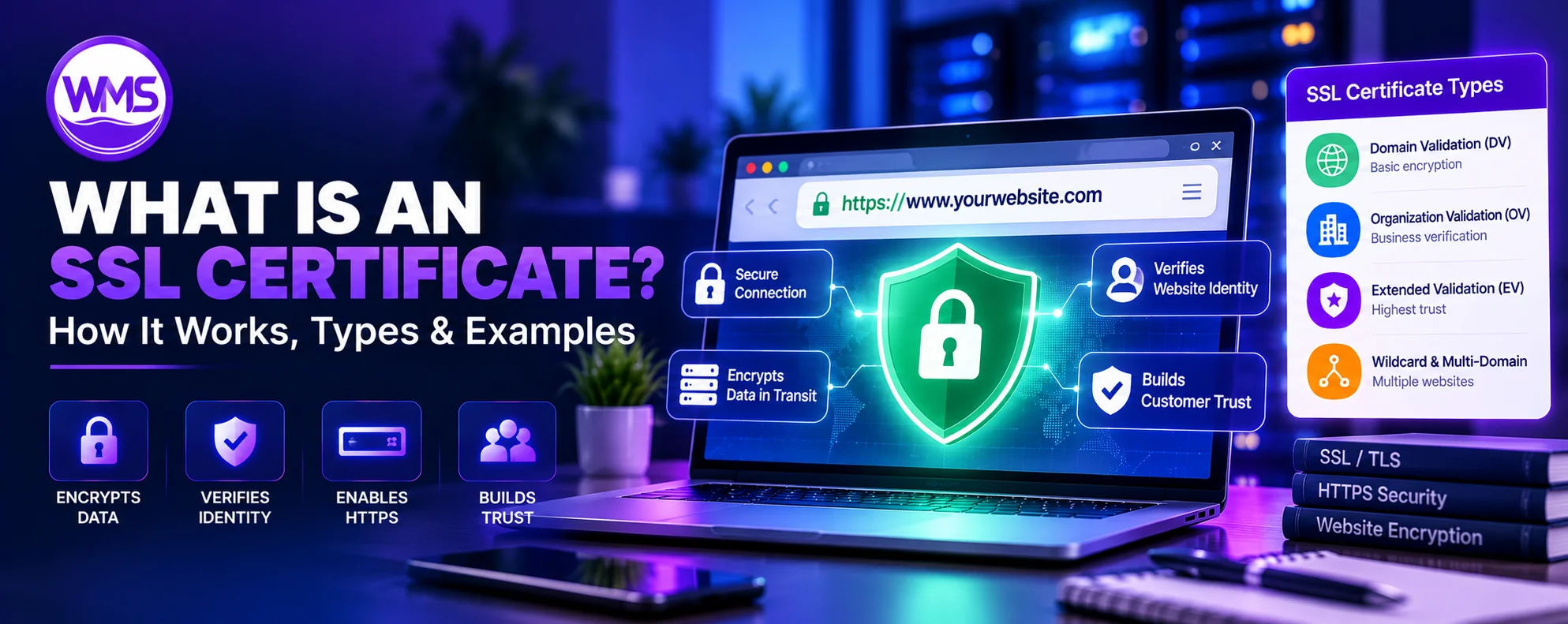
How SSL/TLS certificates work, validation and coverage types, free certificates, installation, renewal, and troubleshooting.
Every time you visit an online store, log in to a banking website, submit a contact form, or enter personal information into a website, the security of your internet connection matters. One of the key technologies protecting that connection is an SSL certificate, also known as an SSL/TLS certificate.
An SSL certificate is a digital credential that helps establish an authenticated, encrypted connection between a browser and a website. It enables HTTPS and helps protect information in transit from interception and unauthorized modification. Modern websites actually use Transport Layer Security (TLS), the successor to the obsolete Secure Sockets Layer (SSL) protocols, but the term “SSL certificate” remains widely used.
This comprehensive guide covers SSL certificate meaning, TLS handshakes, HTTPS, certificate fields, validation and coverage types, issuing authorities and trust chains, free and paid choices, installation on WordPress, Apache, Nginx, and Cloudflare, testing, renewal, common warnings, and practical security guidelines.
What Is an SSL Certificate? Simple Definition
An SSL certificate is a digital certificate that binds a public cryptographic key to a verified identity, typically a website domain name, to help clients authenticate the server and establish encrypted TLS connections. A website such as https://example.com uses TLS certificates during the connection handshake. Public certificates are usually issued by trusted Certificate Authorities (CAs); self-signed and private-PKI certificates serve specialized purposes.
SSL certificate definition in one sentence
An SSL certificate is a digital credential that helps verify a website’s identity and enables secure, encrypted communication using TLS.
What does SSL stand for?
SSL means Secure Sockets Layer. SSL was an older family of secure-communications protocols. Its protocol versions are obsolete and are not suitable for modern HTTPS connections.
What does TLS stand for?
TLS means Transport Layer Security. Modern HTTPS uses TLS for confidentiality, integrity, and server authentication.
What is an SSL certificate used for?
- Business and corporate websites
- E-commerce stores and checkout pages
- Online banking and financial applications
- WordPress websites and blogs
- Customer logins and portals
- SaaS platforms and web applications
- APIs and application integrations
- Webmail and network services
- Administration dashboards
- Website forms and account authentication
A certificate secures a connection, not the website’s entire security posture. It does not establish that a website is free from malware, fraud, or software vulnerabilities. Cloudflare explains how SSL certificates support HTTPS.
How Does an SSL Certificate Work?
An SSL/TLS certificate participates in the TLS handshake, in which a client and server agree on security parameters and establish cryptographic keys. The certificate provides public-key and identity information for authenticating the server; the subsequent application traffic is normally protected with symmetric encryption, not encrypted directly using the certificate.
Step 1: A visitor opens an HTTPS website
The visitor loads https://www.example.com. The browser sends a ClientHello containing compatible TLS versions and security capabilities.
Step 2: The server responds
The server sends a ServerHello selecting suitable parameters. In TLS 1.3, an ephemeral key agreement generally establishes shared secrets.
Step 3: The server presents its certificate
The server sends its TLS server certificate and usually intermediate certificates needed to establish a certificate chain.
Step 4: The browser validates the certificate
- The certificate covers the requested hostname, usually in its Subject Alternative Name (SAN) entries.
- The certificate is within its valid dates.
- The issuer chain leads to an appropriately trusted CA.
- Digital signatures and cryptographic algorithms meet the client’s requirements.
- Applicable policies and revocation behavior are followed.
If an important check fails, the browser may show a certificate warning instead of opening the site normally.
Step 5: Encryption keys are established
Client and server derive session keys from the handshake secrets. These keys protect subsequent application traffic.
Step 6: Website data is exchanged securely
HTTPS then carries encrypted HTTP data, including form content, cookies, and login information, across the TLS connection.
What security properties does TLS provide?
Confidentiality helps keep application data private in transit. Integrity helps detect unauthorized modification. Authentication helps confirm that the connected server possesses the identity indicated by its certificate. TLS does not protect against all attacks on browsers, devices, or compromised servers.
SSL vs. TLS: What Is the Difference?
SSL was the predecessor to TLS. Despite common marketing terminology, modern websites use TLS rather than obsolete SSL protocol versions.
| Feature | SSL | TLS |
|---|---|---|
| Full name | Secure Sockets Layer | Transport Layer Security |
| Status | Obsolete protocol family | Modern security protocol |
| Versions | SSL 2.0 and SSL 3.0 | TLS 1.2 and TLS 1.3 |
| Modern HTTPS suitability | Not suitable | Suitable with proper configuration |
| Modern browser use | Not supported for secure connections | Supported |
| Certificate terminology | “SSL certificate” | “TLS certificate” or “SSL/TLS certificate” |
Why do people still say SSL certificate?
The industry retained the familiar phrase after TLS replaced SSL. Both terms commonly refer to the same modern website certificate.
Which TLS version should websites use?
Use TLS 1.3 when supported and securely configured TLS 1.2 where compatibility requires it. Disable SSL 2.0, SSL 3.0, TLS 1.0, and TLS 1.1 for ordinary modern public websites.
SSL Certificate vs. HTTPS: What Is the Difference?
HTTPS is HTTP protected by TLS. The SSL/TLS certificate supports server authentication within that secure connection. They are related but not identical.
| Feature | HTTP | HTTPS |
|---|---|---|
| URL scheme | http:// | https:// |
| Default port | 80 | 443 |
| Transport encryption | Not provided by HTTP | Provided by TLS |
| Server certificate | Not required | Normally required |
| Protection against interception | Not inherent | Encrypted in transit |
| Browser indication | May display Not secure | Connection security details available |
Example of HTTP
http://example.com sends ordinary HTTP traffic without HTTPS encryption. Network observers in suitable positions may inspect or modify this traffic.
Example of HTTPS
https://example.com uses TLS. A legitimate HTTPS certificate does not prove the operator is benevolent; malicious websites can also have valid certificates.
Is HTTPS necessary if a website does not collect passwords?
Yes. HTTPS is recommended for public informational websites as well. It protects transmitted content and session-related information and reduces opportunities for intermediaries to modify pages.
What Information Does an SSL Certificate Contain?
Public website TLS certificates commonly use the X.509 format and contain identity, public-key, validity, and cryptographic information.
| Field | Purpose |
|---|---|
| Subject | Identifies certificate subject |
| Subject Alternative Name (SAN) | Lists covered names and IP addresses |
| Issuer | Identifies certificate authority |
| Serial number | Issuer-specific certificate identifier |
| Valid from | Start of validity |
| Valid until | Expiration of validity |
| Public key | Public cryptographic key |
| Signature algorithm | Type of cryptographic signature |
| Digital signature | Permits verification of authenticity |
| Key usage | Permitted cryptographic purposes |
| Extended key usage | Intended use such as server authentication |
| Certificate policies | Applicable certificate policy information |
What is the Subject Alternative Name extension?
SAN entries identify the hostnames that the certificate covers—for example example.com, www.example.com, and shop.example.com. Modern hostname validation primarily relies on SANs rather than the old Common Name field.
Does a certificate contain the private key?
No. A public certificate contains the public key; the associated private key must be secured separately. Exposure of the private key can undermine the trust associated with that identity.
Types of SSL Certificates Explained
Certificates can be classified by validation level (what the issuer checked) and by hostname coverage (what names the certificate covers). These are independent aspects.
1. Domain Validated (DV) SSL Certificate
DV requires the issuer to validate domain control or authorization. It is widely used for blogs, businesses, apps, and stores and is frequently issued automatically at no cost. It does not verify a legal organization identity.
2. Organization Validated (OV) SSL Certificate
OV adds verified organization identity information to domain validation. It may be appropriate when an organization wants verified legal identity fields inside the certificate. Modern browsers do not ordinarily emphasize those fields in the address bar.
3. Extended Validation (EV) SSL Certificate
EV involves more extensive verification of an organization under applicable industry guidelines. It does not inherently strengthen the TLS encryption itself, and mainstream browsers no longer provide the old prominent green organization-name address-bar presentation.
| Feature | DV | OV | EV |
|---|---|---|---|
| Domain control checked | Yes | Yes | Yes |
| Organization identity checked | No | Yes | Extensively |
| Supports HTTPS | Yes | Yes | Yes |
| Strong TLS encryption possible | Yes | Yes | Yes |
| Free options | Common | Less common | Generally paid |
| Typical issue process | Often automated | Additional checks | Extensive checks |
| Common use | Most websites | Verified organization identity | Special identity-assurance needs |
The CA/Browser Forum EV Guidelines specify EV identity-verification requirements.
Single-Domain, Wildcard, and Multi-Domain SSL Certificates
Single-domain SSL certificate
A certificate for example.com covers the names actually listed in its SAN. It does not automatically cover www.example.com unless that name is included or otherwise appropriately covered.
Wildcard SSL certificate
A wildcard such as *.example.com can cover blog.example.com, shop.example.com, and portal.example.com. It does not ordinarily cover the apex example.com or deeper levels such as api.dev.example.com. Protect wildcard keys carefully because multiple services may rely on them.
Multi-domain SSL certificate
A multi-domain or SAN certificate can explicitly cover example.com, example.net, example.org, and shop.example.com in one certificate.
| Type | Coverage example | Typical use |
|---|---|---|
| Single-name | example.com | Basic site |
| Two-name SAN | example.com and www.example.com | Standard business site |
| Wildcard | *.example.com | Subdomains |
| Multi-domain | example.com, example.net | Multiple sites |
| Multi-domain wildcard | Several explicit and wildcard SAN entries | Complex deployments |
Encryption strength depends on the TLS algorithms and configuration, not the number of names covered.
What Is an SSL Certificate Authority (CA)?
A Certificate Authority issues digital certificates and participates in the public-key infrastructure (PKI) trust system. Browsers and operating systems maintain sets of trusted root CAs. A website certificate is validated using an appropriate chain of signatures and policy checks.
What does a Certificate Authority verify?
For DV it validates domain authorization or control; OV and EV require additional organization verification. Publicly trusted CAs must follow requirements for issuance, revocation, certificate profiles, and operational controls.
Examples of certificate authorities and issuers
What is a self-signed SSL certificate?
A self-signed certificate is signed with its own associated private key and does not automatically chain to a public browser trust anchor. It may be appropriate for controlled internal or testing systems but will usually cause warnings in ordinary public browsers unless explicitly trusted.
What Is an SSL Certificate Chain?
A certificate chain provides a cryptographically verifiable path from the website’s leaf certificate, through any relevant intermediate authorities, to a trusted root.
Root certificate
The root represents a trust anchor recognized by the client’s trust store.
Intermediate certificate
An intermediate CA sits below the root (or another intermediate) and commonly signs website certificates, reducing direct use of highly sensitive root CA keys.
Server certificate
The end-entity or leaf certificate identifies the website or service and contains the public key used for its authentication.
Why is the certificate chain important?
If the serving infrastructure omits necessary intermediates or supplies an invalid chain, clients may reject the connection even when the leaf certificate appears to have valid dates.
Do You Need an SSL Certificate for Your Website?
For nearly every public website, yes. HTTPS protects transmitted information and avoids insecure-connection warnings; it is not solely for sites collecting passwords.
Business websites
Contact forms, customer details, and inquiries benefit from encrypted transfer and secure presentation of the site.
E-commerce websites
Protect account sessions and payment-related communication. HTTPS alone does not establish PCI DSS compliance or protect an otherwise vulnerable shopping application.
WordPress websites
Use HTTPS on pages, logins, administration, plugins, and integrations; ensure all necessary resources are loaded securely.
SaaS applications and client portals
TLS is essential for protecting in-transit customer records and accounts. Also maintain authentication, authorization, encryption at rest, audits, and other controls.
Personal blogs and informational websites
HTTPS helps prevent modification and observation of responses in transit, even when there are no login screens.
APIs and backend services
Secure API tokens and transmitted data with TLS. Some internal or server-to-server systems also benefit from mutual TLS.
Free SSL Certificates vs. Paid SSL Certificates
Free publicly trusted certificates can provide encryption as strong as paid certificates. Paid offerings may include identity checks, support, managed services, and specialized administrative features.
| Feature | Free SSL | Paid SSL |
|---|---|---|
| HTTPS encryption | Yes | Yes |
| Public trust | Yes, if publicly trusted issuer | Yes, if publicly trusted issuer |
| Domain validation | Yes | Yes |
| OV/EV organization verification | Generally no | Available |
| Wildcard support | Depends on provider | Available |
| Automated renewal | Common | Depends |
| Dedicated support | Often limited | May be included |
| Certificate cost | $0 | Varies |
| Suitable for | Most sites | Special organizational requirements |
Is a paid SSL certificate more secure?
Not intrinsically. With comparable TLS settings, a publicly trusted free DV certificate can provide the same connection-level cryptographic protection as a paid OV or EV certificate.
Is free SSL suitable for an e-commerce website?
Yes, when properly configured and trusted. Security of the entire store still requires secure application code, payments, patching, and access control.
How to Get a Free SSL Certificate
Option 1: Get SSL through your hosting provider
Many hosts automatically issue and deploy publicly trusted certificates once a domain is correctly connected. Verify that the feature covers the required hostnames and renews automatically.
Option 2: Use Let’s Encrypt
Let’s Encrypt offers free publicly trusted TLS certificates and an automated ACME issuance and renewal ecosystem. An ACME client can prove domain control, issue a certificate, and deploy replacements.
Option 3: Use a CDN or managed hosting platform
Some CDNs or application-hosting platforms provision certificates for connected hostnames. Cloudflare provides Universal SSL on eligible activated domains, but visitor-facing edge certificates and certificates protecting CDN-to-origin communication are separate.
Are Let’s Encrypt certificates valid for one year?
No. As of October 2026, the typical default lifetime is 90 days, with optional shorter-lived six-day certificates in supported configurations. Automated renewal is critical. Read Let’s Encrypt certificate lifetime documentation.
How Long Does an SSL Certificate Last in 2026?
Public TLS certificate validity limits are being phased down. These limits apply to qualifying newly issued publicly trusted TLS server certificates; issuers may choose shorter terms.
| Issuance period | Maximum validity |
|---|---|
| Before March 15, 2026 | 398 days |
| March 15, 2026 – March 14, 2027 | 200 days |
| March 15, 2027 – March 14, 2029 | 100 days |
| From March 15, 2029 | 47 days |
As of October 15, 2026, the maximum validity for newly issued publicly trusted TLS server certificates is 200 days. A multiyear commercial plan does not mean that one certificate remains valid for the entire subscription period. See CA/Browser Forum requirements.
How to Install an SSL Certificate on a Website
- Confirm domain ownership or control and check which hostnames need coverage.
- Choose a CA or trusted automatic certificate-management service.
- Generate or securely obtain the private key; managed platforms may handle this internally.
- Generate a Certificate Signing Request (CSR) where required; ACME clients may automate this.
- Complete supported domain validation, for example with an HTTP or DNS challenge.
- Install the certificate and appropriate intermediate chain on the TLS endpoint.
- Configure the web server, reverse proxy, or managed platform to serve HTTPS.
- After confirming HTTPS works, redirect ordinary HTTP visits to HTTPS.
- Resolve mixed-content issues from insecure scripts, images, styles, and other resources.
- Test the site and automate certificate renewal or replacement with alerting.
Certificate and server configuration steps vary by CA, hosting platform, web server, and operating system. Do not deploy example configuration without adjusting real hostnames, paths, and permissions.
How to Install an SSL Certificate on WordPress
Method 1: Use your hosting control panel
Many managed WordPress providers issue and install certificates automatically once the domain points to the correct infrastructure. Verify the apex and www hostnames as applicable.
Method 2: Update the WordPress website URLs
After HTTPS works, open Settings → General and review WordPress Address (URL) and Site Address (URL), for example https://example.com. Do not modify these prematurely or you may lose dashboard access.
Method 3: Resolve mixed content
Update assets that still request insecure URLs, for example http://example.com/image.jpg. Some browsers block or upgrade mixed content; correct the source URLs instead of relying on implicit browser behavior.
Method 4: Configure redirects
Use a single coherent HTTPS redirect strategy at your hosting, proxy, or web-server level. Competing redirects can create loops.
Method 5: Verify WordPress functionality
Test the homepage, service pages, login, dashboard, contact forms, WooCommerce checkout if applicable, and integrations.
How to Install SSL on Apache and Nginx
The following code is illustrative. Certificate files must already exist and the web server must be properly installed and configured.
Apache SSL configuration example
<VirtualHost *:443>
    ServerName example.com
    ServerAlias www.example.com
    DocumentRoot /var/www/example

    SSLEngine on
    SSLCertificateFile /etc/letsencrypt/live/example.com/fullchain.pem
    SSLCertificateKeyFile /etc/letsencrypt/live/example.com/privkey.pem
</VirtualHost>
The certificate must cover both hostnames; validate the server configuration before reloading.
Nginx SSL configuration example
server {
    listen 443 ssl;
    server_name example.com www.example.com;

    ssl_certificate /etc/letsencrypt/live/example.com/fullchain.pem;
    ssl_certificate_key /etc/letsencrypt/live/example.com/privkey.pem;

    root /var/www/example;
    index index.html;
}
A production configuration may also need application proxy rules, modern TLS policies, headers, and operational controls.
How to test Nginx configuration
sudo nginx -tIf configuration validation succeeds, reload Nginx following your system’s service management procedure.
How to install a certificate using Certbot
With the appropriate Certbot packages, web-server plugins, and permissions, common commands resemble:
sudo certbot --nginx -d example.com -d www.example.comsudo certbot --apache -d example.com -d www.example.comFollow the current platform-specific instructions at Certbot.
Test automated renewal
sudo certbot renew --dry-runMonitor real scheduled renewals; a successful dry run is not a guarantee that future production renewals will succeed.
How SSL Certificates Work with Cloudflare
A proxied Cloudflare deployment can have two separate TLS connections: visitor to Cloudflare and Cloudflare to origin. The certificates and encryption configuration for those segments can differ.
Edge certificate vs. origin certificate
Edge certificate: presented by Cloudflare to visitors. Origin certificate: presented by your server when Cloudflare establishes HTTPS to your origin.
Cloudflare SSL/TLS encryption modes
| Mode | Visitor to Cloudflare | Cloudflare to origin | Origin certificate validated |
|---|---|---|---|
| Off | HTTPS not enforced by this mode | Depends on request | No |
| Flexible | HTTPS available | HTTP for applicable connections | No |
| Full | HTTPS available | HTTPS for HTTPS requests | No |
| Full (strict) | HTTPS available | HTTPS for HTTPS requests | Yes |
Why Full (strict) is usually preferable
Full (strict) checks that the origin has an acceptable certificate with suitable hostname and validity information. For sites handling sensitive information, authenticated HTTPS on the origin segment is preferable. Cloudflare Full (strict) guidance.
Why Flexible mode can be problematic
Flexible can encrypt visitor-to-Cloudflare traffic while leaving the origin segment unencrypted. It may also cause redirect loops where the origin insists on HTTPS.
Can you use a Cloudflare Origin CA certificate directly in a browser?
Cloudflare Origin CA certificates are intended for Cloudflare-to-origin use, not ordinary public-browser trust. Direct access to such an origin may trigger untrusted-certificate warnings.
How to Check Whether a Website Has a Valid SSL Certificate
Method 1: Check in your browser
Open the site over https:// and use the browser’s connection security details or certificate viewer. Browser menu names differ.
Method 2: Check the certificate details
- Subject Alternative Names and covered hostname
- Certificate issuer
- Validity dates
- Certificate chain
- Public key and signature information
Method 3: Use an online SSL testing service
Use Qualys SSL Labs Server Test for publicly reachable servers. Do not submit confidential internal hostnames to third-party services without authorization.
Method 4: Inspect using OpenSSL
openssl s_client \
  -connect example.com:443 \
  -servername example.com \
  -showcerts
The hostname supplied with -servername is used for Server Name Indication (SNI), helping multi-website servers choose the proper certificate.
Method 5: Use curl
curl -I https://example.comThis checks basic TLS connectivity and HTTP response behavior, but a successful request does not prove every endpoint or origin connection is secure.
Common SSL Certificate Errors and How to Fix Them
1. SSL certificate expired
Renew or replace the certificate, verify deployment, and troubleshoot the automatic renewal process.
2. Certificate name mismatch
Check SAN coverage and install a certificate including the actual requested hostname.
3. Untrusted certificate authority
Install a publicly trusted certificate or configure a controlled private-PKI trust anchor where appropriate.
4. Incomplete certificate chain
Serve the correct intermediate certificates supplied by the CA.
5. Mixed content warning
Change insecure resource URLs and verify secure asset delivery.
6. Too many redirects
Inspect conflicting HTTPS redirects, reverse proxies, application settings, and CDN encryption mode.
7. ERR_SSL_PROTOCOL_ERROR
Confirm the HTTPS listener, compatible TLS versions, supported algorithms, and network access.
8. Cloudflare Error 525
Investigate failed origin TLS handshakes, firewall rules, protocol negotiation, and certificate/server settings.
9. Cloudflare Error 526
Check origin certificate validation: trust, validity, hostname, and chain.
10. Works on desktop but not on some devices
Investigate client trust stores, intermediate chains, and TLS compatibility without recklessly downgrading security.
SSL Certificate Renewal: Why Automation Matters
What happens if an SSL certificate expires?
Visitors may see security interstitials and applications or APIs may fail to connect. Logins, checkout flows, and service integrations can be disrupted.
How automatic renewal works
An automated system can track expiration, request replacements, prove domain control, deploy new certificates, and reload services. The actual procedure depends on the platform and CA.
Best practices for certificate renewal
Use automation, independently monitor expiration, dry-run renewal processes, protect domain validation, and document recovery steps.
Why shortening certificate lifetimes matters
The CA/Browser Forum’s 2026–2029 reduction makes reliable certificate inventory and automated lifecycle management increasingly important.
Common SSL Certificate Myths
Myth 1: SSL certificates make websites completely secure
TLS does not prevent application vulnerabilities, malware, weak passwords, account takeover, or attacks on endpoints.
Myth 2: Paid SSL certificates always provide stronger encryption
Free publicly trusted DV and paid certificates can use identical modern TLS protection.
Myth 3: The padlock proves a website is legitimate
HTTPS signals connection security, not that the site operator is trustworthy. Phishing websites can use trusted certificates.
Myth 4: SSL and TLS are exactly the same
TLS is the modern successor; obsolete SSL protocols should not be used.
Myth 5: You only need HTTPS on checkout pages
Securing the whole site is preferable, including scripts, authentication, and navigational pages.
Myth 6: Installing a certificate automatically fixes mixed content
Asset URLs and application configuration may still need corrections.
Myth 7: A wildcard covers every possible subdomain
A single *.example.com wildcard does not cover the apex or deeper levels.
Myth 8: Certificate renewal is optional behind a CDN
Edge and origin TLS certificates can have independent expiration and renewal requirements.
SSL Certificate Security Checklist
HTTPS configuration checklist
Frequently Asked Questions About SSL Certificates
What is an SSL certificate?
A digital certificate used in TLS connections to authenticate a server and help establish encrypted communication.
What does SSL stand for?
Secure Sockets Layer, an obsolete protocol name still commonly used for TLS certificates.
What is the meaning of SSL certificate?
A cryptographic credential associating a public key with a verified identity, usually a website hostname.
What does an SSL certificate do?
It helps authenticate a website during TLS connection establishment.
How does an SSL certificate work?
The browser validates the certificate during the TLS handshake; both parties derive encryption keys for application traffic.
Do I need an SSL certificate for my website?
For nearly every public website, a trusted TLS certificate and HTTPS are strongly recommended.
Are SSL certificates free?
Yes. Let’s Encrypt and some hosting services offer free certificates.
Is a free SSL certificate safe?
A correctly configured free certificate from a trusted CA can provide strong TLS security.
Is paid SSL better than free SSL?
Not necessarily. Paid offerings may include additional identity checks or service, but not automatically stronger encryption.
What is the difference between SSL and TLS?
SSL refers to obsolete protocols; TLS is their modern successor.
What is an HTTPS certificate?
A TLS certificate used to authenticate an HTTPS server.
Is an SSL certificate the same as HTTPS?
No. HTTPS is HTTP protected by TLS; the certificate supports server authentication.
What is a TLS certificate?
A digital certificate used for identity and public-key authentication in TLS.
What is a DV SSL certificate?
A certificate issued after validation of domain control or authorization.
What is an OV SSL certificate?
A certificate including verified organizational identity alongside domain validation.
What is an EV SSL certificate?
A certificate issued after enhanced organization identity validation.
What is a wildcard SSL certificate?
A certificate covering qualifying wildcard hostnames such as *.example.com.
What is a multi-domain SSL certificate?
A certificate whose SAN extension includes multiple explicitly listed domain names.
What is a self-signed SSL certificate?
A certificate signed with its own corresponding private key instead of a publicly trusted CA chain.
What is an SSL Certificate Authority?
An organization that issues digital certificates as part of PKI.
What is an SSL certificate chain?
A chain of certificate signatures connecting the website’s certificate to a trusted root.
How do I get an SSL certificate?
Use a hosting provider, publicly trusted CA, or an ACME client such as Certbot with Let’s Encrypt.
How do I install an SSL certificate?
Complete validation, install the certificate and chain at the TLS endpoint, configure HTTPS, and test.
How do I get SSL for WordPress?
Enable the hosting provider’s SSL feature or configure TLS on the server or proxy.
How long does an SSL certificate last?
As of October 2026, new publicly trusted TLS server certificates have a 200-day maximum; CAs may issue shorter certificates.
Do SSL certificates expire?
Yes. They have defined validity dates and must be replaced or renewed.
Can an SSL certificate be renewed automatically?
Yes. Many CAs, hosting platforms, and ACME tools support automatic renewal.
What happens when an SSL certificate expires?
Browsers or software may reject connections or show warnings.
How can I check my SSL certificate?
Inspect browser certificate details, SSL Labs results, OpenSSL output, or another supported diagnostic.
Does an SSL certificate improve SEO?
HTTPS is one technical website-quality signal, but a certificate does not guarantee better rankings.
Does an SSL certificate protect against hackers?
It protects certain data in transit, not all vulnerabilities or threats.
Can someone steal data from an HTTPS website?
Yes. Compromised endpoints, weak applications, stolen credentials, and phishing remain possible.
What is an SSL certificate for a domain name?
A certificate with SAN entries covering the relevant hostname and allowing TLS authentication.
Can one SSL certificate cover several websites?
Yes, using multi-domain SAN entries or applicable wildcards.
Is the private key included in an SSL certificate?
No. Public certificates contain a public key; the private key is kept separately.
What is an SSL certificate signing request?
A CSR is data containing a public key and requested identity information for issuance.
What is an SSL security certificate warning?
A warning from a client about failed certificate validation or another TLS problem.
What is SSL certificate revocation?
Marking a certificate as no longer trusted before its scheduled expiry.
What is the difference between a root certificate and a server certificate?
A root is a trust anchor; a server or leaf certificate identifies a particular TLS endpoint.
Can I create my own SSL certificate?
Yes, a self-signed certificate or private CA can be created, but it is not automatically trusted publicly.
What is the difference between an SSL certificate and an SSL license?
A certificate is a technical credential; SSL license usually refers to a vendor-specific commercial arrangement, not a protocol requirement.
What is server-to-server SSL?
TLS protecting connections between applications or servers.
What is mutual TLS?
TLS where both client and server authenticate using certificates.
Can an SSL certificate protect email?
TLS certificates can secure certain mail transports such as SMTP, IMAP, and POP; end-to-end email privacy needs additional measures.
Does Cloudflare provide free SSL certificates?
Yes. Cloudflare provides Universal SSL edge certificates for eligible domains; origin certificates may be separate.
SSL Certificate Glossary
| Term | Definition |
|---|---|
| SSL | Secure Sockets Layer, obsolete protocol family |
| TLS | Transport Layer Security |
| HTTPS | HTTP protected using TLS |
| SSL/TLS certificate | Digital certificate used for TLS authentication |
| CA | Certificate Authority |
| PKI | Public Key Infrastructure |
| DV | Domain Validation |
| OV | Organization Validation |
| EV | Extended Validation |
| SAN | Subject Alternative Name |
| CSR | Certificate Signing Request |
| Public key | Cryptographic key shared publicly |
| Private key | Secret key that must be protected |
| Certificate chain | Validation path to a trusted root |
| Root CA | Certificate Authority trust anchor |
| Intermediate CA | Subordinate certificate authority |
| Wildcard certificate | Certificate covering qualifying wildcard hostnames |
| ACME | Automatic Certificate Management Environment |
| Certbot | ACME client commonly used with Let’s Encrypt |
| SNI | Server Name Indication |
| mTLS | Mutual Transport Layer Security |
| HSTS | HTTP Strict Transport Security |
| Mixed content | Insecure resources requested by HTTPS pages |
| Certificate renewal | Replacing a certificate before expiration |
| Certificate revocation | Invalidating a certificate before its expiry |
| OCSP | Online Certificate Status Protocol |
| CRL | Certificate Revocation List |
| Certificate Transparency | Public logging ecosystem for certificate issuance |
| TLS handshake | Protocol establishing security parameters and keys |
Final Thoughts: Why SSL Certificates Are Essential for Modern Websites
SSL/TLS certificates are foundational components of website security. They help establish authenticated, encrypted connections, reducing interception and unauthorized in-transit modifications. The legacy name SSL remains common, but modern HTTPS uses TLS.
For most websites, a free publicly trusted DV certificate, sound TLS settings, secure hosting, and automated renewal are a strong starting point. Specialist organizations may benefit from identity-validated certificates and additional certificate-management services.
TLS is only one layer of security. Maintain secure software, patches, access controls, backups, monitoring, vulnerability management, and incident-response procedures. Shortening certificate validity periods make lifecycle automation increasingly important.
A properly configured SSL/TLS certificate protects the connection to a website, not its entire security posture.
Sources and Further Reading
- Cloudflare — What Is an SSL Certificate?
- Cloudflare — SSL/TLS Setup
- CA/Browser Forum — TLS Baseline Requirements
- CA/Browser Forum — EV Guidelines
- Let’s Encrypt — Certificate Lifetimes
- Let’s Encrypt — Official Website
- Certbot — Setup Instructions
- Qualys SSL Labs — SSL Server Test
- Cloudflare — Full (Strict) Mode