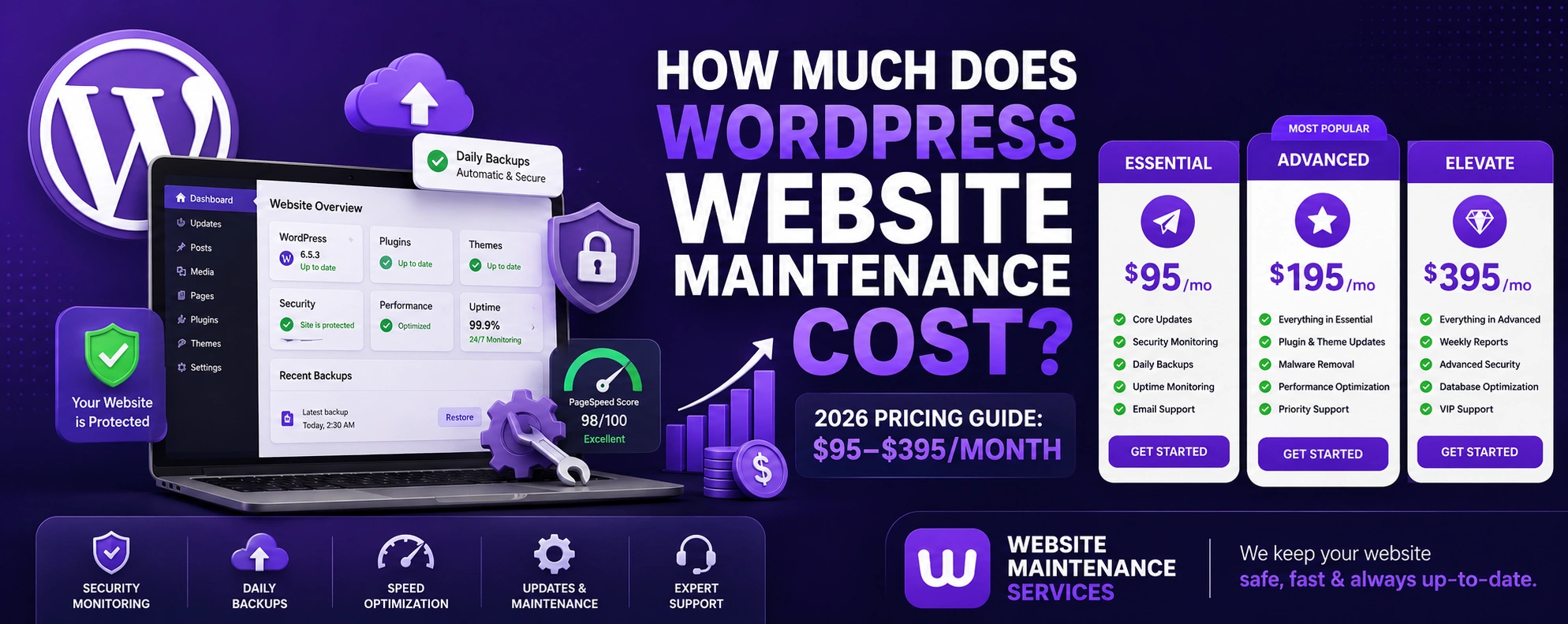
Exact 2026 pricing, a full feature-by-feature plan comparison, every hidden cost, real client reviews, and a 10-year-expert breakdown of what you actually pay for — so you choose the right care plan with total confidence.
Quick answer: WordPress website maintenance costs $20–$500+ per month in 2026. Cheap DIY/automated plans start around $20–$50/month, while professional managed care plans typically run $95–$395/month. Our transparent plans are $95 (Essential), $195 (Advanced), and $395 (Elevate) per month — with 20% off when billed annually. Your exact price depends on site complexity, plugin count, traffic, and the support level you need.
Launching a WordPress website is the easy part — keeping it secure, fast, and converting is where the real work (and the real budget) lives. WordPress now powers over 43% of all websites, which also makes it the single biggest target for automated attacks. That one fact is why "how much does WordPress maintenance cost" has gone from a nice-to-know to a genuine line item on every serious business budget.
This is the most complete, no-fluff guide to WordPress maintenance costs on the internet: real published pricing, a full plan comparison, every cost factor, the hidden fees nobody warns you about, and an honest DIY-vs-pro breakdown. By the end you'll have an exact number for your site. For a platform-agnostic view, see our wider guide on general website maintenance cost.
Section 01What Does WordPress Website Maintenance Cost in 2026?
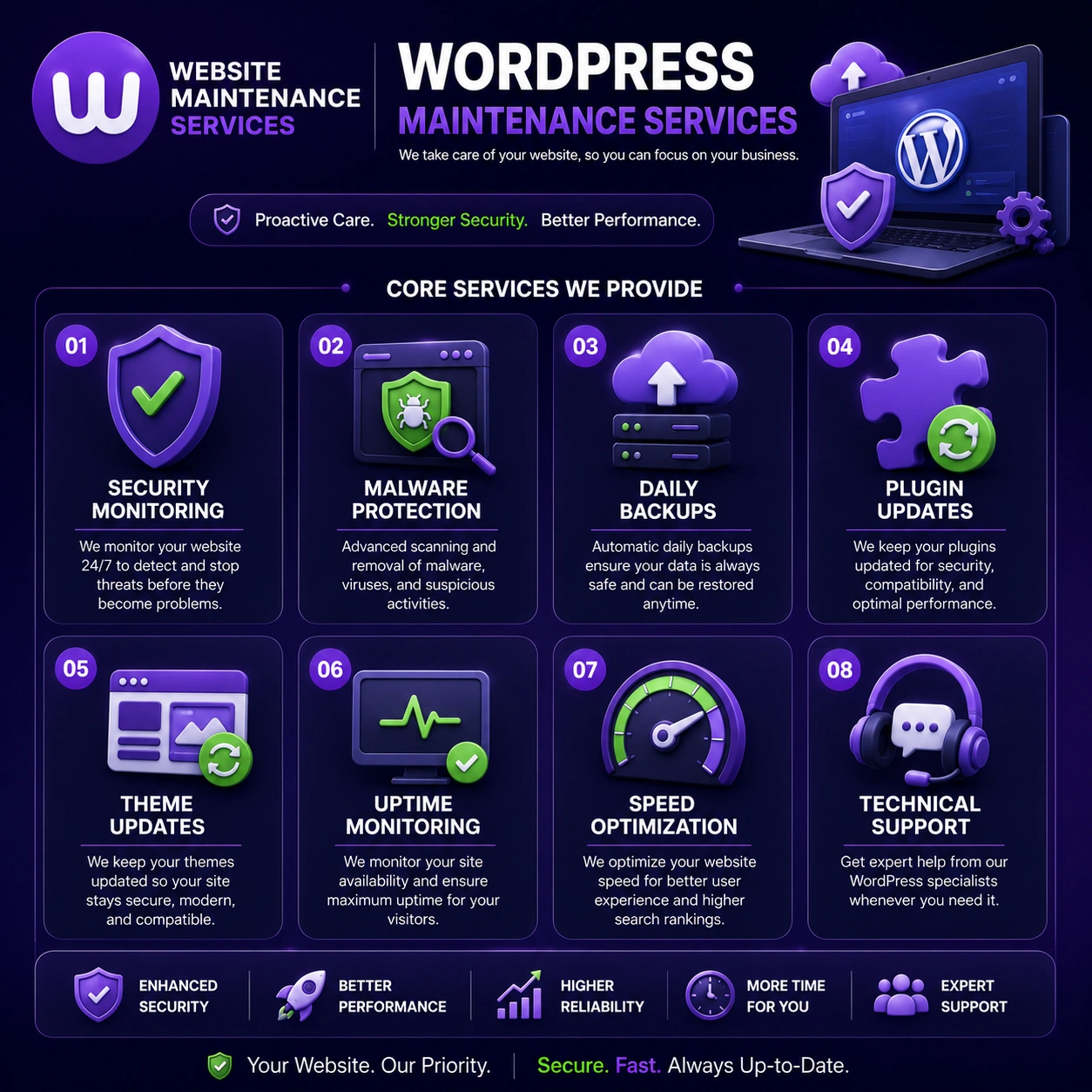
The WordPress maintenance cost in 2026 depends on your site's size, complexity, and required support level. On average, monthly cost ranges from $20 to $500+ per month. At the low end sit DIY tool subscriptions and automated-only plans ($20–$50/month); the middle and upper range — $95–$395/month — is where real, human-managed care plans live. You can see exactly what each tier includes in our full plan, packages and costs breakdown.
A simple personal or brochure site is cheap to maintain. But a dynamic WordPress site with custom plugins, ecommerce, or heavy traffic costs significantly more — because security monitoring, daily backups, and performance optimization become far more demanding the moment money and data flow through the site.
How does 2026 compare to previous years? Costs have crept up. In 2024, most basic plans started around $15–$20/month. In 2026, rising complexity, AI-driven attacks, and more frequent WordPress core updates have pushed baseline managed pricing to roughly $95/month for small business sites, with premium plans reaching $395+.
A 12-page WordPress site with ~18 plugins, a contact form, and a blog: expect $195/month on a managed Advanced plan. That single fee replaces a backup tool, a security subscription, a performance plugin, and the developer hours you'd otherwise pay piecemeal — which, added up separately, usually costs more than the bundled plan.
Section 02Real WordPress Maintenance Pricing: Our Plans & Packages
Most "how much does it cost" articles only give vague ranges. Here is exactly what professional WordPress maintenance plans cost, using our own transparent, published pricing — no hidden fees, cancel anytime. Save 20% when billed annually.
- Regular website check-up
- Security monitoring
- Monthly backup
- Plugin & theme updates
- Minor fixes (up to 1 hr/mo)
- Text, image, video & link updates
- Everything in Essential
- Weekly backup
- Fixes & adjustments (up to 3 hrs/mo)
- Speed optimization
- Malware scan & removal
- Content updates (up to 10 posts)
- Uptime monitoring
- Monthly performance report
- Layout modifications
- Everything in Advanced
- Daily backup
- Fixes & improvements (up to 6 hrs/mo)
- Unlimited content upload*
- Advanced security firewall
- Database optimization
- Broken link fixing
- New page creation
- Priority support
- Emergency fix (24/7)
View full WordPress maintenance packages → · monthly maintenance packages
Most small business websites are perfectly served by Advanced ($195/mo) — it adds the speed optimization, malware removal, and reporting that a brochure-only Essential plan leaves out. Choose Elevate only if your site drives real revenue and downtime costs you money.
Section 03Full Feature Comparison: What Each Plan Includes
Here's a complete, side-by-side feature comparison so you can see exactly what changes as the price goes up:
| Feature | Essential $95 | Advanced $195 | Elevate $395 |
|---|---|---|---|
| Website check-up | ✓ | ✓ | ✓ |
| Security monitoring | ✓ | ✓ | ✓ |
| Backups | Monthly | Weekly | Daily |
| Plugin & theme updates | ✓ | ✓ | ✓ |
| Fixes & adjustments | 1 hr/mo | 3 hrs/mo | 6 hrs/mo |
| Content/media updates | ✓ | ✓ | ✓ |
| Speed optimization | ✕ | ✓ | ✓ |
| Malware scan & removal | ✕ | ✓ | ✓ |
| Content updates | ✕ | Up to 10 posts | Unlimited* |
| Uptime monitoring | ✕ | ✓ | ✓ |
| Monthly performance report | ✕ | ✓ | ✓ |
| Layout modifications | ✕ | ✓ | ✓ |
| Advanced security firewall | ✕ | ✕ | ✓ |
| Database optimization | ✕ | ✕ | ✓ |
| Broken link fixing | ✕ | ✕ | ✓ |
| New page creation | ✕ | ✕ | ✓ |
| Priority support | ✕ | ✕ | ✓ |
| Emergency fix (24/7) | ✕ | ✕ | ✓ |
Section 04Monthly vs Annual: How Much You Actually Save
Paying annually cuts 20% off every plan. Over a year, that's a meaningful saving — here's the real math:
| Plan | Monthly billing / yr | Annual billing / yr | You save |
|---|---|---|---|
| Essential | $1,140 | $912 | $228/yr |
| Advanced | $2,340 | $1,872 | $468/yr |
| Elevate | $4,740 | $3,792 | $948/yr |
If you already know you'll keep your site for a year or more, annual billing is the obvious choice — you get roughly two-and-a-half months free.
Section 05Why Does Every WordPress Website Need a Maintenance Plan?
A structured maintenance plan keeps your WordPress website secure and performing at its best. Without consistent upkeep, a site becomes vulnerable to malware, outdated plugins, and broken features — sometimes overnight. A typical WordPress care plan includes:
- Regular plugin and theme updates (safely tested)
- Automated and manual backups with quick restore
- Security monitoring and firewall protection
- Performance optimization and uptime monitoring
- Compatibility testing after major WordPress core updates
These tasks are non-negotiable because WordPress relies heavily on third-party plugins, which introduce serious security risks if left outdated. Consistent maintenance also keeps your site compatible with the latest supported PHP versions. Not sure what should be covered? Our website maintenance checklist lists every task a complete plan should handle.
Section 06What Does a WordPress Care Plan Cost?
A WordPress care plan is a bundled monthly subscription combining updates, backups, security, and support into one predictable fee. Across the wider market, care plan pricing breaks down like this:
- Basic care plan: $20–$95/month — blogs and brochure sites
- Standard care plan: ~$195/month — growing business websites
- Premium care plan: $395–$500+/month — ecommerce and high-traffic sites
The difference between a cheap care plan and a premium one comes down to response time, staging-tested updates, malware coverage, and whether emergency fixes are included. Higher tiers (like our Elevate plan) cover 24/7 emergency fixes and malware removal — costs you'd otherwise pay per incident. See how we structure care plans on the plan, packages and costs page.
Section 07WordPress Maintenance Cost by Website Type
Not every site needs the same plan. Here's what each type of WordPress site typically costs to maintain — and the plan we'd recommend:
| Website Type | Typical Monthly Cost | Recommended Plan |
|---|---|---|
| Personal blog / portfolio | $20–$95 | Essential |
| Small business / brochure | $95–$195 | Essential → Advanced |
| Lead-gen / service business | $195 | Advanced |
| Content / news (high traffic) | $195–$395 | Advanced → Elevate |
| WooCommerce store | $395+ | Elevate |
| Membership / booking | $395+ | Elevate + custom |
We also maintain small business websites and offer full WordPress management services for owners who want maintenance plus ongoing edits handled for them.
Section 08WooCommerce Maintenance Cost: What's Different?
WooCommerce stores require significantly more intensive maintenance than a standard WordPress website — and the pricing reflects that. Because WooCommerce handles real transactions, inventory, and customer data, the consequences of a failed update or breach are immediate and costly. Typical WooCommerce maintenance runs $195–$600+/month. See our dedicated ecommerce & WooCommerce maintenance packages (we also support Shopify stores).
Maintenance needs specific to WooCommerce include:
- Payment gateway compatibility testing after every update
- Checkout performance monitoring and speed optimization
- Product catalog and inventory sync checks
- PCI compliance and security hardening
- Order management system integrity checks
If you run WooCommerce on an Essential-style plan, it almost certainly isn't covering checkout and payment-gateway testing. The cost of a single failed checkout or breach far outweighs the price gap to a proper Elevate-tier plan.
Section 09What Affects WordPress Maintenance Costs?
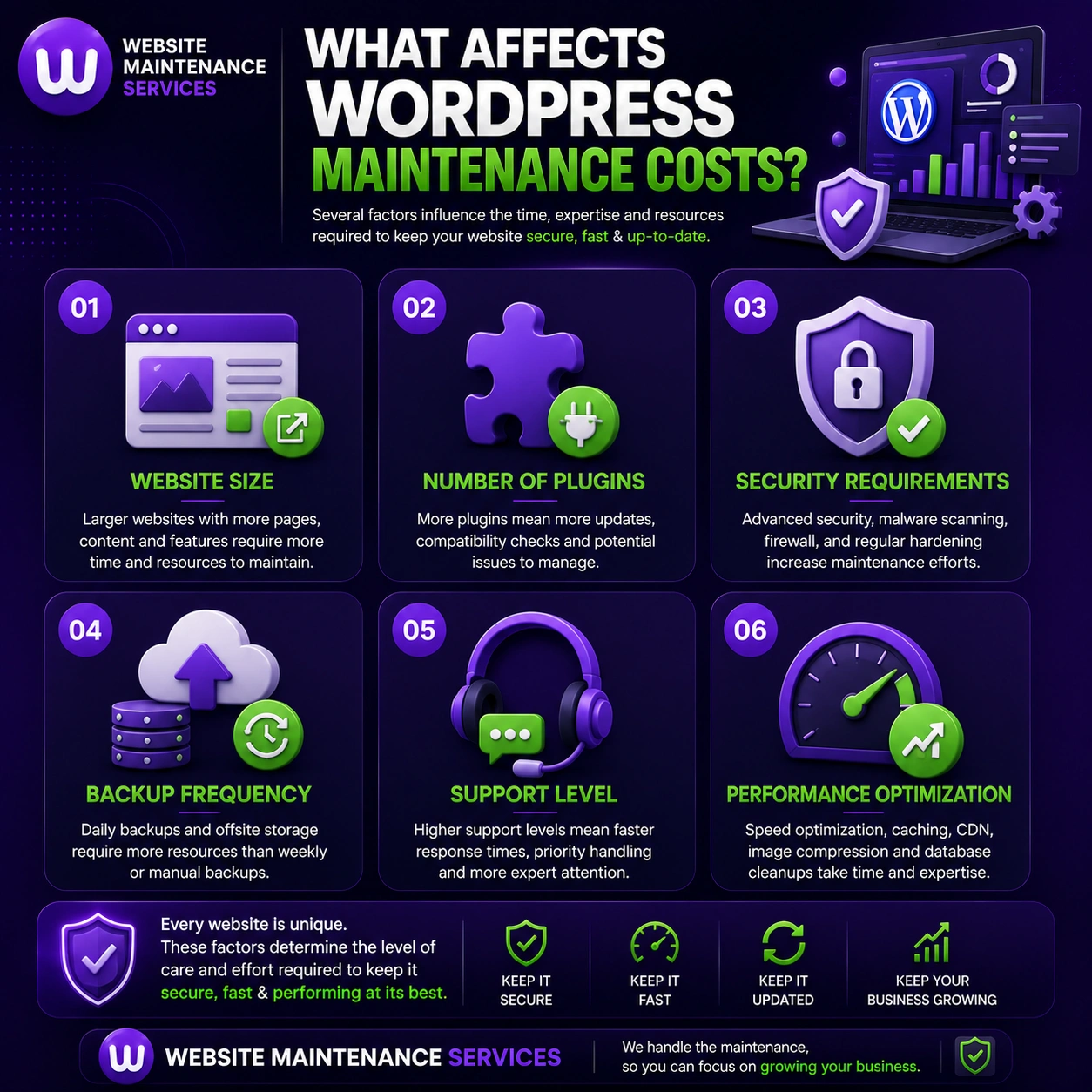
Website complexity — A simple brochure site needs fewer tasks than a feature-rich site with custom integrations, membership systems, or booking tools.
Number of plugins — More plugins means more updates and more compatibility testing after each WordPress core update.
Hosting environment — Premium managed hosting (like WP Engine or Kinsta) bundles some features but costs more; budget shared hosting shifts all the work to you or your provider.
Traffic volume — High-traffic sites need more robust monitoring, caching, and backups that restore quickly with minimal downtime.
Support level — Dedicated developers or 24/7 emergency support raises cost but is essential for business-critical sites.
Update frequency — WordPress ships major updates 2–3 times a year, with security patches far more often. Sites needing immediate updates need higher tiers.
Section 10Cost Breakdown: WordPress Maintenance by Service
Here's a practical breakdown of individual service costs, useful if you're pricing a custom package — and a clear illustration of why bundling wins:
| Service Type | Estimated Standalone Cost |
|---|---|
| Backup services | $5–$20/month |
| Security monitoring & firewall | $10–$50/month |
| Plugin & theme updates | $10–$40/month |
| Performance / speed optimization | $20–$100/month |
| Content updates & site management | $30–$150/month |
| Staging & regression testing | $20–$80/month |
| Uptime monitoring | $5–$25/month |
| Malware cleanup (per incident) | $100–$500+ |
Add these up individually and you're often past $195/month for piecemeal services — which is exactly why a bundled plan like Advanced is better value than buying each service separately. Staging-tested updates (every update applied to a staging copy first) should be standard for any business website.
Section 11DIY vs Freelancer vs Agency: Pricing Compared
| Provider Type | Monthly Cost | Best For |
|---|---|---|
| DIY (you manage it) | $5–$30 (tools) | Tech-savvy owners with time |
| Freelancer | $50–$150 | Small sites, tight budgets |
| Agency plan | $95–$500+ | Business, WooCommerce, high-traffic |
| Managed hosting bundle | $20–$80 | Basic updates only, no support |
Not sure which provider to trust? Our guide to the best WordPress maintenance companies compares the leading options side by side.
Hosts like Kinsta or WP Engine handle server-level infrastructure but typically don't cover plugin updates, content changes, security audits, or performance tuning. You usually need a maintenance plan on top of managed hosting.
Section 12Hidden Costs You Shouldn't Ignore
Beyond the plan price, these are the costs owners overlook until the invoice lands:
- Emergency fixes after a failed plugin update ($50–$300+ per incident)
- Malware cleanup after a breach ($100–$500+ depending on severity)
- Premium plugin license renewals ($50–$500+/year)
- CDN and performance tools like Cloudflare Pro or caching plugins
- Developer fees for custom code outside standard scope
- SSL renewal if not bundled with hosting (free options like Let's Encrypt exist, but setup and monitoring still take time)
A solid maintenance package should cover at least emergency response and malware cleanup — both are built into our Advanced and Elevate plans, so you're never hit with surprise per-incident invoices.
Section 13How to Reduce Your WordPress Maintenance Cost
You can keep quality high while trimming the bill. As a rule of thumb, the biggest savings come from removing risk before it becomes an emergency:
- Pay annually — an instant 20% off, the single easiest saving.
- Cut plugin bloat — fewer plugins means fewer updates, conflicts, and security holes to manage.
- Pick quality hosting — reliable managed hosting prevents many issues that turn into paid fixes.
- Handle tiny edits yourself — outsource the technical work; do simple text swaps in-house.
- Bundle, don't buy piecemeal — one plan almost always beats stacking separate tools.
- Never skip updates — prevention is a fraction of the cost of recovery.
Section 14Should You Pay for Maintenance or DIY?
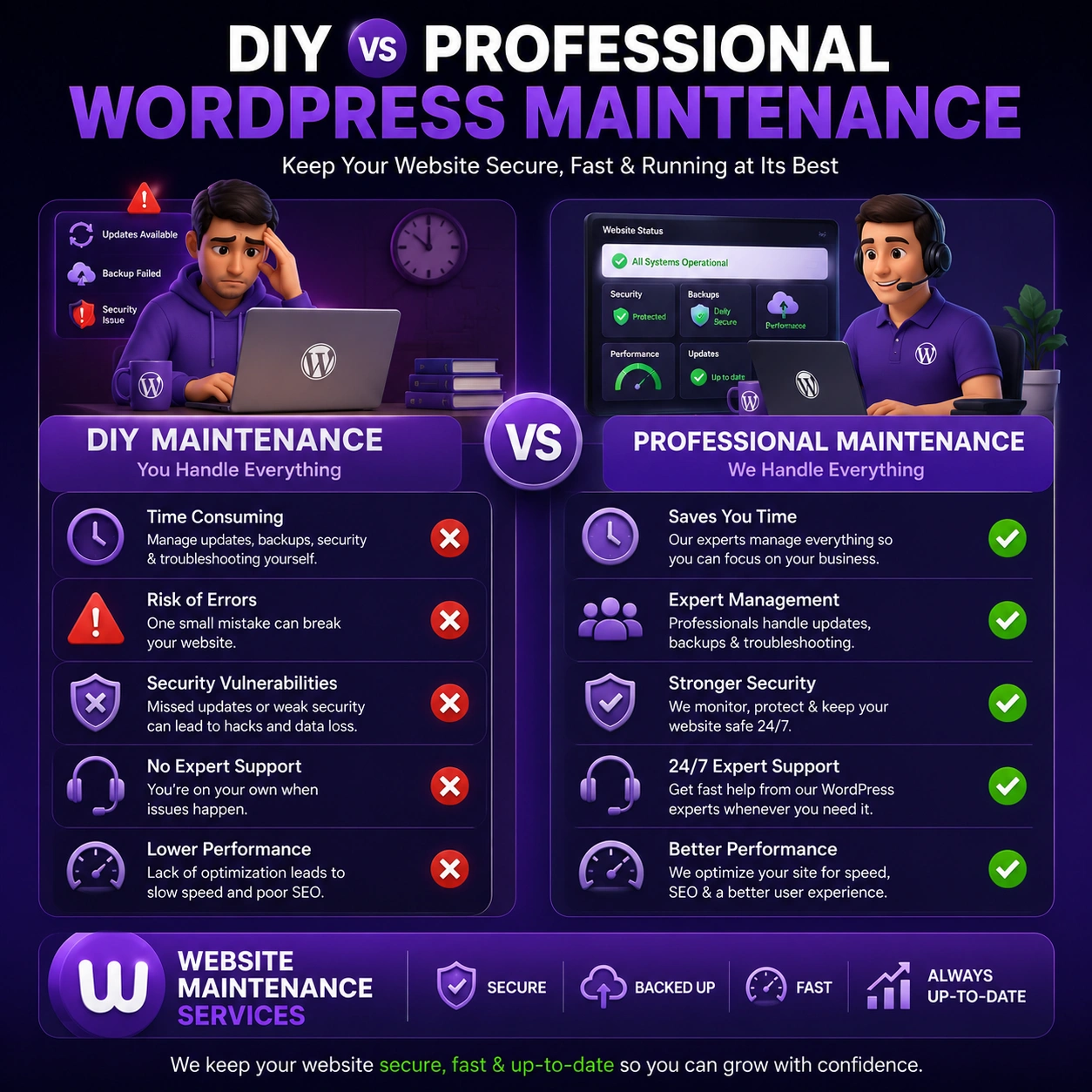
DIY approach
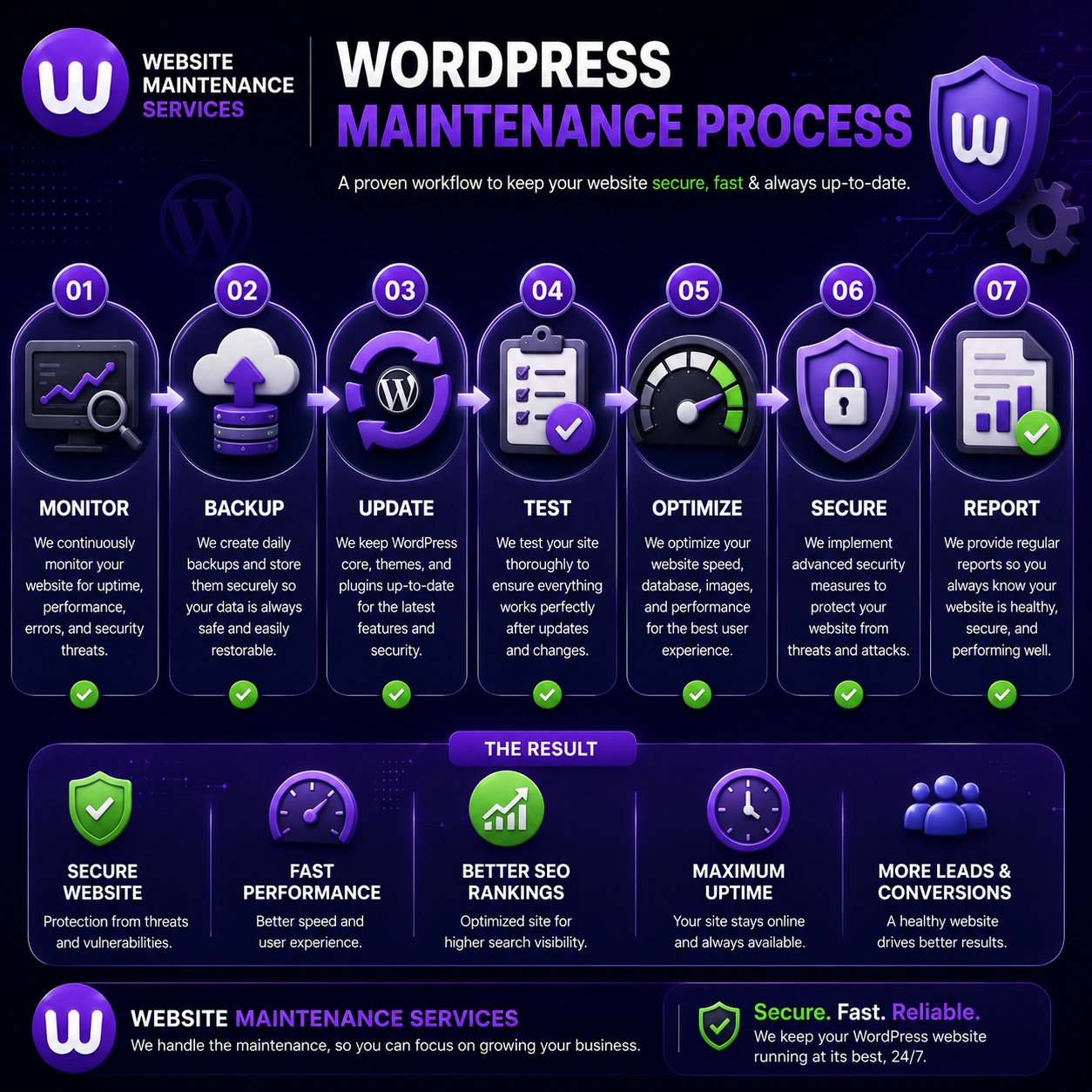
You manage backups, plugin updates, security scans, and performance checks manually. Costs are low (mostly tool subscriptions), but it demands consistent time, technical knowledge, and discipline. One missed update at the wrong moment can compromise the whole site.
Professional maintenance services
A provider delivers reliable, scheduled maintenance with monitoring, priority support, staging-tested updates, and optimization — so you reclaim your time and your peace of mind. See exactly how our maintenance process works, and the outcomes it delivers in this real client case study. Professional services typically include automated and manual updates, security audits, Core Web Vitals optimization, uptime monitoring, and support with defined response times.
If your site generates any revenue or serves customers directly, outsourcing maintenance is almost always the smarter financial decision. At $195/month, the Advanced plan costs less than a single emergency malware cleanup — and prevents it in the first place.
ReviewsWhat Our WordPress Clients Say
“We moved to the Advanced plan after a plugin update broke our site. Since then every update is tested first and we have had zero downtime. Easily worth $195 a month.”
“Our WooCommerce store was hacked once before. The Elevate plan caught and removed malware fast, and the daily backups give me real peace of mind.”
“Transparent pricing and no lock-in. The monthly performance report shows exactly what was done. The Essential plan is perfect for my small business site.”
“Speed optimization alone improved our Core Web Vitals and rankings. Support replies fast and actually fixes things. Highly recommend the Advanced plan.”
Section 15What Happens If You Skip WordPress Maintenance?
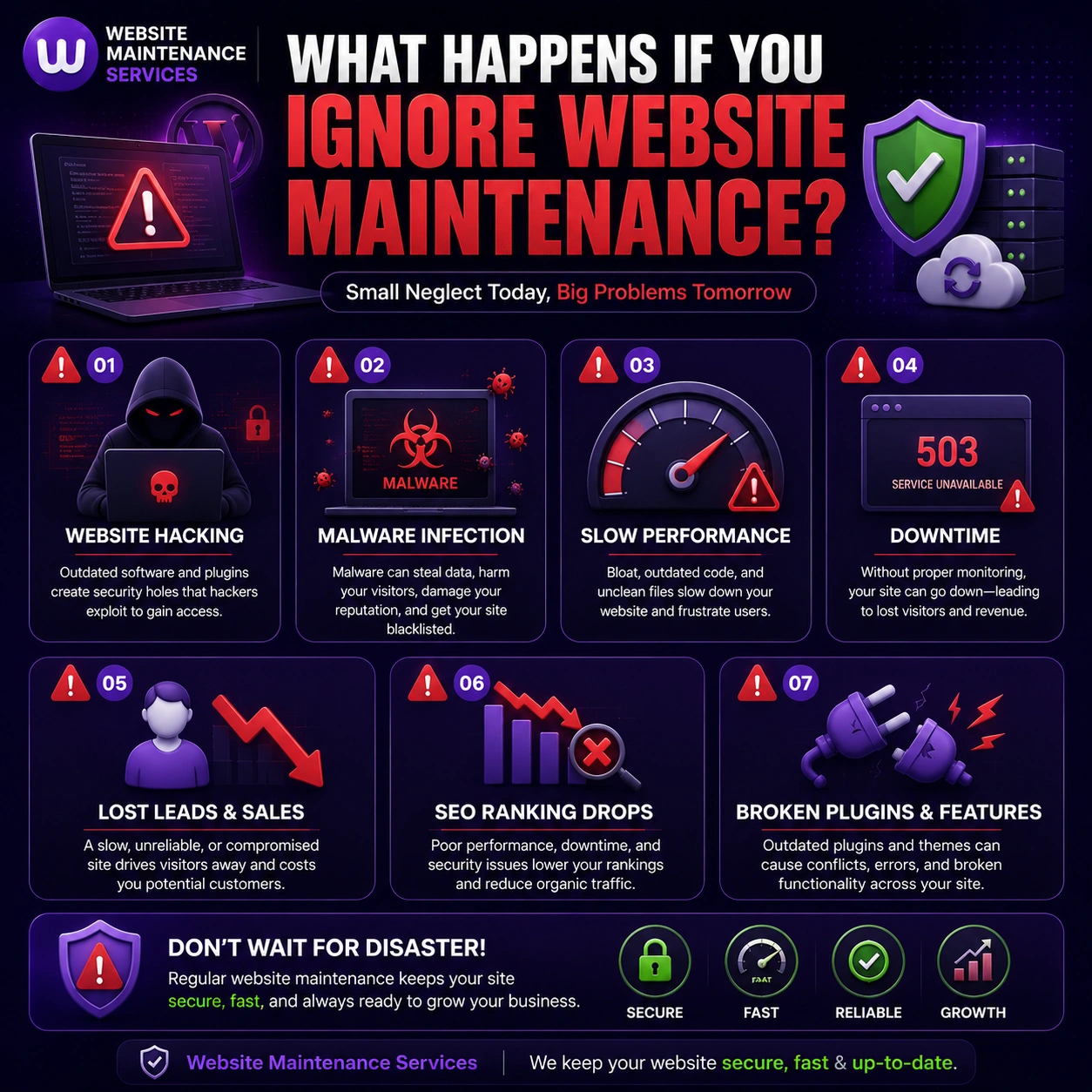
Skipping maintenance looks like a saving. In reality it's one of the most expensive decisions a site owner can make. Without regular maintenance, your site faces:
- Security vulnerabilities from outdated plugins and themes — a large share of hacked WordPress sites run outdated software, per Sucuri's website hacked reports
- Broken functionality from plugin conflicts after major WordPress core updates
- Data loss without a proper backup system
- Declining search rankings as Core Web Vitals deteriorate
- Reputation damage from errors, malware warnings, or downtime
The cost of fixing a neglected site — cleaning malware, rebuilding broken features, recovering lost data — far exceeds consistent monthly maintenance. Preventive care is always cheaper than emergency repair.
FAQWordPress Maintenance Cost: Frequently Asked Questions
How much does it cost to maintain a WordPress website?
What does a WordPress care plan cost?
What does a WordPress maintenance service include?
Do small websites need WordPress maintenance?
How much does WooCommerce maintenance cost?
Can I reduce my WordPress maintenance costs?
Is annual billing cheaper than monthly?
How often should a WordPress site be updated?
Can I switch or upgrade plans later?
What's the difference between a maintenance plan and managed hosting?
Is WordPress maintenance worth the cost?
What is a WordPress maintenance retainer?
🏁 Key Takeaways
- WordPress maintenance costs $20–$500+/month; managed plans run $95–$395/month
- Our transparent plans: Essential $95, Advanced $195 (most popular), Elevate $395 — 20% off annually
- Most small businesses are best served by the Advanced plan
- WooCommerce stores need Elevate-tier care ($395+/month)
- Bundled plans beat buying services piecemeal once you pass ~$195/month of needs
- Managed hosting is not a replacement for a maintenance plan
- Skipping maintenance costs far more in emergency repairs than prevention
Ready to Secure Your WordPress Site?
Transparent pricing, no hidden fees, cancel anytime. Updates, security, backups, and performance — all handled, so you can focus on growing your business.